
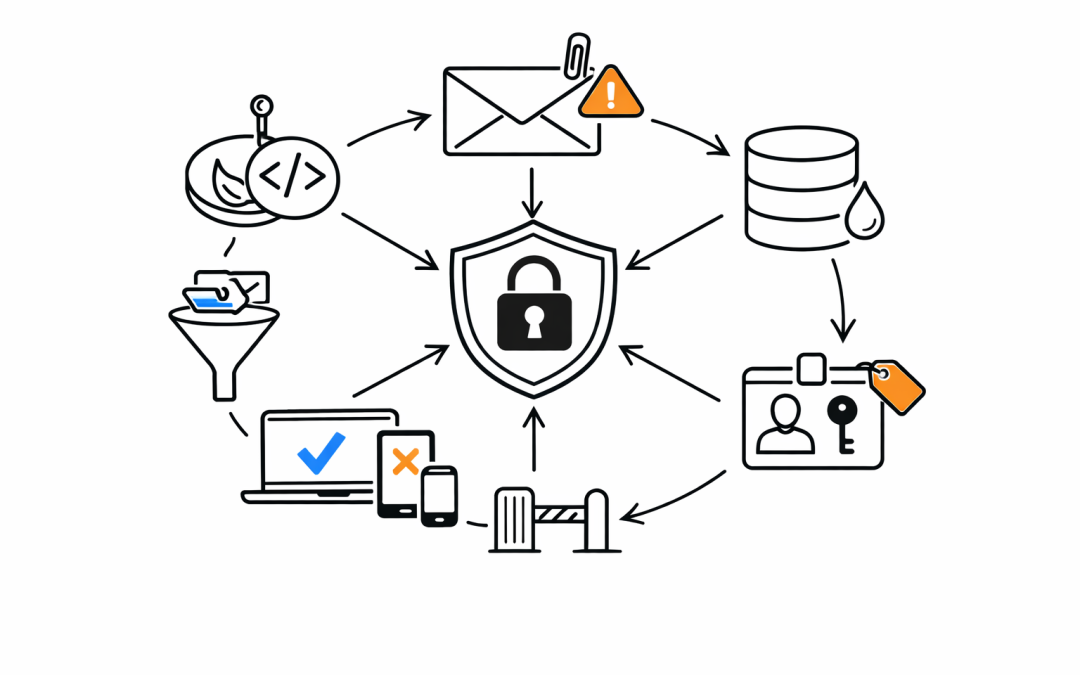
When a business enables Multi-Factor Authentication and calls it “done,” they’ve taken one important step — but left the door wide open in a dozen other places.
MFA blocks a significant portion of credential-based attacks. Microsoft’s own data shows it stops over 99% of automated password-based attacks. That’s meaningful. But attackers have adapted. Today’s threats go well beyond stolen passwords — and your Microsoft 365 security posture needs to match.
MFA Is the Floor, Not the Ceiling
Most Australian businesses running Microsoft 365 have MFA enabled. Many stop there. What they’re missing is an entire stack of controls designed to stop threats that MFA was never built to prevent.
Device compromise. Malicious email attachments. Phishing links that bypass standard filters. Insider data leakage. Misconfigured sharing permissions. These are the real risks that breach investigations uncover — not just weak passwords.
The Threats MFA Doesn’t Stop
Phishing That Bypasses MFA
Adversary-in-the-middle (AiTM) phishing attacks can intercept session tokens in real time. Once the attacker has your session cookie, MFA becomes irrelevant — they’re already authenticated. Microsoft’s Defender for Office 365 addresses this with Safe Links, Safe Attachments, and impersonation protection that analyse threats before they reach users.
Malicious Attachments and Links
Email is still the primary entry point for ransomware. A single malicious PDF or macro-enabled Word document can compromise an entire environment. Microsoft Defender for Office 365 Plan 1 adds Safe Attachments, which detonates files in a sandboxed environment before delivery. Standard MFA does nothing here.
Data Leakage From Inside
Employees forwarding sensitive documents to personal email. Staff sharing SharePoint files externally without approval. A contractor downloading confidential files on their last day. None of this is stopped by MFA. Microsoft Purview’s Data Loss Prevention (DLP) policies and Information Protection labels are the controls that address this — and most organisations haven’t configured them.
Unmanaged and Non-Compliant Devices
MFA verifies the user, not the device. An employee logging in from a personal laptop with no endpoint protection, outdated software, and no encryption is a significant risk. Microsoft Entra ID Conditional Access allows organisations to enforce device compliance before granting access — blocking logins from unmanaged or non-compliant devices entirely.
Excessive Permissions and Stale Accounts
Privileged accounts with no Privileged Identity Management (PIM). Guest accounts that haven’t been used in six months. Former employee accounts left active. These are low-hanging fruit for attackers who’ve gained a foothold. Microsoft Entra ID Governance and regular access reviews address this directly.
What a Real Microsoft 365 Security Posture Looks Like
Our team works with Australian businesses to build layered Microsoft 365 security that goes well beyond a checkbox MFA policy. The core components include:
Conditional Access Policies — Enforce access rules based on user role, device compliance, location, and sign-in risk. Block legacy authentication protocols that bypass MFA entirely.
Microsoft Defender for Office 365 — Protect email with Safe Attachments, Safe Links, anti-phishing with impersonation protection, and attack simulation training for staff.
Microsoft Purview — Classify and protect sensitive data with sensitivity labels, DLP policies, and information barriers. Know where your data is and who can access it.
Microsoft Entra ID Protection — Detect risky sign-ins and compromised accounts in real time. Automatically enforce remediation actions based on risk level.
Privileged Identity Management (PIM) — Eliminate standing admin access. Require just-in-time elevation for privileged roles with approval workflows and audit logs.
Microsoft Intune — Manage and enforce compliance on every device accessing corporate data. Separate personal and corporate data on BYOD devices.
The Australian Context
Australia’s Essential 8 framework explicitly covers multi-factor authentication — but it also covers patching, application control, restricting admin privileges, and more. MFA alone satisfies one maturity level of one control. Businesses aiming for Essential 8 Maturity Level 2 or above need the full picture.
The ACSC’s guidance is clear: defence in depth is the expectation, not a nice-to-have. Regulators and cyber insurers are asking harder questions now. “We have MFA” is no longer a sufficient answer.
What This Means for Your Business
If your organisation relies on Microsoft 365 and your security strategy starts and ends with MFA, you’re exposed. Not hypothetically — practically.
Our team helps mid-market Australian businesses assess their Microsoft 365 security posture, identify the gaps, and implement the controls that actually reduce risk. As a Microsoft Partner with hands-on experience across Entra ID, Defender, Purview, and Intune, we close the distance between where most businesses are and where they need to be.
A Microsoft 365 security review takes less time than recovering from a breach. If you’d like to understand where your organisation stands, we’re ready to help.
Discover more from CPI Consulting
Subscribe to get the latest posts sent to your email.