
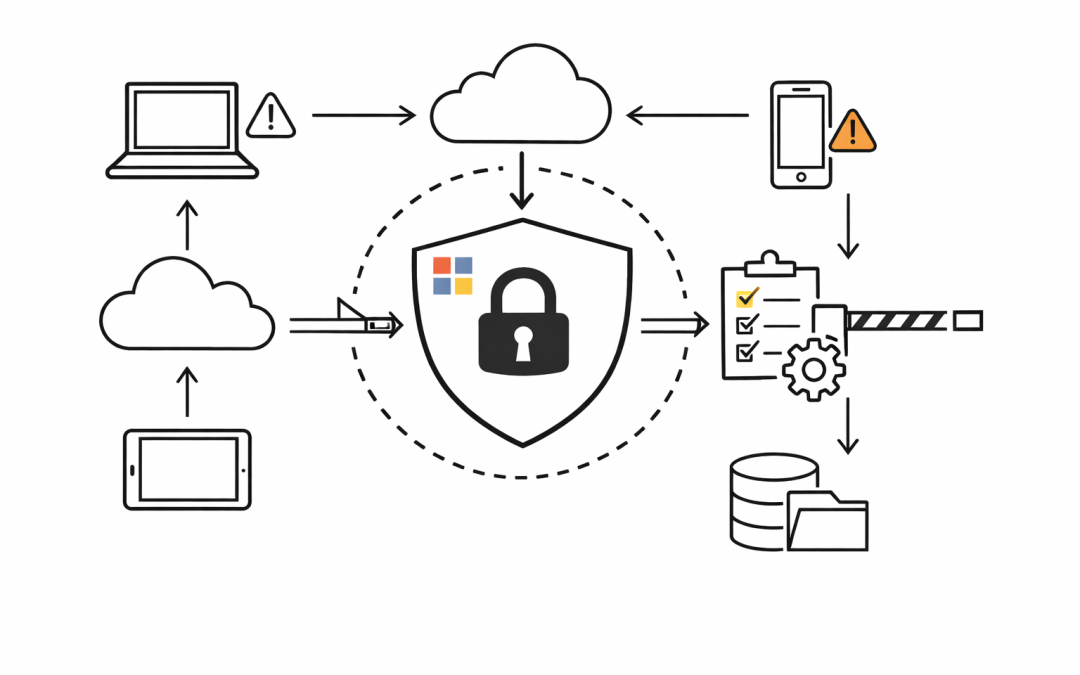
Most Australian organisations have invested in Microsoft 365 licences, security policies, and compliance controls. But there is a gap that regularly gets overlooked — and attackers know exactly where it is.


Unmanaged devices.
A personal laptop, a contractor’s home PC, or a smartphone that was never enrolled in Intune. Each one can authenticate to Microsoft 365, open SharePoint files, read emails, and download sensitive data — often without triggering a single alert.
What “Unmanaged” Actually Means
An unmanaged device is any endpoint that is not enrolled in a Mobile Device Management (MDM) solution such as Microsoft Intune, and not joined to Microsoft Entra ID as a compliant or hybrid-joined device.
These devices are invisible to your IT team. There is no visibility into whether they are running outdated software, whether they have endpoint protection enabled, or whether they have been compromised. When that device signs into Microsoft 365, it authenticates as a valid user — and the platform treats it the same as a fully managed corporate device.
For organisations operating under the Essential 8 or handling sensitive business data, this is a significant control gap.
Why This Gap Exists
The shift to remote and hybrid work opened the door to personal device access at scale. Employees and contractors started using their own devices because it was convenient — and IT teams often allowed it to avoid productivity friction.
Microsoft 365 is designed to be accessible from anywhere, on any device. That flexibility is a feature. But it becomes a liability when there are no controls in place to verify the state of the device before access is granted.
Common scenarios we see in Australian mid-market organisations:
- Contractors accessing SharePoint or Teams from personal laptops that are never enrolled
- Employees checking work email from personal iPhones not covered by an app protection policy
- Executives using personal iPads to access sensitive finance or HR data
- Former employees retaining access through cached credentials on personal devices
What Attackers Can Do With This
Once a threat actor compromises a valid Microsoft 365 credential — through phishing, credential stuffing, or dark web data — they can sign in from any unmanaged device. Without device compliance enforcement, that sign-in succeeds.
From there, the risks multiply:
Data exfiltration — files downloaded to an uncontrolled device with no Data Loss Prevention (DLP) enforcement at the endpoint level.
Lateral movement — the session can be used to probe SharePoint, OneDrive, Teams, and email for sensitive documents.
Persistence — without conditional controls, an attacker can maintain access even after a user password is reset, if sessions are long-lived and device trust is not re-evaluated.
Australian organisations subject to the Privacy Act and the Notifiable Data Breaches scheme face real regulatory exposure when sensitive personal data is accessed from an endpoint outside their control.
The Fix: Conditional Access and Device Compliance
Microsoft Entra ID Conditional Access is the right tool for this problem. It lets organisations define exactly which conditions must be met before a user can access Microsoft 365 — including whether their device is managed and compliant.
A well-configured Conditional Access policy for unmanaged devices will:
- Require device compliance for access to high-value applications (SharePoint, Exchange, Teams)
- Enforce app protection policies for users who need mobile access without full device enrolment
- Block legacy authentication protocols that bypass modern authentication controls entirely
- Limit session lifetime and download capabilities for unmanaged or compliant-not-verified devices
When combined with Microsoft Intune, organisations gain the ability to define what a compliant device actually looks like — minimum OS version, disk encryption, endpoint protection status — and enforce that standard before access is granted.
What to Do First
For organisations that have not yet addressed this risk, a practical starting point is a Conditional Access policy audit. Map which policies are in place, which apps are covered, and — critically — where the gaps are.
The most common finding is that Conditional Access policies exist but exclude too many users or too many applications, leaving significant surface area exposed.
From there, a phased approach works well:
1. Enforce compliant device requirements for privileged users and sensitive applications first
2. Roll out Intune enrolment for corporate-owned devices
3. Deploy app protection policies for BYOD scenarios
4. Close legacy authentication pathways that bypass modern controls
This is not a project that requires months of disruption. With the right planning, organisations can close the unmanaged device gap incrementally without impacting end-user productivity.
The Business Conversation
IT leaders often frame this as a technical problem. But the real conversation is about risk exposure.
Every unmanaged device that can access Microsoft 365 is an uncontrolled access point to your business data. The question for the board and the CIO is not whether the controls exist in theory — it is whether they are actually enforced at the device level.
For organisations managing sensitive client data, financial records, or health information, unmanaged device access is not a configuration oversight. It is a material risk.
Our team works with Australian mid-market organisations to assess and remediate Conditional Access gaps, implement Intune device compliance policies, and build pragmatic security roadmaps aligned to the Essential 8.
If unmanaged device access is a risk you have been meaning to address, get in touch with the CloudProInc team to start the conversation.
Discover more from CPI Consulting
Subscribe to get the latest posts sent to your email.