
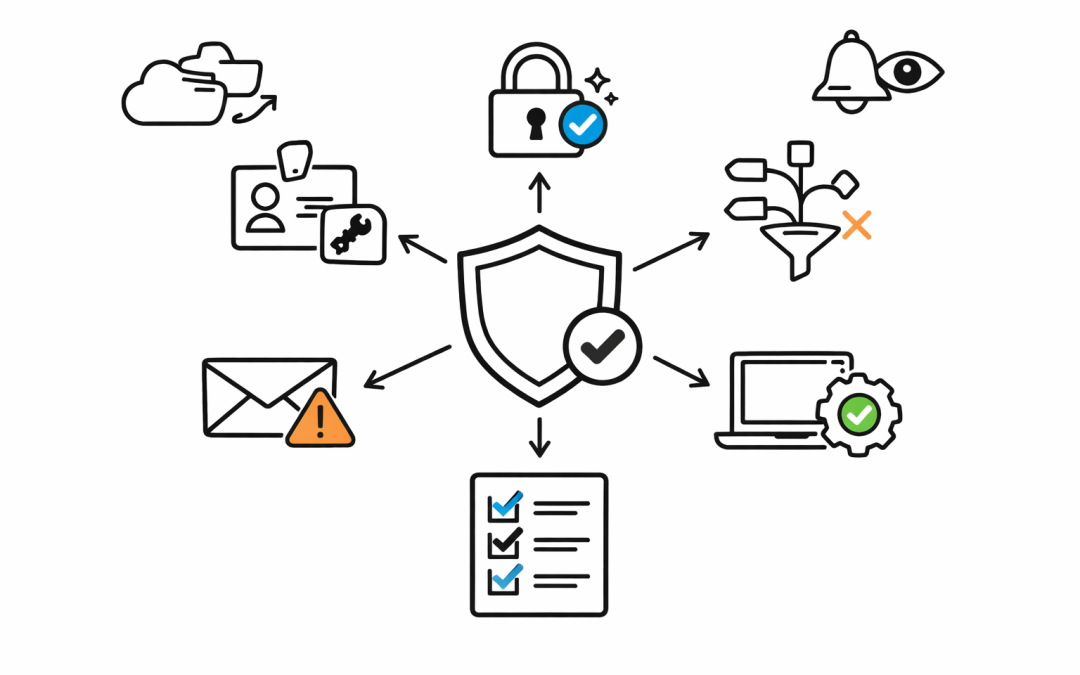
When our team starts a Microsoft 365 security review, we focus on the areas that quickly tell us whether an environment is well controlled, loosely managed, or quietly carrying avoidable risk.


For many Australian organisations, Microsoft 365 has become the centre of daily work. Email, files, Teams, devices, identities, and security alerts all sit inside the same ecosystem. That convenience is powerful, but it also means a small configuration gap can create a much larger business risk.
A Microsoft 365 security review is not about ticking every possible control in a portal. It is about understanding how people sign in, how data moves, how devices are managed, and whether the organisation can spot and respond to suspicious activity before it becomes a business incident.
Here are the first 10 areas we usually check.
1. Global Administrator Accounts
The first place we look is privileged access. Global administrator accounts can change almost anything in Microsoft 365, so they deserve special treatment.
We check how many global admins exist, whether they are active day-to-day accounts, whether they use strong authentication, and whether there are stale accounts that should have been removed. In many mid-market environments, admin access has grown over time because it was convenient during a project or support issue.
The business risk is simple. If an attacker compromises one overpowered account, they may be able to access mailboxes, change security settings, create persistence, or disable protections before anyone notices.
2. Multi-Factor Authentication Coverage
Multi-factor authentication, or MFA, adds an extra proof of identity beyond a password. It is one of the most effective controls against account takeover, but only when it is applied consistently.
We check whether MFA is enforced for all users, all administrators, and all remote access scenarios. We also look for exceptions, legacy authentication, break-glass accounts, and users who are technically registered but not actually protected in the right way.
This aligns closely with the Essential 8, the Australian government’s cybersecurity framework that many organisations use as a baseline for practical security maturity.
3. Conditional Access Policies
Conditional Access is the Microsoft 365 control that decides when a sign-in should be allowed, blocked, or challenged. It can consider location, device health, application, user risk, and other signals.
We check whether the organisation has sensible policies for administrators, external access, unmanaged devices, risky sign-ins, and high-impact apps such as Exchange Online and SharePoint. We also check whether policies are too loose, too complicated, or sitting in report-only mode without being enforced.
Good Conditional Access reduces risk without making work painful. Poorly designed policies either leave the door open or frustrate staff until exceptions become the norm.
4. Legacy Authentication
Legacy authentication refers to older sign-in methods that do not properly support modern security controls such as MFA. Attackers still look for it because it can provide a way around otherwise strong identity protection.
We check whether protocols such as basic authentication, old mail clients, or outdated app connections are still allowed. Even when Microsoft has disabled many legacy paths by default, inherited configurations and third-party integrations can still create exposure.
For a business, this is one of the faster wins. Removing old authentication paths can significantly reduce account takeover risk without changing how most staff work.
5. Mailbox and Email Security Settings
Email remains one of the most common entry points for phishing, invoice fraud, and malware. A Microsoft 365 security review needs to look beyond whether email is simply flowing.
We check anti-phishing policies, spoofing protection, safe links, safe attachments, quarantine handling, external sender warnings, forwarding rules, and suspicious inbox rules. We also check whether executives, finance teams, and high-risk roles have stronger protection.
The business outcome is direct. Better email controls reduce the chance of a staff member approving a fake payment, opening a malicious file, or handing credentials to an attacker.
6. Secure Score and Defender Recommendations
Microsoft Secure Score gives a useful view of security configuration gaps across Microsoft 365. It is not a perfect measurement of security maturity, but it is a good way to identify practical improvements.
We review Secure Score and Microsoft Defender recommendations to separate useful actions from noise. Some recommendations can be applied quickly. Others need discussion because they may affect users, apps, or business processes.
The goal is not to chase a perfect score. The goal is to understand which improvements reduce meaningful risk for the organisation.
7. Device Compliance and Intune Management
Microsoft Intune manages and secures company devices such as laptops, desktops, and mobile phones. Device controls matter because a secure identity is much weaker when the device being used is unmanaged, unpatched, or shared.
We check whether devices are enrolled, compliant, encrypted, patched, and protected with endpoint security baselines. We also look at bring-your-own-device access, local administrator rights, and whether staff can access company data from unmanaged machines.
For many organisations, this is where Microsoft 365 security becomes operational. Identity policies and device policies need to work together, otherwise sensitive data can still land on risky endpoints.
8. SharePoint and OneDrive Sharing
SharePoint and OneDrive make collaboration easy, but sharing settings can quietly expand over time. External links, anonymous access, unmanaged guests, and broad permissions can expose sensitive information without anyone intending to do the wrong thing.
We check tenant-wide sharing settings, site-level permissions, guest access, anonymous links, link expiry, and whether sensitive sites have stronger controls. We also look for data that should not be shared broadly, especially documents containing personal information or commercial records.
This matters under Australian privacy expectations. If customer or employee information is exposed through oversharing, the issue is not just technical. It becomes a governance, legal, and reputational problem.
9. Audit Logging and Alert Visibility
Security controls are only useful if the organisation can see what is happening. Audit logging and alerts help teams investigate suspicious sign-ins, mailbox access, admin changes, file sharing, and policy modifications.
We check whether audit logging is enabled, whether alerts are being reviewed, who receives notifications, and whether Microsoft Defender incidents are actually being triaged. In smaller IT teams, alerts often exist but no one has a clear process for action.
A good review should answer one uncomfortable question. If a compromised account was used last night, would the organisation know today?
10. Licensing and Security Capability Gaps
Microsoft 365 security depends partly on configuration and partly on licensing. Some organisations are paying for advanced features they have never enabled. Others assume they have controls that are not included in their current plan.
We check the licences in use, the security features available, and the gaps between business risk and current capability. This includes areas such as Defender for Office 365, Entra ID capabilities, Intune, Purview, and advanced audit features.
The aim is not to spend more by default. The aim is to make sure the organisation understands what it already owns, what is missing, and where licensing changes would genuinely reduce risk.
A Practical Review Should Lead to Decisions
A Microsoft 365 security review should not end with a long spreadsheet that nobody has time to action. It should create a prioritised plan that separates urgent risks, quick wins, operational improvements, and longer-term governance work.
For a 50 to 500 person organisation, the best outcome is clarity. Which issues create the highest business risk? Which controls can be fixed this month? Which changes need communication because they affect staff? Which risks should be accepted, and by whom?
That is where security becomes useful to the business. It moves from portal settings to better decisions.
The Bottom Line
Microsoft 365 is often secure enough to support a strong operating model, but only when it is configured deliberately. Default settings, inherited exceptions, unmanaged devices, and unclear ownership can quietly build risk over time.
Our team helps Australian organisations review Microsoft 365 environments against practical security priorities, including Essential 8 expectations, identity protection, device management, and data governance. If you are not sure whether your tenant is as secure as it should be, we are happy to take a look and help you identify the first risks worth fixing.