
Small businesses are not small targets.


Threat actors know that organisations with fewer than 50 staff rarely have a dedicated security team. They know Microsoft 365 is the backbone of most Australian SMBs — email, files, Teams, identity. And they know most of those environments were set up quickly, with security as an afterthought.
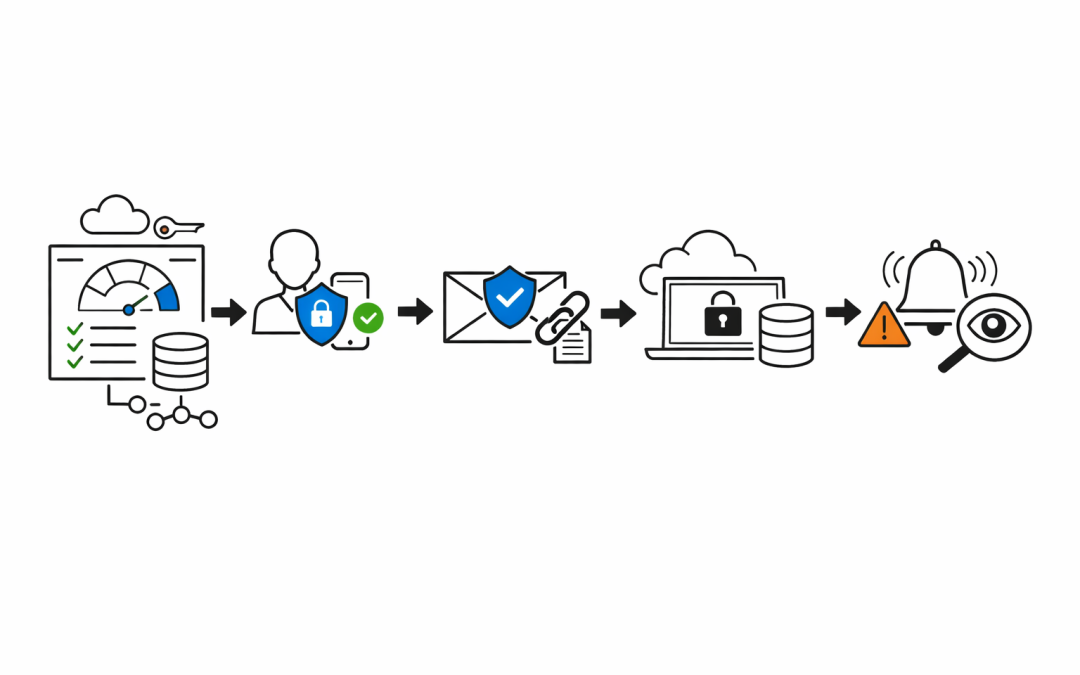
Our team at CloudProInc has secured dozens of Microsoft 365 environments for growing Australian businesses. When a new client comes to us wanting to know where they stand — and what to do about it — we follow a structured five-day approach. It’s practical, prioritised, and gets meaningful protection in place fast.
Here’s how we do it.
Day 1 — Assess What You’ve Actually Got
Before fixing anything, we need to understand the state of the environment.
On day one, we run through the Microsoft 365 Secure Score dashboard, review admin roles, check which accounts have global admin privileges, and identify dormant accounts that haven’t been touched in 90 days or more. We also look at existing conditional access policies — or more commonly, find that none exist at all.
This assessment isn’t about finding fault. It’s about knowing where the risk is concentrated so we can address it in priority order.
In nearly every SMB environment we review, we find at least three former employees with active accounts. Often, those accounts still have mail access. That’s the kind of exposure that doesn’t make headlines until it causes one.
Day 2 — Lock Down Identity
Identity is the perimeter. Get this wrong and everything else is irrelevant.
On day two, we focus exclusively on Entra ID (formerly Azure AD) and identity hygiene. We enforce Multi-Factor Authentication across all users — not just admins. We disable SMS as an MFA method where possible, pushing users to the Authenticator app instead. SMS MFA is better than nothing, but it’s vulnerable to SIM-swapping attacks that are increasingly common in Australia.
We create and enforce at least two Conditional Access policies:
- Block sign-ins from high-risk locations outside Australia (unless the business has legitimate international users)
- Require compliant or hybrid-joined devices for access to sensitive data
We also implement Privileged Identity Management if the licence tier allows it — requiring just-in-time activation for global admin access rather than standing permissions.
Day two alone eliminates the majority of the credential-based attack vectors we see in incident investigations.
Day 3 — Secure Email and Collaboration
Email remains the number one attack vector for Australian businesses.
On day three, we focus on Microsoft Defender for Office 365. We validate SPF, DKIM, and DMARC records for every domain the organisation sends email from. It’s remarkable how many businesses with a Microsoft 365 subscription still don’t have a proper DMARC policy in place — leaving them open to brand impersonation and phishing attacks targeting their own customers.
Beyond DNS records, we enable Safe Links and Safe Attachments across all mailboxes. We configure anti-phishing policies with impersonation protection enabled for key executives and finance contacts — the people most commonly targeted in business email compromise (BEC) attacks.
We also look at external sharing settings in SharePoint and OneDrive. Default configurations often allow anonymous link sharing, meaning any file can be shared with anyone via a link. We tighten this to authenticated internal sharing as the default, with exceptions permitted only by approved admin action.
Day 4 — Protect Devices and Data
A secured identity is undermined if the device accessing it is compromised.
On day four, we turn to Microsoft Intune and Microsoft Purview. For device management, we enrol Windows and mobile devices into Intune and apply a baseline compliance policy — requiring up-to-date OS versions, BitLocker encryption, and PIN or biometric lock on mobile devices. Non-compliant devices are blocked from accessing corporate data through Conditional Access.
For data protection, we implement sensitivity labels in Microsoft Purview. We keep it simple for SMBs: General, Confidential, and Highly Confidential — tied to the information the business actually handles (customer contracts, financial data, HR records). Auto-labelling policies help tag content without requiring staff to make manual decisions on every document.
This is also where we look at Microsoft Backup if the organisation doesn’t have an independent backup solution in place. The assumption that Microsoft will recover your data in a ransomware event is a dangerous one. They protect their infrastructure. You are responsible for your data.
Day 5 — Monitoring and Ongoing Visibility
Security isn’t a one-time project. It requires ongoing visibility.
On day five, we set up Microsoft Secure Score tracking and review cadence, configure basic alerting through Microsoft Defender XDR, and establish a process for reviewing the audit log regularly. For most SMBs, a monthly internal review combined with quarterly external review from our team is sufficient.
We brief the client’s internal contact — usually an office manager or IT coordinator — on what to watch for and what to escalate. Phishing attempts, unexpected admin role changes, login alerts from unexpected locations. We also review any Microsoft 365 Business Premium features that aren’t yet activated, and ensure the client is getting full value from what they’re already paying for.
The final deliverable is a one-page security posture summary — current state, what we did, what remains as future-state recommendations, and a priority order for next steps.
The Reality for Australian Small Businesses
Cybercrime costs Australian businesses over $33 billion annually, according to the ACSC’s Annual Cyber Threat Report. Small businesses are disproportionately affected because they lack the resources to recover from a serious incident.
The Australian Cyber Security Centre’s Essential 8 framework aligns closely with what we’ve described above — multi-factor authentication, patching, restricting admin privileges, and application control form the core of both frameworks. Microsoft 365 Business Premium provides the tools to address the majority of Essential 8 controls without requiring additional products.
What most small businesses are missing isn’t the licence or the tools. It’s the expertise to configure them correctly and the process to keep them that way.
What to Do Next
If your organisation runs Microsoft 365 and hasn’t had a security review in the past 12 months, you’re almost certainly exposed in ways you’re not aware of.
Our team at CloudProInc offers a structured Microsoft 365 Security Assessment that follows the same five-day methodology described above. We deliver a clear findings report with prioritised remediation steps — practical advice from people who understand both the technology and the business context behind it.
Discover more from CPI Consulting
Subscribe to get the latest posts sent to your email.