
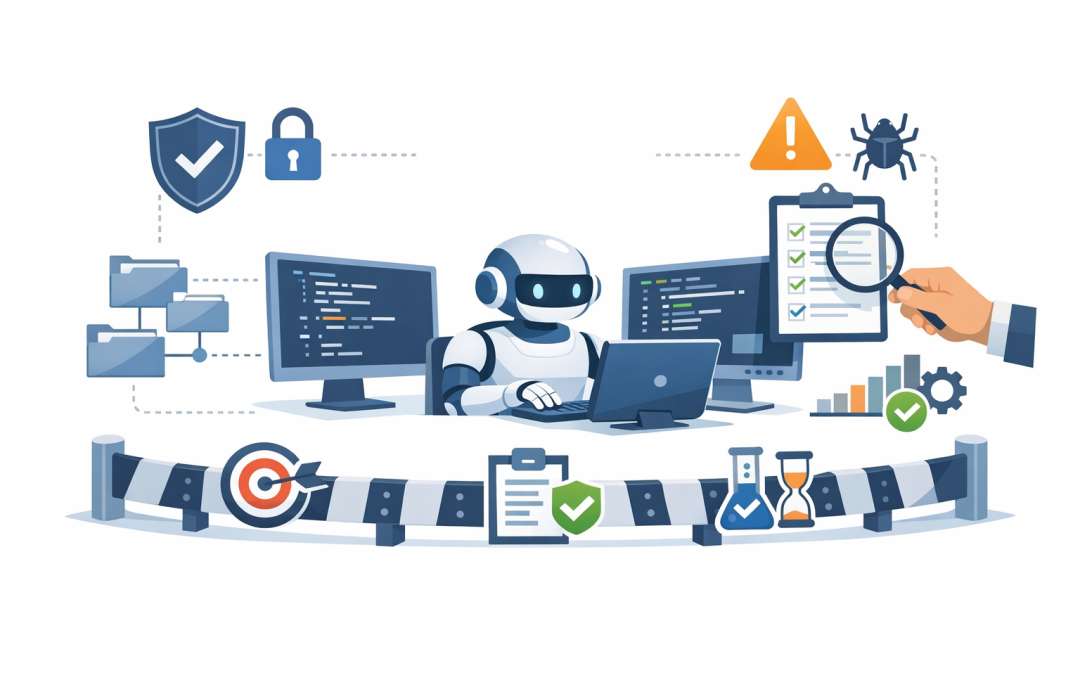
In this blog post How SMBs Can Use AI Coding Agents Without Losing Code Quality we will explain what AI coding agents are, how the underlying technology works, and how growing businesses can use them without creating expensive quality problems later.


Right now, many IT leaders are feeling the same tension. Their developers, vendors, or internal automation teams want to use tools like GitHub Copilot, OpenAI Codex, or Claude Code because they can move work along faster. But the business risk is obvious: if an AI tool can write code quickly, it can also write bad code quickly, miss a security issue quickly, or create changes nobody fully understands.
At a high level, an AI coding agent is not just an autocomplete tool. It uses a large language model, which is the AI engine behind tools like ChatGPT and Claude, plus access to your codebase and development tools so it can read files, plan a task, make changes across multiple files, run commands or tests, and package the work for review. In plain English, it behaves less like a spellchecker and more like a junior software assistant that can work independently for short bursts.
Why this matters to mid-sized businesses
For a 50 to 500 person company, software quality is not an abstract engineering topic. It affects delivery dates, support costs, customer experience, cyber risk, and how dependent you are on a few key developers or an external provider.
Used well, coding agents can help teams finish small features faster, clear technical debt that keeps getting postponed, write first-draft documentation, and create tests that developers can improve. Used badly, they create more rework, more review time, and more hidden risk. The business outcome depends far less on the tool itself and far more on the operating model around it.
What the technology is actually doing
This is the part most non-technical leaders need explained clearly. The model does not “understand” your business the way a person does. It predicts the most likely useful next action based on your instructions, your code, and the tools you allow it to use.
Modern agents usually work in a loop. First, they read the request and inspect the relevant files in the repository, which is the main folder where the application code lives. Then they make a plan, edit files, run checks, look at the results, adjust the work, and finally present a pull request, which is simply a packaged set of changes waiting for human approval.
That is why they feel powerful. They are not just suggesting a line of code. They are taking a task, using tools, and attempting an end-to-end result.
What most companies get wrong about AI coding agents
1. They start with production-critical work
This is the fastest way to lose trust. If your first experiment asks an agent to redesign a core system, touch billing logic, or change customer-facing security controls, you are testing the tool in the most expensive place possible.
A smarter approach is to begin with low-risk, high-volume work. Think small bug fixes, test creation, internal tools, documentation updates, simple integrations, or code cleanup that a human still reviews before release.
2. They treat the agent as if it were fully accountable
It is not. Official workflows from major vendors still assume human review, especially when an agent prepares a pull request for approval. That should tell business leaders something important: the model can accelerate work, but ownership still sits with your team.
3. They give it too much access
If a coding agent can run commands, reach sensitive systems, or use high-level privileges without controls, you are turning a productivity tool into a security problem. Safe setups use approvals, isolated environments, and limited network or system access where possible.
4. They never define what “good” looks like
Many teams say, “Use the AI to help with development,” and leave it at that. That is too vague. The better way is to define the task, the files it can change, the tests it must pass, and the quality checks required before anyone approves the work.
A practical operating model that protects quality
If you want the upside without the mess, use a simple five-part model.
Start with a narrow use case
Choose one area where speed matters and risk is manageable. Internal workflow apps, reporting tools, customer portal improvements, or test coverage gaps are usually better starting points than finance logic or identity systems.
Give the agent a proper brief
Good output starts with clear instructions. A coding agent performs better when it knows the business rule, the technical limits, and the expected result.
Task: Add a new approval step to the leave request workflow
Business rule: Requests over 10 days need manager and HR approval
Files allowed: workflow service, approval rules, unit tests
Do not change: payroll integration, user authentication
Definition of done: tests pass, audit log updated, no new warnings
Security checks: no secrets in code, no hard-coded passwords
That kind of brief does two things. It improves the result, and it makes review much faster because your team can judge the output against a clear standard.
Require review before release
Every agent-generated change should be reviewed by a responsible developer or technical lead before it goes live. That review should check business logic, security, maintainability, and whether the code matches internal standards. Major tools are designed around that review step, not around blind auto-approval.
Automate the checks around the agent
The easiest way to improve quality is not to hope the AI makes fewer mistakes. It is to put automated tests, security scanning, and code quality checks around the AI so weak changes get caught early. Agent evaluation tools and traceability features are becoming an important part of that control layer because they help teams measure consistency and see what happened during a task.
Measure outcomes that the business cares about
Do not judge success by how impressed people are in a demo. Track practical measures such as lead time for small changes, defect rates after release, rework, security findings, and how much senior developer time is being saved for higher-value work.
The Australian security and compliance angle
For Australian businesses, this is not just a productivity discussion. It is also a governance discussion. If you are moving toward Essential 8, which is the Australian Government’s baseline cybersecurity framework, then coding agents need to fit within the same controls you expect elsewhere: approved applications, restricted administrative access, multifactor authentication, patching, and reliable backups.
Two controls matter especially here. Application control means only approved tools and scripts should run in your environment, and restricting administrative privileges means people and tools should only have the minimum access they need. Those principles map neatly to AI coding agents. In other words, you do not ban the tool by default, but you do limit where it runs, what it can touch, and who can approve its changes.
This is where many mid-sized businesses need help. The challenge is not choosing a clever AI demo. The challenge is fitting that tool into Microsoft 365, Azure, Microsoft Defender, identity controls, and your broader security posture so you gain speed without weakening governance.
A realistic mid-market scenario
Imagine a 180-person services business in Melbourne with a small internal software team and an external development partner. Every minor workflow change takes one to two weeks because the queue is full, documentation is inconsistent, and senior developers spend too much time on low-value tasks.
Instead of rolling out AI everywhere, the business starts with one internal app. The coding agent is allowed to work only on low-risk modules, create unit tests, update documentation, and propose small code changes. It cannot touch identity settings, billing logic, or production secrets. Every change goes through automated checks and human review.
Within a few months, the outcome is usually not “the AI replaced developers.” The real win is more practical than that. Small tasks move faster, documentation improves, review quality becomes more consistent, and the senior team gets time back for architecture, vendor oversight, and security work that actually reduces business risk.
Where CPI fits
At CloudProInc, we think the best AI projects are the boringly successful ones. They save time, reduce risk, and fit the way your business already needs to operate. As a Melbourne-based Microsoft Partner and Wiz Security Integrator with more than 20 years of enterprise IT experience, we help organisations put practical guardrails around new technology rather than chasing hype for its own sake.
Because we work hands-on across Azure, Microsoft 365, Intune, Windows 365, OpenAI, Claude, Defender, and Wiz, we can help connect the dots between AI capability, device and identity security, and the compliance expectations Australian businesses increasingly face.
Final thoughts
AI coding agents are real, useful, and improving quickly. But they should be treated like a force multiplier, not a free pass on engineering discipline. If you give them the right tasks, clear rules, limited access, and proper review, they can raise productivity without lowering quality.
If you are not sure whether your team is ready for AI coding agents, or whether your current setup is introducing more risk than value, CloudPro Inc is happy to take a look and give you a practical second opinion with no strings attached.