
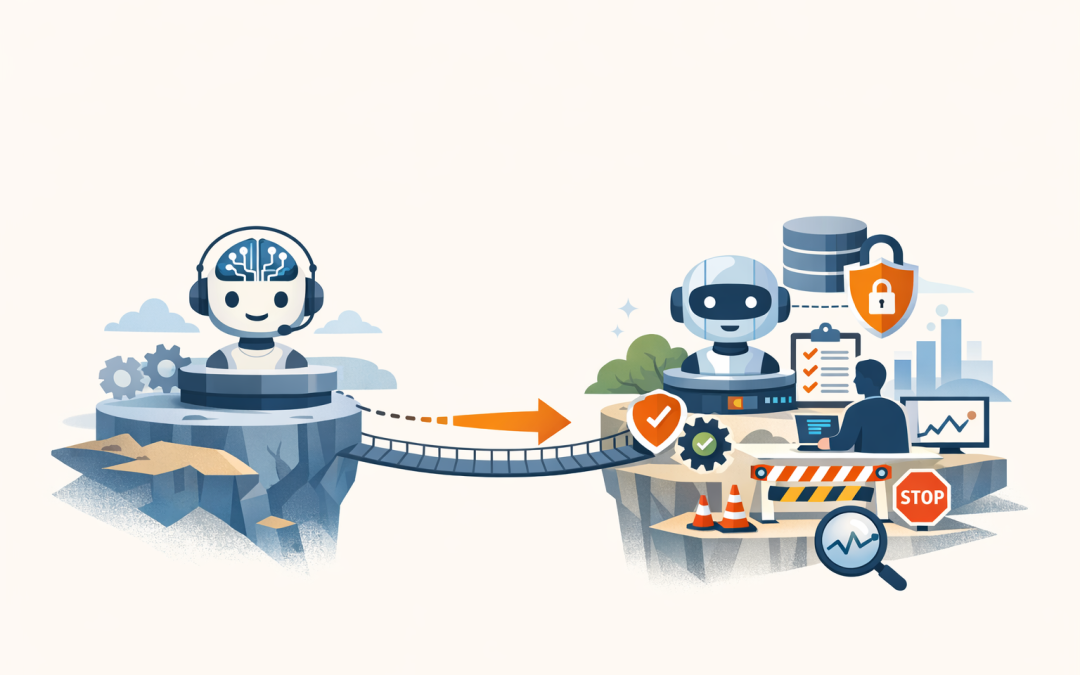
In this blog post How to Move AI Agents From Prototype to Production Without Chaos we will look at why so many promising AI agent demos never become real business tools, and what it takes to make them useful, safe, and worth the investment.
If your team has built an AI prototype that looks impressive in a workshop but still needs constant supervision, you are not alone. This is the point where many businesses stall. The demo answers questions well enough, but nobody is confident letting it work with customer data, connect to business systems, or make decisions without a person checking every step.
At a high level, an AI agent is not just a chatbot with a nicer interface. It is usually a large language model, which is the reasoning engine behind tools like ChatGPT and Claude, combined with access to your company data, business systems, rules, and workflows. In simple terms, the model does the thinking, tools let it take action, and guardrails make sure it behaves within the limits you set.
That matters because moving from prototype to production is not really a model problem. It is an operations, risk, and governance problem. Today’s major AI platforms already support tool use, testing, tracing, and orchestration. The real challenge is making sure your agent works reliably in the messy reality of an actual business.
What most businesses get wrong about AI agents
Most prototypes are built to prove that something is possible. Production systems have a different job. They need to be accurate enough to trust, secure enough to pass internal scrutiny, and controlled enough that one bad response does not create a compliance issue, an angry customer, or a costly mistake.
That is why a prototype that feels 80 percent right can still be unusable in the real world. When the agent is wrong, it is not just a bad answer. It might send the wrong email, expose the wrong file, create the wrong ticket, or give staff outdated policy advice.
What the technology actually looks like behind the scenes
For non-technical leaders, it helps to think of an AI agent as five parts working together.
- The model which generates the response and decides what to do next.
- Instructions which tell the agent how it should behave, what tone to use, and what it must never do.
- Tools which let it search documents, update a system, create a ticket, send a message, or pull data from a line-of-business platform.
- Context which gives it the right information at the right time, such as policies, contracts, product details, or customer records.
- Controls which include approvals, logging, testing, and escalation to a human when the task is risky or the answer is uncertain.
A simple way to picture it is this.
User request -> AI agent reads instructions -> checks approved business data -> uses the right tool if needed -> asks for approval on high-risk actions -> logs what happened -> completes the task or hands it to a personThat is why platform choice is only one piece of the puzzle. Whether you use Azure, OpenAI, Claude, or a mix, success usually comes down to how well the agent is connected to your environment and how tightly it is governed.
Five steps to move from pilot to production
1. Start with one workflow that has a clear cost
The fastest way to waste money with AI agents is to start too broad. “Let’s build an internal AI assistant for the whole business” sounds ambitious, but it usually creates a long list of edge cases, unclear ownership, and blurry success measures.
Start with a single workflow where delays, manual effort, or inconsistency are already costing you money. Good examples include onboarding new staff, triaging IT service requests, answering HR policy questions, checking supplier contracts, or preparing first drafts of customer responses.
The business outcome should be obvious. Less admin time. Faster turnaround. Fewer errors. Lower support volume. If you cannot tie the agent to a measurable problem, it is still a prototype.
2. Fix data access before you chase autonomy
Many AI pilots work only because someone manually copies the right information into the prompt. That does not scale. In production, the agent needs controlled access to approved data sources and business systems.
This is where many projects quietly break. The agent may sound smart, but if it is pulling from messy documents, duplicate records, outdated policies, or shared folders full of contradictory information, it will produce confident but unreliable answers.
For businesses already using Microsoft 365 and Azure, this is often a strong place to build from because your documents, identity, access controls, and security tools are already in one ecosystem. But even then, the rule is simple. Do not give the agent access to more data than it needs, and do not assume your existing file structure is ready for AI just because it exists.
3. Put guardrails around actions, not just answers
A lot of leaders focus on whether the response looks good. The bigger risk is what the agent is allowed to do.
If an agent can reset accounts, approve requests, send external messages, or update records, it needs the same level of control you would expect from a staff member. That means role-based access, approval steps for sensitive actions, audit logs, and a clear fallback path when confidence is low.
This matters even more in the Australian context. If your agent handles personal information, staff records, customer data, or financial details, privacy and breach obligations do not disappear because the action was taken by AI. If the system touches sensitive information, governance needs to be designed in from day one, not added after the first incident.
It should also sit inside your broader cyber posture. If your business is working toward Essential 8, which is the Australian government’s practical cybersecurity framework, your AI rollout should align with the same thinking around access control, application protection, patching, and recovery.
4. Test with real scenarios, not demo prompts
This is one of the biggest shifts happening in AI right now. Serious teams are moving from “it seemed to work in the meeting” to structured evaluation.
An evaluation is simply a repeatable scorecard. You feed the agent a set of real tasks, compare the outputs to what good looks like, and measure quality over time. That lets you test changes before users feel the impact.
For decision-makers, this is important because it turns AI from a novelty into an operational system. You can compare versions, track failure rates, see where the agent gets stuck, and decide whether a use case is good enough for live rollout.
The best test sets include messy, boring, real-world examples. Incomplete requests. Conflicting documents. Edge cases. Vague instructions. If the agent only passes clean examples, it is not production-ready.
5. Monitor the agent like a business process
Once an agent is live, you need visibility. Not just whether it answered, but what it looked at, what tools it used, how long it took, how much it cost, and when it escalated.
This is where tracing and observability come in. In plain English, that means a record of what the agent did step by step so your team can troubleshoot mistakes, spot risky behaviour, and improve performance over time.
Without that visibility, you are effectively employing a new digital worker with no supervision. That is not a technology issue. It is a management issue.
A practical example
A common mid-market scenario looks like this. A 200-person business creates an internal AI agent to answer staff questions and speed up IT and HR requests. The prototype performs well in a workshop because it uses a small set of clean documents and a few carefully written prompts.
Then real life hits. Staff ask vague questions. Policies have multiple versions. Some requests require approvals. Certain answers should only be visible to managers. Nobody can clearly see why the agent chose one answer over another.
The production version usually looks very different. The business narrows the scope to two tasks, connects only approved knowledge sources, adds approval steps for sensitive actions, and tests against a library of real staff queries before rollout. Instead of trying to automate everything, it automates the safe, high-volume work first and escalates the rest.
The result is usually not flashy, but it is valuable. Faster response times. Less manual triage. Better consistency. Lower risk. That is what production should look like.
Where the Microsoft and security stack matters
For many businesses in the 50 to 500 employee range, AI agents do not live in a vacuum. They sit on top of Microsoft 365, Azure, identity systems, endpoint management, and security controls.
That is why this work often succeeds faster when the same team understands the full environment, not just the model. An agent that can read a SharePoint library but ignores device risk, access policies, audit requirements, or security monitoring is only half built.
This is also where practical, hands-on experience matters more than hype. At CloudPro Inc, we see the best results when AI, identity, cloud, and cybersecurity are treated as one program. That is especially true for organisations balancing productivity goals with Essential 8, Microsoft security tooling, and broader risk reduction.
The bottom line
Moving AI agents from prototype to production is not about making them sound smarter. It is about making them useful, controlled, and accountable.
If you want the short version, focus on one business problem, connect the right data, limit what the agent can do, test it properly, and monitor it once it is live. That is how you get real business value without creating a new layer of operational risk.
If you are not sure whether your current AI plans are ready for production, or whether your existing Microsoft environment is set up to support them properly, CloudPro Inc can help you assess it in practical terms. We are a Melbourne-based Microsoft Partner and Wiz Security Integrator with more than 20 years of enterprise IT experience, and we are happy to take a look with no pressure and no strings attached.
Discover more from CPI Consulting
Subscribe to get the latest posts sent to your email.