
Most phishing discussions still focus on user awareness. That matters, but it is not enough.


The real issue for most Australian businesses is that phishing is no longer just a bad email with poor spelling. It is impersonation, credential theft, malicious links that change after delivery, weaponised attachments, business email compromise, and post-click account abuse that spreads into SharePoint, Teams, and OneDrive.
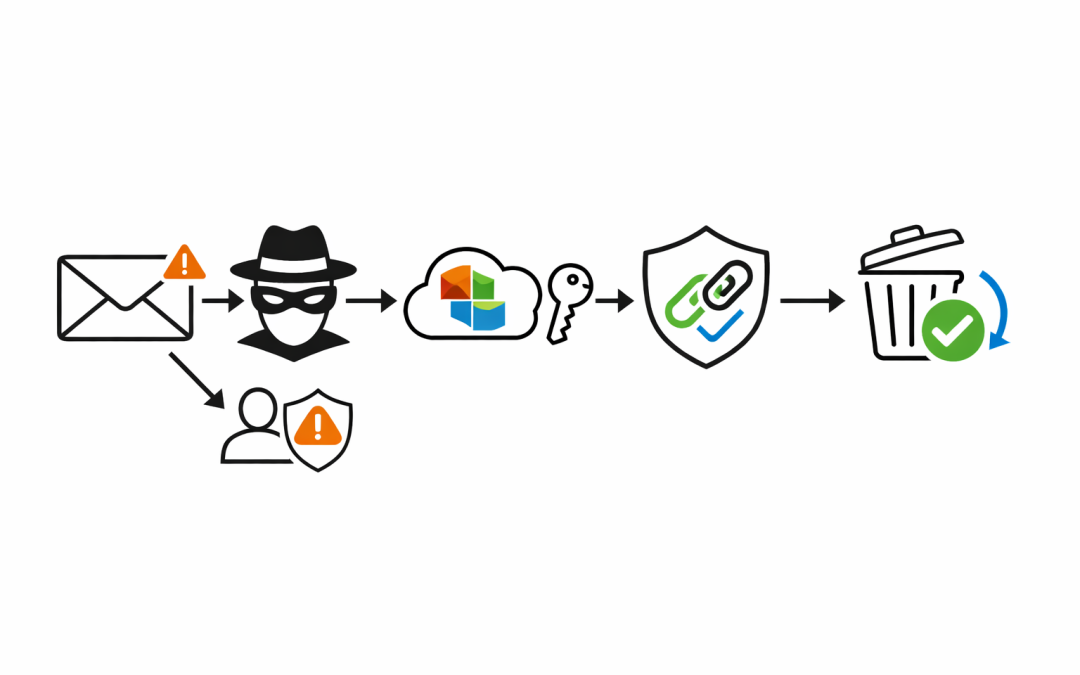
That is where Microsoft 365 Defender changes the conversation. Instead of relying on staff to spot every suspicious message, organisations can put controls in place across the full phishing chain: before delivery, at the time of click, when attachments are opened, and after malicious content is discovered.
Why Basic Email Filtering Is Not Enough
Many businesses assume that if Exchange Online is blocking obvious spam, the phishing problem is largely under control. In practice, that leaves too much room for modern attacks.
Attackers now invest in believable sender impersonation, supplier fraud scenarios, fake Microsoft notifications, QR-code lures, and credential harvesting pages that look legitimate enough to fool busy staff. The goal is not always malware. Often it is access.
Once a user clicks, enters credentials, approves a sign-in, or opens a malicious attachment, the incident moves from email hygiene to business risk. Financial fraud, account takeover, data theft, and internal lateral movement can all follow from a single successful phish.
What Microsoft 365 Defender Adds
Microsoft 365 includes baseline mail hygiene, but Microsoft Defender for Office 365 adds the controls that materially reduce phishing exposure in business environments.
Anti-Phishing and Impersonation Protection
Microsoft’s anti-phishing policies are designed to detect spoofed senders, impersonation attempts, and other deceptive email techniques. That matters because many phishing campaigns are built to look like the CEO, a finance manager, Microsoft, or a trusted supplier rather than an obviously malicious stranger.
For organisations exposed to business email compromise, impersonation protection is one of the highest-value controls in the stack. It gives the security team a way to explicitly protect priority users, trusted domains, and high-risk workflows such as payroll, invoicing, and bank-detail changes.
Safe Links at Time of Click
One of the biggest gaps in traditional email filtering is that a link can appear harmless when the message arrives and turn malicious later.
Safe Links addresses that problem by checking URLs when the user clicks them. That time-of-click protection matters because attackers regularly change destinations after delivery or hide malicious redirects behind reputable services. A message that slips through initial inspection is not necessarily trusted forever.
Safe Attachments and Dynamic Delivery
Attachments remain a common path for malware, credential theft tooling, and initial compromise. Safe Attachments gives Microsoft 365 a way to inspect suspicious files more deeply before users interact with them.
Microsoft also supports dynamic delivery, where a message can be delivered promptly while the attachment is replaced with a placeholder until scanning is complete. For businesses trying to balance security with user productivity, that is often a better outcome than either blocking everything or trusting everything.
Zero-Hour Auto Purge After Delivery
No filtering layer is perfect. The important question is what happens when Microsoft later determines that a delivered message is malicious.
Zero-hour Auto Purge, or ZAP, allows Microsoft to retroactively detect and neutralise malicious phishing, spam, or malware messages that have already been delivered to cloud mailboxes. That post-delivery response is critical because it reduces dwell time for threats that were not identified at first pass.
The Real Value Is Layering the Controls
Phishing risk drops fastest when these capabilities are configured as a system rather than enabled as isolated features.
An effective Microsoft 365 Defender approach usually combines several layers:
- Anti-phishing policies for impersonation, spoofing, and high-risk users
- Safe Links policies for email and collaboration clicks
- Safe Attachments policies for malicious file inspection
- User reporting and investigation workflows so suspicious mail is triaged quickly
- Automated post-delivery remediation such as ZAP
That layered model is important because phishing does not fail in one place. It fails when several decisions and controls line up in the attacker’s favour.
Configuration Matters More Than Licensing
Many organisations already own some of these capabilities through Business Premium or enterprise licensing. The gap is usually not product access. It is that the controls are not tuned to the business.
We regularly see environments where Defender is technically enabled but priority accounts are not protected, impersonation settings are incomplete, reporting workflows are unclear, and users still receive more suspicious content than they should. In that state, the business is paying for security capability without getting the full reduction in risk.
This is especially common in mid-market environments where Microsoft 365 was deployed for productivity first and security was layered on later. The result is a platform that looks covered on paper but still leaves finance teams, executives, and help desks exposed to targeted phishing.
A Practical Rollout for Australian Businesses
For most organisations, reducing phishing risk with Microsoft 365 Defender does not require a large transformation project. It requires deliberate sequencing.
Start by reviewing the current mail-flow and Defender posture. Identify which anti-phishing policies are active, whether Safe Links and Safe Attachments are enforced, which users are tagged as priority accounts, and how suspicious emails are reported and investigated.
Then move in phases:
- Tighten anti-phishing and impersonation protection for executives, finance, payroll, and service desk teams.
- Enforce Safe Links and Safe Attachments with settings that reflect business risk, not just default convenience.
- Validate post-delivery response capabilities such as ZAP and incident workflows in Microsoft 365 Defender.
- Add user training and phishing simulation so staff can recognise attacks that technology does not fully stop.
- Connect phishing controls to broader identity and device protections such as Conditional Access, MFA, and endpoint protection.
That last step matters because phishing is rarely the end objective. The attacker wants a credential, a session, an approval, or a device foothold that can be used somewhere else.
The Business Outcome
The value of Microsoft 365 Defender is not that it makes phishing disappear. The value is that it reduces the volume of malicious content that reaches users, limits what happens when users interact with it, and shortens the time between delivery and containment.
For Australian businesses, that means fewer successful impersonation attempts, less exposure to business email compromise, lower risk of account takeover, and a more defensible security posture when customers, insurers, or boards ask how phishing risk is being managed.
If phishing attempts are still reaching staff too often, or if it is unclear whether Microsoft 365 Defender is configured beyond the defaults, our team can help assess the current posture and build a practical remediation plan around the controls that will reduce risk fastest.
Discover more from CPI Consulting
Subscribe to get the latest posts sent to your email.