
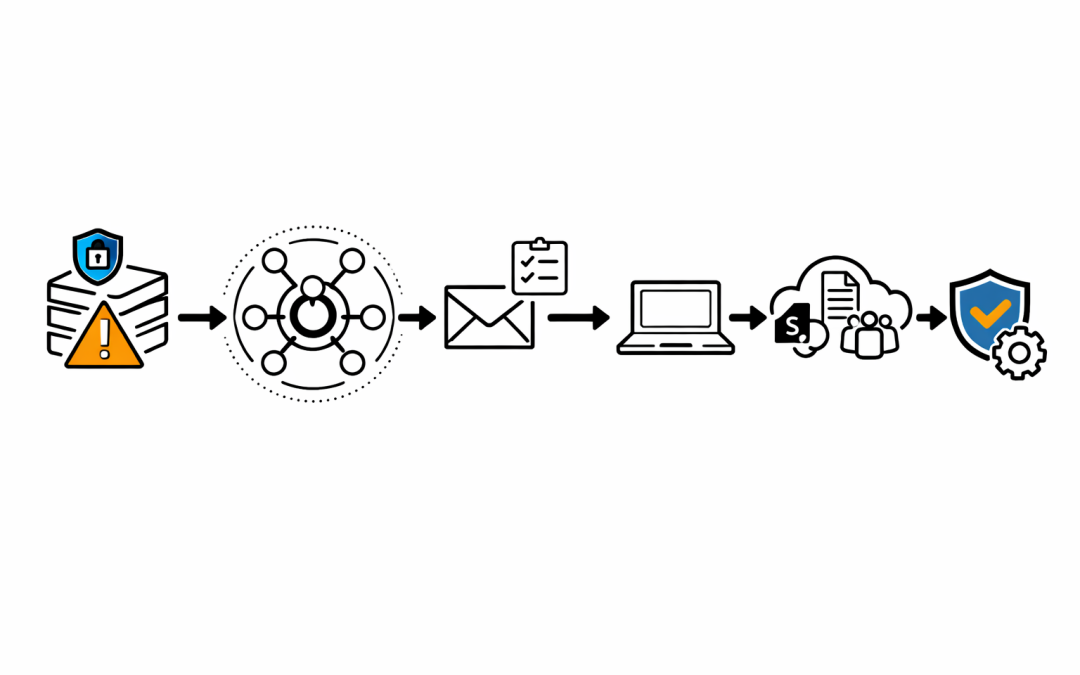
Most security incidents do not begin with a total lack of telemetry. They begin with a signal that was already there, sitting in a queue, waiting for someone to decide whether it mattered.


That is the uncomfortable reality for many Microsoft 365 environments. Microsoft Defender can surface the alert, correlate the incident, map the affected assets, and even recommend the next action. But if nobody owns triage, the business still loses time, data, and trust.
For Australian mid-market organisations, this is where the gap usually sits. The tooling is switched on, but the operating model around the tooling is still immature.
The Real Problem Is Not Alert Volume Alone
Most teams blame alert fatigue. That is part of it, but not the whole story.
The bigger issue is that too many organisations still treat Microsoft Defender as a notification feed instead of an incident workflow. A high-severity alert arrives, someone glances at it, nobody confirms ownership, and the queue moves on.
By the time the incident is revisited, the damage is no longer theoretical. A mailbox has already been accessed, a device has already executed suspicious activity, or a user account has already touched systems it should not have reached.
What Defender Already Gives You in 2026
Current Microsoft Defender guidance is clear: incidents are not just collections of disconnected alerts. The Defender portal correlates alerts, assets, investigations, and evidence into a single incident view so teams can understand the breadth of an attack faster.
That matters because the missed signal is rarely one alert in isolation. It is the relationship between a user, a device, a mailbox, a suspicious action, and the timeline that connects them.
Microsoft’s incident workflow now gives security teams several things many organisations still underuse.
Incident Summaries With Priority Context
The incident summary pane does more than show a title and severity. It exposes priority assessment, influencing factors, related threats, recommended actions, and the impacted assets tied to the incident.
That should change how triage happens. If the queue is only being sorted by raw alert count or headline severity, teams are missing the context that tells them which issue is most likely to hurt the business first.
Attack Story and Alert Chronology
Microsoft’s attack story view lets analysts follow how the incident unfolded over time. It connects suspicious entities such as users, devices, mailboxes, files, IPs, and cloud resources so the team can see where the activity started and how it moved.
That is often the difference between dismissing an alert and recognising lateral movement. The single alert may look routine. The sequence does not.
Blast Radius Analysis
One of the more important additions is blast radius analysis inside incident investigation. Microsoft positions it as a way to show possible propagation paths from the entry point to critical targets so security teams can understand both current and potential impact.
That is useful for more than the SOC. It gives IT leaders a clearer answer to the question that always appears in the first 30 minutes of an incident: how far could this spread, and what matters most right now?
There is an important caveat. Microsoft also makes clear that blast radius value depends on the available environment data and on whether critical assets are properly defined. If those foundations are weak, the graph will be incomplete, and decision-making will be weaker with it.
Activities, Investigations, and Evidence
The Activities tab provides a unified timeline of manual and automated actions inside the incident. The Investigations and Evidence and Response tabs show what has already been analysed, what verdicts exist, and whether remediation is pending approval.
This is where many teams discover the real issue was not detection failure. The issue was that the incident was waiting on a human decision, and nobody had a defined turnaround time.
What “Too Late” Usually Looks Like
For most mid-market organisations, “too late” does not mean a cinematic ransomware screen on every laptop. It looks much more ordinary at first.
It can mean a finance mailbox quietly monitored for invoice fraud. It can mean a compromised user account that reached SharePoint, Teams, and sensitive email threads before anyone investigated the sign-in pattern. It can mean a suspicious device that stayed online long enough to widen the incident scope before isolation was approved.
This is exactly why queue discipline matters. A missed high-confidence alert is rarely just a technical issue. It becomes an operational and commercial problem very quickly.
Why This Matters in the Australian Context
The ACSC’s Essential Eight maturity model is useful here because it reinforces that cyber resilience is not just about prevention controls. At higher maturity levels, organisations are expected to use phishing-resistant MFA, centrally log successful and unsuccessful MFA events, analyse cyber security events in a timely manner, and enact incident response once an incident is identified.
That is the key point. Timely analysis is part of the control posture, not an optional extra after the tooling has been deployed.
In other words, turning on Microsoft Defender without defining how alerts are reviewed, escalated, and acted on is not a mature operating model. It is incomplete implementation.
Five Fixes That Usually Matter Most
1. Give the Queue a Named Owner
If everyone can review Defender alerts, nobody owns Defender alerts. Assign operational ownership for triage by time block, business unit, or severity threshold.
The owner does not need to resolve every issue personally. They do need to ensure that every high-confidence incident is acknowledged, classified, and either contained or handed over within a defined window.
2. Triage Incidents, Not Just Alerts
Analysts should work from the incident view wherever possible. Defender’s correlated incident model exists to reduce duplicate effort and to show the relationships that single alerts hide.
If the team is still treating each alert as a separate ticket, they are throwing away one of the most valuable parts of the platform.
3. Define Critical Assets Before the Incident
Blast radius analysis is most useful when your high-value targets are already known. Finance systems, executive mailboxes, privileged admin accounts, identity infrastructure, and key cloud workloads should not be discovered for the first time during an incident.
This is where security architecture and business context need to meet. Defender can only prioritise what the environment has already described.
4. Use Automation for Containment, Not Just Notification
Automated investigation and response is valuable when it shortens the time between detection and action. If automation only creates more notifications for humans to review later, it is not solving the core problem.
Containment decisions still need governance, but the approval path should be explicit. Teams should know in advance which actions can be automated, which require approval, and who signs off after hours.
5. Align Defender Operations With Essential Eight Expectations
If your organisation claims progress against Essential Eight, the logging and response disciplines need to match that claim. That means timely review of security events, phishing-resistant MFA where required, and incident response processes that do not depend on luck or individual heroics.
The question is not whether Microsoft Defender generated the alert. The question is whether your operating model turned that alert into a decision quickly enough.
The Leadership Question Most Teams Avoid
When a serious incident lands, executives usually ask a simple question: did we know?
In many cases, the honest answer is worse than no. It is yes, but the alert sat there too long, the ownership was unclear, or the team lacked the context to see the business impact early enough.
That is fixable. But it requires organisations to treat Defender as part of an operating model, not just a license line item.
If you want a clearer view of whether your Microsoft 365 security operations are tuned for real incident response, our team can help you assess the gaps before the next alert becomes a board-level problem.
Discover more from CPI Consulting
Subscribe to get the latest posts sent to your email.