
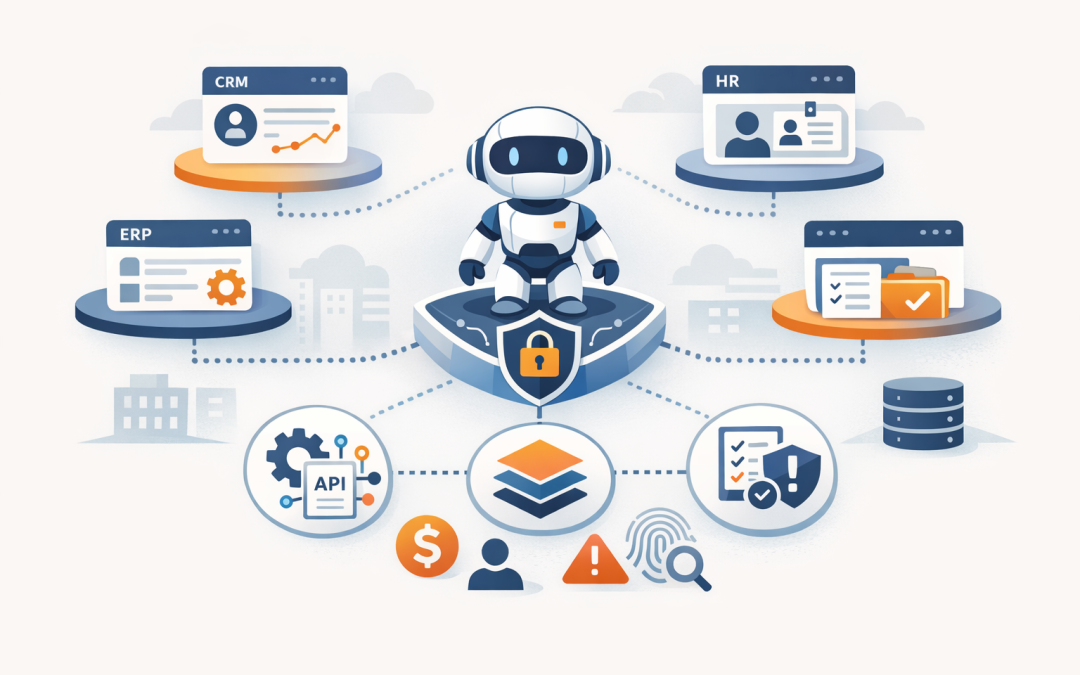
In this blog post Connecting Foundry Agents to Business Systems with MCP and OpenAPI we will explain how Microsoft Foundry agents can move from answering questions to safely doing useful work across your existing business systems.
Most organisations are past the “can AI write an email?” stage. The harder question for CIOs and CTOs is whether an AI agent can check a customer record, raise a ticket, summarise a contract, update a workflow, or retrieve operational data without creating a security or compliance headache.
That is where MCP, OpenAPI and custom tools come in. They are not just developer features. They are the plumbing that decides what an AI agent can access, what it can change, who approved it, and how your business proves it stayed in control.
The high level idea
A Microsoft Foundry agent is useful when it can reason over a business request and then call the right system to complete part of the job. On its own, an agent can generate text. With tools, it can interact with real systems such as a CRM, ERP, service desk, HR platform, document store, security platform, or internal API.
Think of the agent as a capable employee who still needs access cards, policies, approvals and supervision. MCP, OpenAPI and custom tools are different ways of giving that employee controlled access to business systems.
- MCP, or Model Context Protocol, is an open standard that gives AI agents a consistent way to connect to external tools and data sources.
- OpenAPI is a machine-readable description of an API, which is simply a structured way for systems to talk to each other.
- Custom tools are purpose-built pieces of code that let the agent perform a specific action, usually with extra business rules around it.
In our earlier article, Connecting Microsoft Foundry Agents to Business Systems, we covered the broader integration pattern. This post goes a layer deeper into how to choose between MCP, OpenAPI and custom tools when you are planning a production-grade agent.
The business problem this solves
Many companies already have the data they need. The problem is that it is spread across too many systems.
A support manager might need information from Microsoft 365, the CRM, the billing platform and the service desk before they can answer a customer. A finance team might spend hours checking approvals, invoices and supplier records. An operations director might wait days for someone to pull information from multiple systems into a report.
An AI agent can reduce that manual work, but only if it connects safely. If the integration is too loose, you risk exposing sensitive data. If it is too locked down, the agent becomes another chatbot that sounds clever but cannot actually help.
Where MCP fits
MCP is useful when you want a standard way for agents to discover and use tools. Instead of building a one-off connector for every agent and every system, an MCP server can expose a set of approved tools that agents are allowed to call.
In plain English, an MCP server acts like a controlled service counter. The agent does not wander directly through your systems. It asks the counter for a specific action, such as “find this customer”, “list open incidents”, or “retrieve this document summary”.
This matters for governance. If you have multiple agents across sales, service, operations and IT, MCP can help avoid a mess of one-off integrations that nobody fully understands six months later.
For example, a 180-person professional services firm might start with one agent that helps account managers prepare for client meetings. At first, it only searches approved documents. Later, the business wants it to check CRM notes, open project risks and billing status. MCP gives the IT team a cleaner way to expose those capabilities without rebuilding the agent each time.
We have also written about this from a security angle in Why MCP SDK for .NET Turns Tool Access Into a Security Decision. The key point is simple: once an agent can use tools, tool access becomes a business risk decision, not just a development task.
Where OpenAPI fits
OpenAPI is often the fastest path when your business system already exposes a well-documented API. Many CRMs, ticketing platforms, HR systems, finance tools and internal applications have APIs that can be described using OpenAPI.
Microsoft Foundry agents can use OpenAPI tool definitions so the agent understands what actions are available, what information is required, and what result to expect. The OpenAPI file acts like a menu with rules.
A simplified example might look like this:
openapi: 3.1.0
info:
 title: Service Desk API
 version: 1.0.0
paths:
 /tickets:
 post:
 operationId: create_support_ticket
 summary: Create a support ticket for an approved business request
 requestBody:
 required: true
 content:
 application/json:
 schema:
 type: object
 properties:
 customerId:
 type: string
 issueSummary:
 type: string
 priority:
 type: string
 enum: [low, medium, high]
 responses:
 '201':
 description: Ticket created
The important part is not the syntax. It is the discipline behind it. Each action needs a clear name, a clear purpose, and sensible limits.
For example, “create_support_ticket” is safer than a vague action like “update_system”. A well-described operation helps the agent choose the right action and helps your team audit what happened afterwards.
Where custom tools fit
Custom tools are best when you need business logic that should not live inside the agent prompt.
For example, you may want an agent to prepare a supplier payment request, but not submit it unless the supplier is verified, the amount is under a threshold, the cost centre is valid, and a manager has approved it. Those rules should be enforced in code, not left to the agent to remember.
Custom tools are also useful when you need to mask sensitive data. The tool might return “customer is overdue by more than 30 days” instead of exposing full invoice history to every user.
This is where a practical consultancy approach matters. At CloudProInc, we often advise clients not to connect everything at once. Start with a narrow, high-value workflow. Prove the controls. Then expand.
Choosing the right connection method
For most organisations, the answer is not MCP or OpenAPI or custom tools. It is usually a mix.
- Use OpenAPI when the system already has a stable API and you want the agent to call defined actions directly.
- Use MCP when you want a reusable tool layer that multiple agents or AI applications can use consistently.
- Use custom tools when the action needs approval logic, data filtering, validation, or business-specific safeguards.
A good rule of thumb is this: if the action could create cost, change customer data, expose personal information, or affect compliance, put stronger controls around it.
A real world scenario
Imagine a 220-person Australian construction services company. The operations team receives hundreds of internal requests every month: equipment issues, site access questions, purchase requests, safety document lookups and supplier follow-ups.
Before AI, staff lost time switching between email, SharePoint, the service desk, finance records and project folders. The company did not need a flashy AI demo. It needed fewer delays and better control.
A sensible agent design might look like this:
- The employee asks the agent for help with a site equipment issue.
- The agent searches approved internal procedures from Microsoft 365.
- It calls an OpenAPI tool to check whether there is an existing service ticket.
- If no ticket exists, it uses a custom tool to create a draft ticket with required fields.
- If the request involves cost or safety risk, it routes the task for human approval.
- Every tool call is logged so IT can review what happened.
The business outcome is practical: fewer repeated questions, faster ticket creation, less manual searching, and better auditability. Nobody needs to “trust the AI” blindly because the important actions are constrained and visible.
Security cannot be an afterthought
Once an agent connects to business systems, you need to treat it like a privileged user. Not because the agent is malicious, but because it can move quickly and access information at scale.
For Australian organisations, this also links to Essential 8, the Australian government’s cybersecurity framework that many organisations are now expected to follow. Controls such as restricting administrative privileges, patching applications, multi-factor authentication and logging are directly relevant when agents can call tools.
There are five controls we recommend from the start:
- Least privilege: only give the agent access to the actions and data it genuinely needs.
- Human approval: require approval for high-risk actions such as payments, deletions, account changes or customer-impacting updates.
- Strong identity: use Microsoft Entra ID and managed identities where possible instead of hard-coded secrets.
- Logging and review: record tool calls, inputs, outputs and errors so unusual behaviour can be investigated.
- Data minimisation: send the smallest amount of information needed to complete the task.
This is also where Microsoft Defender, Intune, which manages and secures company devices, and Wiz, which helps identify cloud security risks, become part of the broader operating model. The agent is only one piece of the environment. The surrounding controls matter just as much.
Common mistakes to avoid
Connecting too many systems too early
It is tempting to give the agent access to everything. That usually creates confusion, not value.
Start with one workflow where the business outcome is obvious. Good examples include service desk triage, customer lookup, internal policy answers, onboarding support, or sales meeting preparation.
Putting business rules in the prompt
Prompts are useful for guidance, but they are not a reliable place for critical rules. If a rule affects money, privacy, security or compliance, enforce it in the tool or the API layer.
Ignoring ownership
Every tool needs an owner. Someone must know what it does, what data it touches, who can use it, and how to switch it off.
Forgetting the user experience
A secure agent that nobody uses is still a failed project. Keep the experience simple. Tell users what the agent can do, what it cannot do, and when a human will review the request.
A practical rollout plan
If you are planning to connect Microsoft Foundry agents to business systems, we suggest a staged approach.
- Pick one business process: choose a workflow with measurable time savings or risk reduction.
- Map the systems involved: identify where the data lives and which actions are required.
- Classify the actions: read-only, low-risk update, high-risk update, or approval required.
- Choose the integration pattern: OpenAPI for existing APIs, MCP for reusable tool access, custom tools for business logic.
- Design the security model: identity, permissions, approvals, logging and monitoring.
- Test with real scenarios: use actual business cases, not artificial demo prompts.
- Review and expand: improve the toolset only after the first workflow is stable.
This approach keeps the project grounded. It also gives executives something tangible to assess: hours saved, tickets resolved faster, fewer manual errors, better compliance evidence, or reduced security exposure.
Where CloudProInc helps
CloudProInc is a Melbourne-based Microsoft Partner and Wiz Security Integrator with more than 20 years of enterprise IT experience. We work across Azure, Microsoft 365, Intune, Windows 365, OpenAI, Anthropic Claude, Microsoft Defender and Wiz.
That mix matters because agent projects are rarely just “AI projects”. They touch identity, security, cloud architecture, data governance, endpoint management, compliance and the everyday systems staff rely on.
Our role is to help clients connect agents safely and practically, without building a fragile science experiment that only one developer understands.
Final thought
Connecting Foundry agents to business systems using MCP, OpenAPI and custom tools can create real value. But the value comes from controlled action, not uncontrolled access.
The best agent projects start small, solve a real business problem, and build trust through clear permissions, audit trails and sensible human oversight.
If you are not sure whether your current AI plans are ready for production, or whether your integrations are creating more risk than they remove, CloudProInc is happy to take a look — no strings attached.
Discover more from CPI Consulting
Subscribe to get the latest posts sent to your email.