
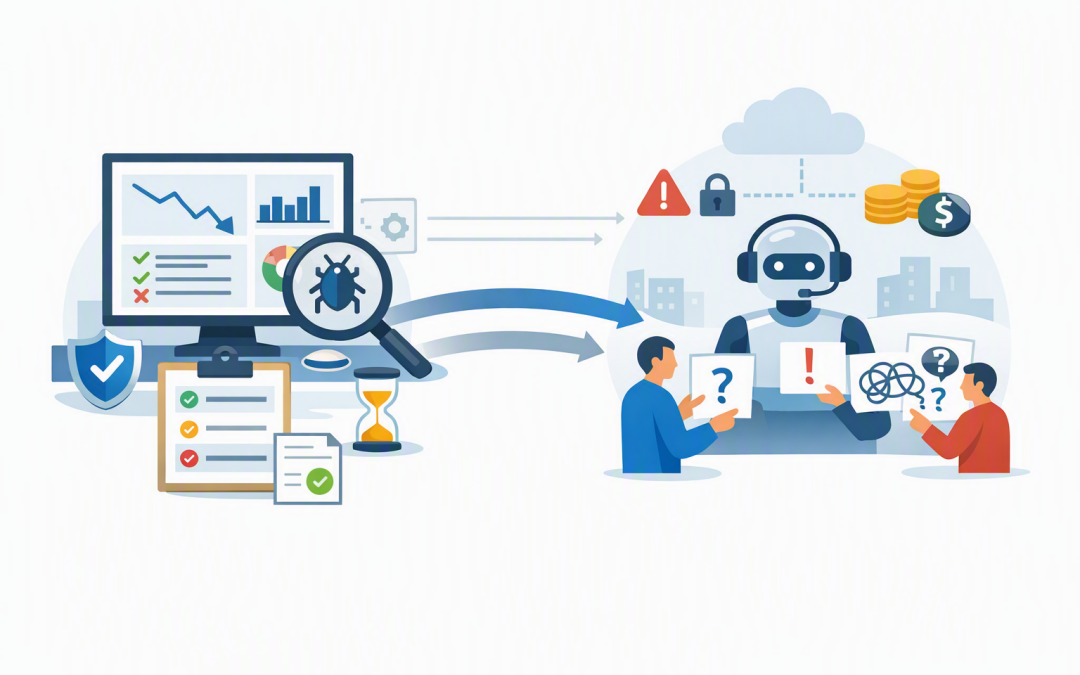
In this blog post How to Monitor and Evaluate Microsoft Foundry Agents Safely we will explain how to determine whether an AI agent is genuinely ready for your employees, customers and business systems.


The problem is that a successful demonstration proves very little. An agent can answer five test questions perfectly, then fail when a real user provides incomplete information, requests an exception or asks it to perform several actions at once.
Monitoring and evaluation provide a structured way to see what the agent did, why it did it and whether the outcome met your business rules. For technology leaders, this turns an uncertain AI experiment into a measurable release decision.
What monitoring and evaluation actually mean
Monitoring tells you what happens while an agent is running. It can show response times, errors, tool usage, token consumption and the sequence of steps taken to complete a request.
Evaluation judges whether those actions and answers were good enough. It can measure whether the agent understood the request, used approved information, selected the correct business tool and completed the task without breaking a policy.
Microsoft Foundry brings these capabilities together through agent evaluations, tracing and Azure Monitor Application Insights. Application Insights is Microsoft’s service for recording application performance, errors and usage data.
Tracing is particularly important. It creates a step-by-step record of an agent run, including model requests, external searches, tool calls, retries and delays. Microsoft uses OpenTelemetry, an industry-standard format that helps monitoring data work across different platforms and tools.
Why normal application monitoring is not enough
Traditional software normally follows predictable rules. If a user selects option A, the application performs action B.
An AI agent interprets natural language and decides what to do next. Two slightly different requests can produce different plans, tool calls and answers, even when the intended outcome is the same.
A dashboard showing that the service is online will not tell you that the agent created the wrong support ticket, quoted an outdated policy or exposed information the user was not authorised to see.
This is why leaders need to monitor three separate areas: operational health, agent behaviour and business outcomes.
Start with the business outcome
Before selecting technical metrics, define what success means to the business. “The agent gives good answers” is too vague to support a production decision.
For an internal IT support agent, success might mean resolving common requests without human involvement while never changing a device or user account without approval. For a finance agent, it could mean finding the correct policy and preparing a response without inventing amounts or approving expenditure.
Document the acceptable outcome, prohibited actions and situations requiring a human. This should build on the controls established when building Microsoft Foundry agents with Microsoft Agent Framework.
Measure more than answer quality
1. Task completion
Did the agent actually finish the requested job? A polished explanation is not a successful result if the service ticket was never created or the requested document was not produced.
Measure completion against a clear expected outcome. Include multi-step tasks, missing information and requests that should be refused or transferred to a person.
2. Task adherence
Task adherence measures whether the agent followed its instructions and stayed within its assigned role. This is essential when an agent can interact with business systems.
An agent may technically complete a task but still fail because it skipped an approval, accessed the wrong data source or performed an action outside its authority.
3. Groundedness and tool accuracy
Groundedness means the answer can be supported by approved business information rather than being invented by the model. Tool accuracy measures whether the agent selected the correct system and supplied the right information to it.
These measures need separate attention because an agent can provide an accurate final answer after taking an unsafe path. Our guide to evaluating groundedness, tool accuracy and task completion explores these tests in more detail.
4. Safety and security
Test whether users can persuade the agent to ignore its instructions, reveal protected data or misuse connected tools. Normal evaluation confirms that expected tasks work; security testing looks for ways the agent can be manipulated.
This should include deliberate red teaming of Microsoft Foundry agents before release. Red teaming means actively attempting to make the agent behave unsafely so weaknesses can be fixed before attackers or curious users find them.
5. Cost and performance
Track response time, model usage, retries, failed tool calls and token consumption. Tokens are the units used to process AI requests, and they directly influence operating cost.
A slow agent that needs repeated model calls may work technically while costing far more than the business case allows. Set a maximum acceptable cost per completed task, not just a monthly AI budget.
Create a release scorecard
Your evaluation results should lead to a clear go, fix or stop decision. Avoid releasing an agent because its average score “looks reasonable”. Averages can hide serious failures in smaller but high-risk categories.
An illustrative release scorecard might look like this:
{
 "task_completion_rate": ">= 90%",
 "approved_source_usage": ">= 95%",
 "critical_security_failures": 0,
 "unauthorised_actions": 0,
 "average_response_time": "< 8 seconds",
 "cost_per_completed_task": "< agreed business limit",
 "human_escalation": "required for defined high-risk cases"
}
These are examples, not universal targets. A low-risk meeting summary agent can have different tolerances from an agent that changes user access, processes customer information or prepares financial advice.
Use realistic test data
A strong test set includes common requests, difficult requests, incomplete instructions, conflicting information and deliberate misuse. It should also include variations in writing style, spelling and terminology used by real employees.
Where possible, build tests from anonymised historical cases. Remove personal and confidential information before using them, then add expected outcomes so each new agent version can be measured consistently.
Run the same evaluation whenever you change the model, instructions, connected data, tools or workflow. A small prompt change can improve one task while quietly damaging another.
A practical pre-production scenario
Consider a 200-person professional services company testing an internal agent that answers policy questions and creates IT requests. During demonstrations, the agent appears accurate and employees like its conversational responses.
Structured evaluation reveals a different picture. The agent answers 93% of policy questions acceptably, but creates duplicate tickets in 9% of multi-step conversations. Tracing shows that it retries the ticketing tool after a slow response without first confirming whether the original request succeeded.
The company fixes the retry logic, adds a unique request identifier and introduces a rule requiring human confirmation for account access changes. The result is not simply a better AI response; it is lower support cost and less risk of unauthorised or duplicated work.
Protect the monitoring data
Agent traces may contain employee questions, customer information, prompts, retrieved documents and tool results. Treat this monitoring data as sensitive business information, not harmless diagnostic logs.
Limit access through Azure permissions, set appropriate retention periods and avoid recording unnecessary message content. Confirm that monitoring supports your obligations under Australian privacy legislation and the Essential Eight, the Australian Government’s cybersecurity framework that many organisations use to reduce common security risks.
Also confirm which Foundry monitoring and evaluation capabilities are generally available and which remain in preview before making them a production dependency.
Move into production gradually
Start with a controlled group of users and low-risk tasks. Review failed evaluations, unusual tool activity, cost changes and employee feedback before expanding access.
Continue monitoring after launch because business information, user behaviour and connected systems change. Production planning should also include availability and recovery, as covered in our guide to high availability and disaster recovery for Microsoft Foundry agents.
The goal is not to prove that an agent never makes a mistake. It is to understand where mistakes occur, prevent high-impact failures and detect problems before they create material business consequences.
CloudProInc combines more than 20 years of enterprise IT experience with practical work across Microsoft Azure, Microsoft 365, security and AI. As a Melbourne-based Microsoft Partner and Wiz Security Integrator, we help organisations establish measurable release controls without turning an AI project into a large, drawn-out governance exercise.
If you are not sure whether your Microsoft Foundry agent is ready for real users, we are happy to review the monitoring, evaluation and release plan with you — no strings attached.
Discover more from CPI Consulting
Subscribe to get the latest posts sent to your email.