
In this blog post Why Session Management Keeps AI Business Automation Reliable we will explain why session management is one of the quiet foundations behind dependable AI automation, especially when AI agents are being used for real business work.
Many AI pilots look impressive in a meeting. The agent answers questions, drafts emails, summarises documents and maybe even updates a system. Then the same idea is used in daily operations and small problems appear: the AI forgets what happened earlier, repeats work, mixes up customers, loses an approval step or gives a different answer each time.
That is not always a model problem. Often, it is a session management problem.
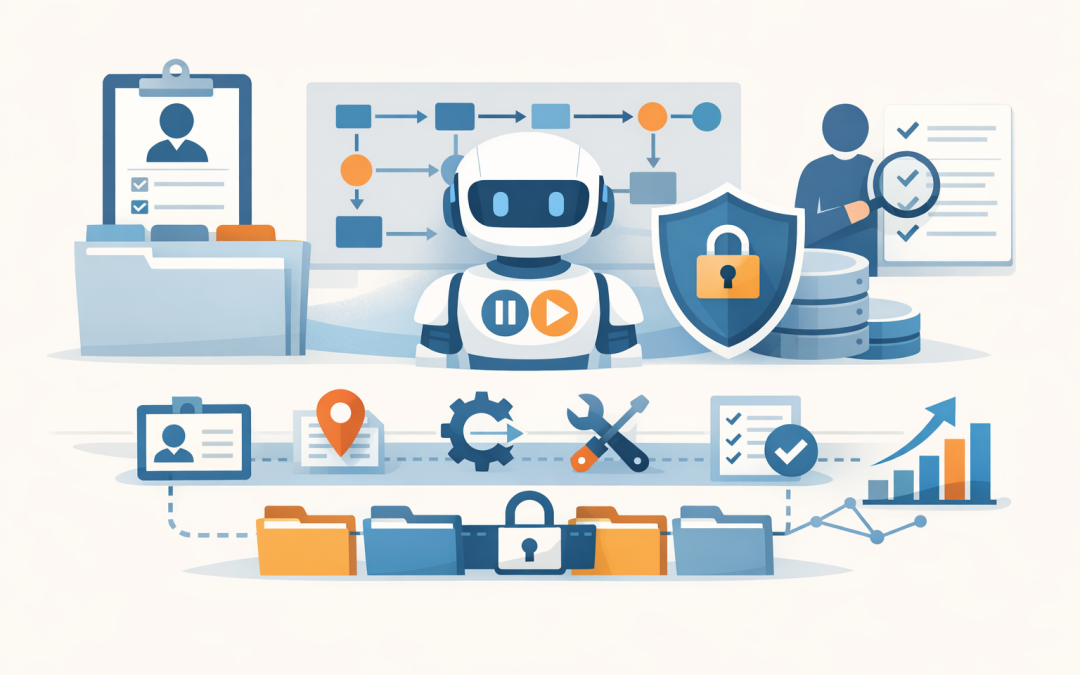
A session is the organised working space for one AI interaction or business process. It keeps track of who is using the AI, what task they are performing, what information has already been provided, which tools the AI has used, what permissions apply and where the workflow is up to.
Think of it like a case file. If an employee is handling a customer request, they need the right notes, history, decisions and next steps. AI automation is no different. Without a well-managed session, the AI is effectively starting from scratch or, worse, working from the wrong file.
Why this matters for business leaders
Session management sounds technical, but the business impact is very practical.
If your AI assistant is helping staff with HR questions, invoice checks, sales follow-ups, IT support tickets or customer service, it must know which conversation it is in, which user it is helping and what has already happened. Otherwise, you get inconsistent outcomes and lose trust quickly.
This is where many businesses get stuck. They have a promising AI demo, but the automation is not reliable enough to run unattended or semi-attended in the real world.
We covered the broader architecture challenge in why production ready AI architecture matters to business leaders. Session management is one of the practical building blocks that turns AI from a clever tool into a controlled business system.
What session management actually does
At a high level, session management controls continuity. It helps the AI remember the right information for the current task, while avoiding information that is old, irrelevant or unsafe.
Modern AI platforms often support concepts such as threads, conversations, runs, memory, hosted sessions or agent sessions. The labels vary, but the goal is similar: keep each workflow organised, separated and recoverable.
For a business audience, the main technology can be explained in five parts:
- Identity: who is using the AI and what they are allowed to access.
- Context: the information the AI needs for this specific task, such as customer details, policy rules or previous messages.
- State: where the workflow is up to, such as “waiting for approval” or “draft prepared but not sent”.
- Tool history: which systems the AI has already used, such as Microsoft 365, a CRM, a ticketing system or an internal database.
- Audit trail: what happened, when it happened and why a decision was made.
Without those controls, AI automation becomes hard to trust. With them, it becomes easier to manage, monitor and improve.
The hidden risk of AI that loses context
When people talk about AI risk, they often focus on data leakage or inaccurate answers. Those risks are real, but unreliable context is just as damaging.
Imagine an AI agent helping with supplier onboarding. It asks for insurance documents, checks bank details, confirms approval and creates a vendor record. If the session is not managed properly, the AI might ask for the same document twice, apply the wrong approval rule or continue a workflow after a user has changed the request.
In a low-risk process, that is annoying. In finance, legal, HR, healthcare, education or government-adjacent work, it can create compliance exposure.
For Australian organisations, this also connects to security governance. Essential 8, the Australian government’s cybersecurity framework that many organisations now use as a baseline, is not specifically an AI framework. But its principles still matter: control access, reduce unnecessary privileges, patch systems, protect data and maintain accountability.
If an AI agent can access business systems, it should be treated like any other sensitive application. Session management helps enforce that control.
Better sessions mean lower AI costs
AI cost is not just about the model you choose. It is also about how much information you send to the model each time it runs.
Poorly designed AI automation often sends too much history into every request. That makes responses slower and more expensive. It can also confuse the AI because old information competes with the current task.
Good session management trims, summarises or separates context so the AI receives what it needs and nothing more. In plain English, it keeps the AI focused.
For a 100-person or 300-person company, this matters quickly. A single AI workflow may look cheap during testing. But if it runs thousands of times per month across support, operations, sales or finance, inefficient context handling can quietly increase operating costs.
This is one reason CloudProInc designs AI automation with cost control from the start. As a Melbourne-based Microsoft Partner with hands-on experience across Azure, Microsoft 365, OpenAI and Claude, we look at how the workflow will behave after the pilot, not just whether it works once in a demo.
Session isolation protects customers, staff and departments
One of the most important jobs of session management is isolation. That means keeping one user’s task separate from another user’s task.
If your AI assistant is helping the finance team with invoices, it should not accidentally carry information from a previous HR conversation. If it is helping a customer service agent with Customer A, it should not reuse details from Customer B.
This sounds obvious, but it needs to be designed. The AI model does not automatically understand your company’s boundaries, privacy obligations or internal approval lines unless the surrounding system enforces them.
Session isolation usually works alongside identity and access management. In Microsoft environments, that may involve Microsoft Entra ID, which controls user sign-in and permissions, and Microsoft Intune, which manages and secures company devices. For cloud workload security, tools such as Microsoft Defender and Wiz can help detect risky configurations and suspicious behaviour across the environment.
The business outcome is simple: fewer privacy mistakes, fewer accidental data exposures and clearer accountability.
Reliable AI agents need recoverable workflows
Business processes rarely happen in one perfect step. People pause, approvals take time, documents arrive late and systems occasionally fail.
A well-managed AI session can pause and resume without losing the plot. It can record that a quote was drafted but not sent, that a manager approval is still pending, or that a customer record was checked at a particular time.
That matters when AI agents start doing more than answering questions. As we discussed in what makes an AI agent safe and ready for your business today, an agent needs clear limits, monitoring and controls before it should be trusted with business actions.
Session management gives those controls somewhere to live.
A practical example
Consider a 200-person professional services business using AI to assist with client onboarding.
The old process is manual. Staff copy information from emails, check identity documents, create folders in Microsoft 365, request missing details and update the CRM. Work gets delayed when someone is away or when the email thread becomes messy.
An AI automation pilot looks promising. It can read the onboarding email, summarise the request and draft the next step. But without proper session management, it struggles when the client sends information over several days. It forgets which documents were already received. It asks for the same information twice. It cannot clearly show why it recommended the next action.
With session management, the workflow changes. Each client onboarding case has its own session. The AI knows the current stage, stores approved context, records which documents were checked and waits when human approval is needed. If another staff member picks up the case, they can see what happened without reading a long email chain.
The business gains are practical: faster onboarding, less rework, fewer missed steps and a cleaner audit trail.
What good session design looks like
You do not need to understand every technical detail to ask the right questions. If your organisation is planning AI automation, your technology partner should be able to explain how sessions will be handled.
A simple design might look like this:
User starts task
 → Create a secure session for that user and workflow
 → Load only the approved business context needed
 → Let the AI complete a defined step
 → Record tool use, decisions and outputs
 → Ask for human approval where required
 → Save the session state
 → Resume, close or archive the session
The important point is not the code. It is the discipline behind the process.
Good session design should answer these questions:
- Who owns this session?
- What data is allowed inside it?
- How long should the session be kept?
- Can the session be resumed safely?
- What happens if the AI is unsure?
- Which actions require human approval?
- Can we review what the AI did later?
These questions are especially important when AI agents use tools, call APIs or interact with other agents. If you are exploring connected agent workflows, our article on why A2A protocol matters for practical business AI adoption explains how agent-to-agent communication can create value, but also why control matters.
Session management and AI memory are related, but not the same
AI memory and session management often get confused.
Memory is about what the AI may retain for future use. Session management is about controlling the current interaction or workflow. A session may use memory, but it should not blindly store everything.
For example, an AI sales assistant might remember that a client prefers monthly reporting. But it should not permanently store sensitive commercial details unless there is a clear business reason, permission and retention policy.
We explored this in more detail in how to build AI agents that remember business context safely. The short version is this: useful AI needs context, but safe AI needs boundaries.
Where Azure fits
For many Australian businesses, Azure is a practical place to run AI automation because it can connect with existing Microsoft 365, identity, security and compliance controls.
Azure-based AI systems can be designed so sessions are logged, secured, monitored and connected to approved business data sources. This is particularly useful for organisations already using Microsoft 365, Teams, SharePoint, Defender, Intune and Entra ID.
But the platform alone does not guarantee a good outcome. You still need the right architecture: secure data access, clear permissions, monitored agents, cost controls and session rules that match the way your business works.
That is the difference between a chatbot and a business-grade AI workflow.
Practical steps before you scale AI automation
If you are a CIO, CTO, IT manager or business owner, here are practical steps to take before moving AI automation into daily operations:
- Map the workflow first. Identify where the process starts, pauses, resumes and ends.
- Define the session owner. Decide whether the session belongs to a user, customer, case, ticket or department.
- Limit the context. Give the AI only the information needed for the task.
- Separate sensitive workflows. Keep HR, finance, customer and operational sessions isolated.
- Add human checkpoints. Require approval before sending emails, changing records, making payments or taking customer-facing action.
- Log important events. Record prompts, tool use, decisions and outputs where appropriate.
- Review cost and performance. Monitor whether sessions are becoming too large, slow or expensive.
These steps do not slow AI down. They make it safe enough to use more often.
The bottom line
Session management is not the most glamorous part of AI automation, but it is one of the most important.
It helps AI stay focused, reduces repeated work, protects sensitive information, improves auditability and keeps costs under control. Most importantly, it gives business leaders confidence that AI workflows can operate reliably outside a controlled demo.
CloudProInc works with organisations across Australia and internationally to design practical AI automation using Azure, Microsoft 365, OpenAI, Claude, Defender, Intune and Wiz. With 20+ years of enterprise IT experience, we focus on systems that are secure, understandable and useful in the real world.
If you are not sure whether your AI pilot is ready for production, or whether your current setup is creating hidden cost or risk, we are happy to take a look — no strings attached.
Discover more from CPI Consulting
Subscribe to get the latest posts sent to your email.