
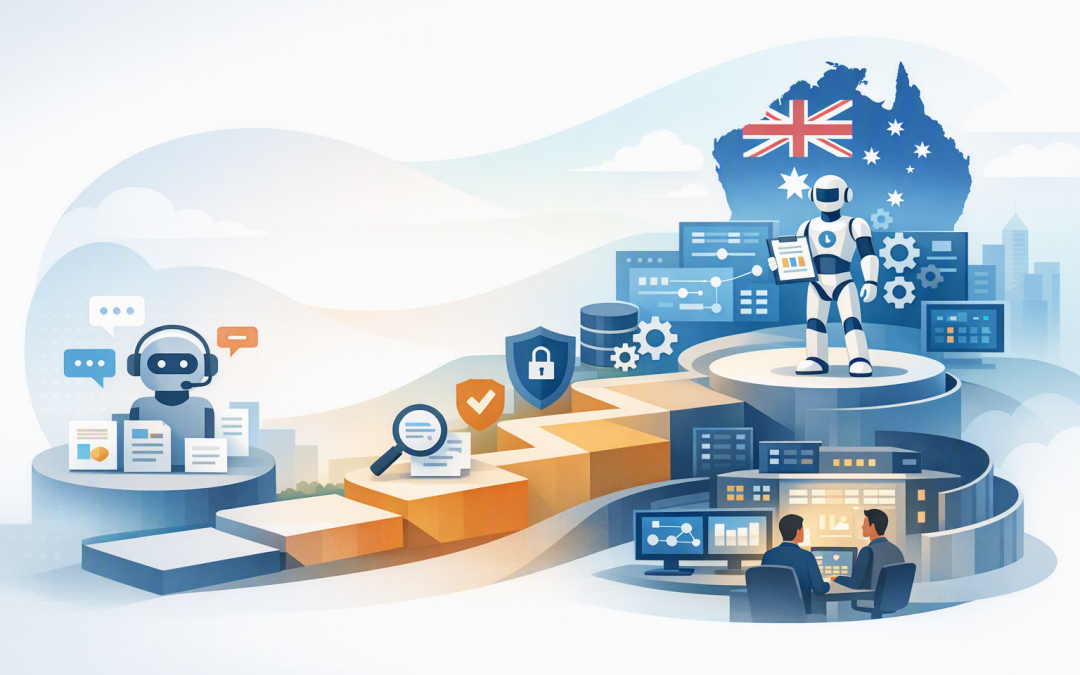
In this blog post From Copilot Chat to Governed AI Agents with Microsoft Foundry we will explain how Australian mid-market CIOs can move beyond basic AI chat without creating an uncontrolled collection of bots, data connections and security risks.


Many organisations already have employees using Copilot Chat to summarise documents, draft emails and research ideas. The next request from the business is usually, “Can it check our systems and complete the task as well?” That is where a useful productivity tool starts becoming a business system that needs proper governance.
The technology in plain English
Copilot Chat is a general-purpose AI assistant. An employee asks a question, provides some context and receives an answer. It can save time, but the employee still decides what information to provide and what to do with the response.
An AI agent goes further. It combines an AI model with approved instructions, company knowledge and tools. Those tools may allow it to search a document library, read a customer record, create a service ticket or begin a business process.
Microsoft Foundry is the managed platform used to build, test, deploy and monitor these agents. It supports multiple AI models and provides controls for identity, access, evaluation, security and operational monitoring. Its Agent Service is designed to run agents at scale rather than leaving them as isolated experiments.
This article focuses on the journey. For a broader platform comparison, see why Microsoft AI Foundry belongs on the CIO vendor evaluation list.
Why successful AI chat creates a new problem
Copilot Chat is often introduced as an employee productivity tool. Agents are different because they can use business data and, eventually, act on it.
That creates three questions CIOs must answer before scaling:
- What can the agent see? An agent should not discover salary records, legal files or customer information simply because a poorly configured account can access them.
- What can the agent do? Reading an invoice is low risk. Approving a payment, changing a customer record or sending an external message carries much greater consequences.
- Can we explain what happened? IT needs a record of the agent’s inputs, outputs, tool use, failures and costs when investigating an error or responding to an audit.
Microsoft Foundry can trace agent activity, including tool calls, retries, response times and consumption. However, tracing may itself capture sensitive business information, so access and retention must be deliberately governed.
A practical four-stage roadmap
Stage 1 Build a safe Copilot Chat baseline
Do not begin by building an autonomous agent. Begin by understanding how employees already use AI and where company information is stored.
During the first four weeks, focus on a practical baseline:
- Confirm which AI services employees are approved to use.
- Review access to SharePoint, Teams and sensitive Microsoft 365 locations.
- Publish simple rules covering customer data, employee records and confidential documents.
- Identify two or three measurable use cases, such as drafting proposals or summarising internal procedures.
- Train employees to check AI-generated answers rather than treating them as facts.
The outcome is not merely “AI adoption”. It is reduced shadow AI, fewer accidental data disclosures and a clear picture of where AI saves time.
Stage 2 Introduce one read-only knowledge agent
Your first agent should answer a narrow, repetitive question using an approved source. Good examples include an HR policy assistant, an internal IT support guide or a sales agent that finds current product information.
Keep it read-only. The agent can retrieve information but cannot change records, send messages or start financial processes.
Test it against real questions and incorrect assumptions. Foundry evaluations can measure whether an agent follows its task, produces useful answers and stays within defined safety boundaries. Set an acceptance threshold before release rather than relying on an impressive demonstration.
The business outcome is faster access to information without immediately exposing operational systems to automated actions.
Stage 3 Connect the agent to business systems carefully
Once the knowledge agent is reliable, connect it to one system such as a CRM, ERP or service desk. Our guide to connecting Microsoft Foundry agents to business systems covers this integration stage in more detail.
Give the agent its own identity through Microsoft Entra ID, Microsoft’s identity and access service. This avoids hiding passwords or access keys inside the agent and makes its permissions easier to audit.
The agent should receive only the permissions needed for its task. For example, a service agent may read device information and prepare a support ticket, but it should not receive global administration rights.
For higher-risk actions, require human approval. An agent can draft a customer refund, account change or supplier payment request, but an authorised employee should approve it before anything happens.
Microsoft Foundry supports dedicated agent identities and role-based access, allowing permissions to be restricted and activity linked to a specific agent.
Stage 4 Govern a portfolio of agents
The biggest long-term risk is rarely one badly behaved agent. It is dozens of forgotten agents created by different teams, using different data and generating bills nobody owns.
Every production agent should have:
- A named business owner and technical owner.
- A documented purpose and approved data sources.
- A risk rating based on what it can see and do.
- Usage limits and a responsible cost centre.
- Quality, security and performance monitoring.
- A review date and a process for retirement.
- A simple way to disable it if something goes wrong.
Microsoft Foundry Control Plane provides central visibility and management for agents, models and tools. This becomes increasingly important as organisations move from a few assistants to a managed fleet.
For more detail on this operating model, read how Microsoft Foundry creates a unified control plane for AI governance.
How this fits Australian security and privacy obligations
The Essential Eight, the Australian government’s cybersecurity framework, remains an important baseline. Controls such as multi-factor authentication, restricted administration, patching and application control help protect the Microsoft 365 and Azure environment around your agents.
However, Essential Eight compliance does not automatically mean your AI is governed. You still need agent ownership, approved data sources, limited permissions, testing, monitoring and human approval for sensitive actions.
Australian privacy obligations also apply when an agent handles personal information. The Office of the Australian Information Commissioner recommends assessing privacy risks, limiting unnecessary data use and checking AI outputs where accuracy may affect individuals.
Microsoft Purview, which classifies and protects company information, can help apply data security and compliance controls to Microsoft 365 and Foundry agents. It should support a clear governance policy, not replace one.
What the business case can look like
Consider a 180-person professional services firm where employees spend ten minutes each day searching for policies, project templates and customer procedures. That represents roughly 600 hours of staff time every month.
A sensible first agent would search approved internal documents and return an answer with the supporting source. The next version might prepare a service request, but require the employee to review and submit it.
This staged approach creates measurable capacity without giving an untested agent broad access on day one. It also provides evidence for the board: hours saved, questions resolved, errors detected, cost per interaction and incidents avoided.
What CIOs should do next
Do not start with a shopping list of AI models. Start with one costly business bottleneck, define the risk boundary and decide what success looks like.
- Review current Copilot Chat usage and unmanaged AI tools.
- Select one narrow, read-only agent use case.
- Clean up access to the information the agent will use.
- Define testing, approval and monitoring requirements.
- Plan identity and governance before adding automated actions.
- Report business outcomes rather than prompt counts.
CloudProInc brings more than 20 years of enterprise IT experience to this process. As a Melbourne-based Microsoft Partner and Wiz Security Integrator, we combine Microsoft 365, Azure, Defender, Intune device management, Foundry and cloud security expertise without the overhead of a giant, faceless provider.
If you are unsure whether your organisation is ready to move from Copilot Chat to governed AI agents, we are happy to review your current environment and help map a practical first step — no strings attached.