
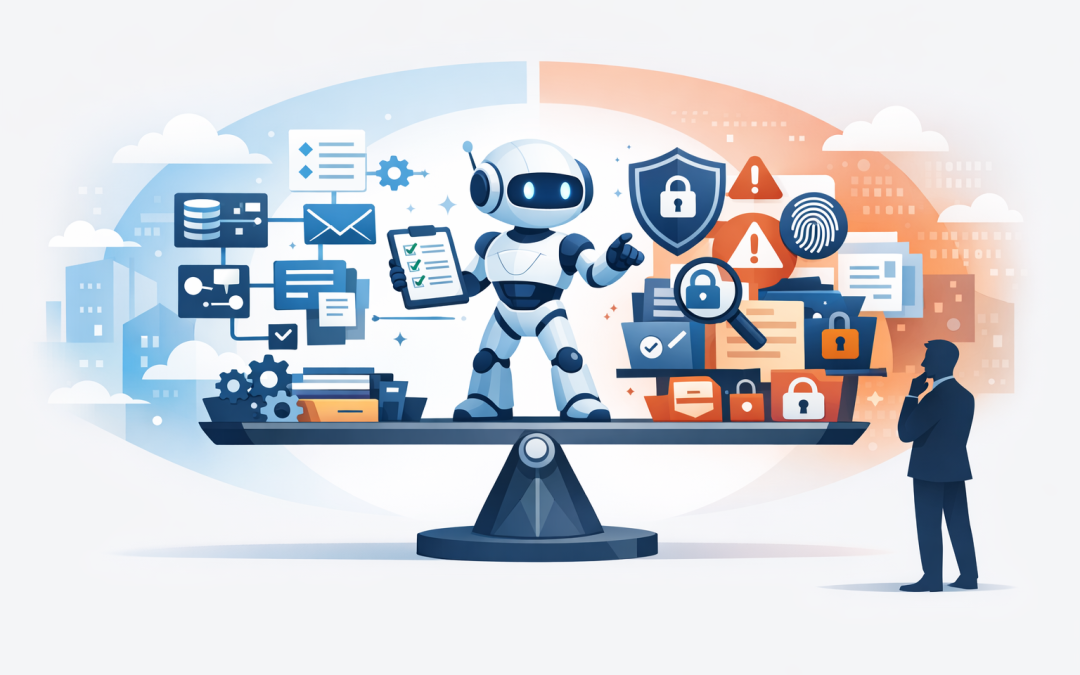
In this blog post What Makes an AI Agent Safe and Ready for Your Business Today we will explain what an AI agent actually is, why it is different from a chatbot, and how to know whether it is safe enough to use inside your business.
Many leadership teams are having the same conversation right now. Staff are already using AI tools, vendors are adding “agents” to every product, and the board wants to know whether AI will cut costs or create new risk.
The concern is fair. An AI agent is not just a tool that answers questions. It can read information, make decisions, use business systems, trigger workflows and sometimes act on behalf of a person. That makes it powerful, but it also means it needs proper controls before you let it near customer data, finance systems, HR records or operational processes.
Start with the simple explanation
An AI agent is software that uses an AI model, such as OpenAI or Anthropic Claude, to complete a task with less human input. A chatbot waits for a question and gives an answer. An agent can work through a process.
For example, a chatbot might tell an employee how to request leave. An AI agent could check the policy, review the employee’s leave balance, prepare the request, ask for manager approval, and update the HR system once approved.
That difference matters. The more an AI system can do, the more your business needs to think about access, approvals, monitoring, data protection and accountability.
The technology behind an AI agent in plain English
Most AI agents have five core parts.
- The AI model: This is the “reasoning engine” that understands instructions and decides what to do next. Examples include OpenAI models and Anthropic Claude.
- Tools: These are the business systems the agent can use, such as Microsoft 365, SharePoint, Teams, a CRM, a ticketing system or a finance platform.
- Context: This is the information the agent can read to do its job, such as policies, emails, documents or customer records.
- Memory: This is what the agent remembers across steps or conversations. It must be controlled carefully so sensitive information is not stored unnecessarily.
- Guardrails: These are rules that stop the agent from doing unsafe things, such as sending an external email, changing a record, or accessing private data without approval.
A newer concept you may hear about is Model Context Protocol, often called MCP. In simple terms, it is a common way for AI tools to connect to business systems and data sources. Think of it like a standard plug that lets AI systems connect to approved tools, instead of every vendor building a different cable.
That can be useful, but it also increases the need for security. If an agent can connect to more systems, you need to know exactly which systems, what data it can see, what actions it can take, and who approved that access.
Why unsafe AI agents create business risk
The biggest AI risk for most mid-sized businesses is not a science fiction scenario. It is a very ordinary mistake happening very quickly.
An agent sends the wrong file to a customer. It summarises a confidential HR matter into a Teams channel. It raises a purchase order without proper approval. It gives staff outdated compliance advice. Or it connects to a system using permissions that are far too broad.
These are not only IT issues. They can become privacy, financial, legal, operational and reputational issues.
For Australian organisations, this also connects to cybersecurity and compliance expectations. The Essential 8, the Australian government’s cybersecurity framework that many organisations are now required or expected to follow, focuses on practical controls such as patching, restricting administrator access, multi-factor authentication, application control and backups. AI agents do not replace those basics. They make them more important.
1. A safe AI agent has a clear job description
If an agent’s purpose is vague, its risk is hard to manage. “Help with operations” is too broad. “Create a first draft response to customer support tickets using approved knowledge articles” is much safer.
Before building or buying an AI agent, define the business problem in plain English. What task should it perform? What systems does it need? What data should it never access? What decisions must stay with a human?
This also helps avoid wasted spend. We often see businesses jump into AI tools before deciding what success looks like. Six months later, they have licenses, pilots and enthusiasm, but no measurable cost saving or productivity gain.
2. A safe AI agent only has the access it needs
One of the most common mistakes is giving an AI agent the same access as a senior employee or administrator. That is convenient, but dangerous.
The safer approach is “least privilege”. This means the agent can only access the information and tools required for its specific role. If the agent drafts responses to IT support tickets, it probably does not need access to payroll, board papers or customer contracts.
This is where platforms such as Microsoft Entra ID, Microsoft Intune and Microsoft Defender become important. Entra ID manages user identities and sign-ins. Intune manages and secures company devices. Defender helps detect threats across devices, email, identity and cloud services.
For cloud environments, Wiz can help identify risky permissions, exposed services and weaknesses across cloud workloads. As a Wiz Security Integrator and Microsoft Partner, CloudProInc often looks at AI readiness through both lenses: what the agent can do, and what the underlying cloud environment allows it to reach.
3. A safe AI agent keeps humans in control
Not every action should be automated. Some tasks are low-risk, such as summarising an internal policy or drafting a meeting agenda. Others need approval, such as sending a customer email, changing a contract, refunding money, deleting data or creating a new user account.
A business-ready AI agent should support human approval points. This is sometimes called “human in the loop”, which simply means a person must review and approve sensitive actions before they happen.
A practical approval rule might look like this:
If the agent drafts a customer response, it can save it as a draft.
If the agent wants to send the response externally, a staff member must approve it.
If the response includes pricing, legal wording or personal information, approval is mandatory.
This keeps the productivity benefit while reducing the chance of a costly mistake.
4. A safe AI agent is monitored and logged
If an employee makes a mistake, you can usually trace what happened. The same must be true for AI agents.
You should be able to see what the agent was asked to do, what information it used, which tools it called, what action it took, and whether a human approved it. This is often called tracing or audit logging. In plain English, it is the activity history you need when something goes wrong.
This matters for security investigations, compliance reviews and management confidence. If an agent changes a record or shares information, your business should not be guessing how it happened.
5. A safe AI agent protects your data
Data protection is one of the main reasons businesses hesitate with AI. They worry that confidential information will be used to train public models, copied into the wrong system, or exposed to people who should not see it.
Those risks can be managed, but not by policy alone. You need technical controls. These may include data classification, approved AI platforms, secure cloud configuration, device management, identity controls, retention rules and monitoring.
For Microsoft 365 environments, this may involve reviewing SharePoint permissions, Teams sharing settings, sensitivity labels, Defender policies and device compliance through Intune. For Azure environments, it may involve checking storage access, network exposure, identity permissions and logging.
The goal is simple: the agent should only see the right information, for the right reason, at the right time.
A real-world scenario
Consider a 200-person professional services firm using Microsoft 365. Staff were spending hours each week searching SharePoint, Teams and old emails for internal policies, proposal content and project information.
The leadership team wanted an AI agent to answer staff questions and draft internal documents. On paper, it looked like an easy productivity win.
But during readiness planning, several issues appeared. SharePoint permissions were too broad. Some old client folders were visible to too many people. There was no clear rule for whether AI-generated content could be sent externally. Multi-factor authentication was not enforced consistently for all users.
Launching an agent into that environment would have increased risk. The better move was to clean up access, define approved use cases, add approval steps, and start with a narrow internal knowledge assistant.
The business outcome was stronger than a rushed launch. Staff still saved time finding information, but the company reduced the chance of exposing client data or publishing unreviewed AI content.
How to know if your business is ready
Before you deploy an AI agent, ask these practical questions:
- What exact business process will this agent improve?
- What measurable outcome do we expect, such as hours saved, faster response times or fewer manual errors?
- What data will the agent access?
- Which systems can it use?
- What actions can it take without approval?
- Who is accountable if it makes a mistake?
- Can we review logs of what it did?
- Does our current Microsoft 365, Azure and device security support safe AI use?
- Are we aligned with Essential 8 expectations and internal privacy obligations?
If the answers are unclear, the business is probably not ready for a high-impact agent yet. That does not mean you should stop. It means you should start with a controlled pilot.
Start small, then expand safely
The safest AI projects usually begin with one well-defined use case. A good first agent might help staff find internal information, summarise approved documents, prepare draft reports or triage service desk tickets.
A poor first agent is one that can access everything and act everywhere.
Once the first use case is working, you can expand. Add more data sources. Add more workflows. Add more automation. But each step should come with a risk review, access review and business outcome check.
What CloudProInc looks for in an AI agent readiness review
CloudProInc is based in Melbourne and works with clients across Australia and internationally. With 20+ years of enterprise IT experience across Azure, Microsoft 365, Intune, Windows 365, OpenAI, Claude, Defender and Wiz, we tend to look at AI agents from a practical business angle.
We want to know whether the agent will save time, reduce manual work, improve service, or lower operational risk. We also want to know whether the environment around it is secure enough to support it.
That usually means reviewing identity, device management, cloud configuration, Microsoft 365 permissions, data governance, security monitoring, backup practices and Essential 8 alignment. The agent is only as safe as the systems it connects to.
The bottom line
An AI agent is ready for business when it has a clear job, limited access, human approval for sensitive actions, strong logging, protected data and a measurable business outcome.
The opportunity is real. AI agents can reduce admin work, speed up customer response, improve knowledge sharing and help teams do more with the systems they already own. But they need the same level of care you would apply to any employee, contractor or application that can access company data.
If you are not sure whether your business is ready for AI agents, or whether your current Microsoft 365 and Azure setup is safe enough to support them, CloudProInc is happy to take a practical look. No pressure, no jargon — just a clear view of what is safe, what is risky, and where AI can deliver real value.
Discover more from CPI Consulting
Subscribe to get the latest posts sent to your email.