
In this blog post How to Choose the Right Database Architecture for AI Solutions we will explain how to match your data platform to the business problem, rather than choosing a database because it is fashionable.
Many AI projects perform well in a demonstration but struggle when employees start using them every day. Answers become slow, information is outdated, access controls are inconsistent and cloud costs rise without a clear reason.
The database is often part of the problem. An AI solution needs more than somewhere to save information. It needs a reliable way to find the right information, confirm who may access it and deliver it quickly enough to be useful.
What database architecture means for an AI solution
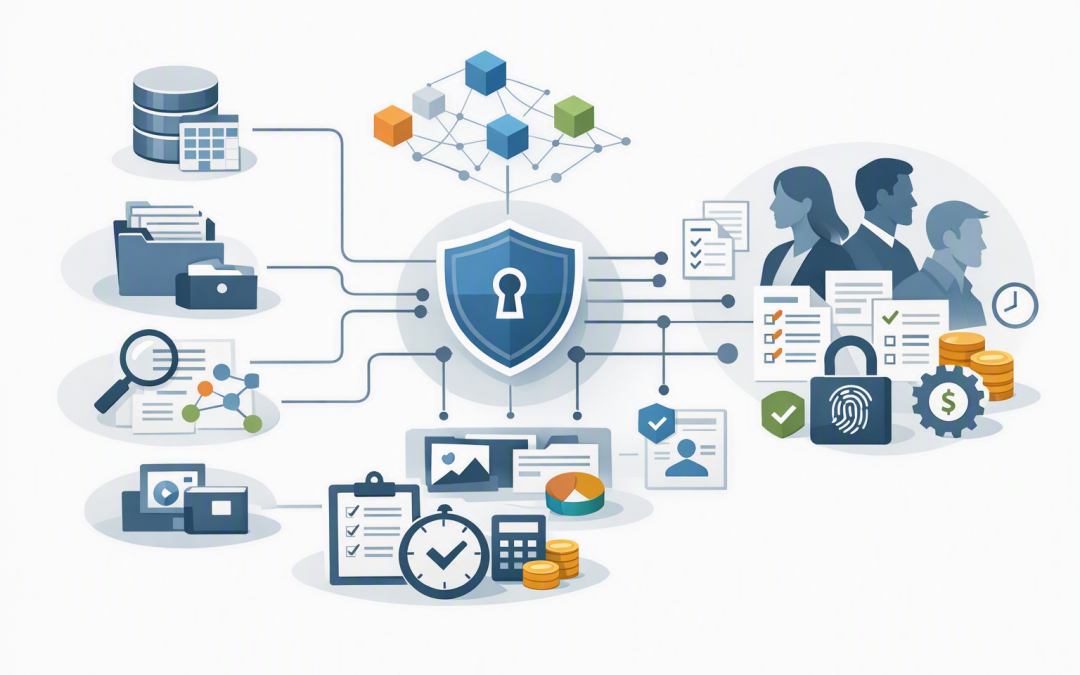
Database architecture is the way your application stores, organises, searches, protects and updates its information. For AI, this may involve several connected services rather than one large database.
A typical business AI solution may need:
- A system of record for accurate customer, product, finance or operational data.
- A content store for documents, emails, policies, manuals and images.
- A search layer that helps the AI locate relevant information.
- An audit store that records questions, responses, approvals and actions.
- An analytics platform for reporting on trends, performance and cost.
Using several fit-for-purpose data services is sometimes called polyglot persistence. In plain English, it means choosing the right storage method for each job instead of forcing every type of data into one system.
Business systems and documents
 |
 v
 Secure data processing
 |
 +-------+--------+
 | |
Operational database Search and vector index
 | |
 +-------+--------+
 |
 AI application
 |
 Identity, logging and monitoring
Start with the business question
The first question should not be “Which database should we buy?” It should be “What must this AI solution do reliably?”
An internal policy assistant has different needs from an AI system that recommends stock levels. The policy assistant searches documents, while the stock system needs current quantities, supplier data and transaction history.
Clarify the expected outcome before comparing products:
- Will the AI answer questions from company documents?
- Will it read live customer or financial records?
- Will it update business systems or only provide advice?
- How quickly must new information become available?
- What happens if the answer is wrong or incomplete?
This step prevents an expensive architecture from being built around a vague use case.
Understand the main database options
Relational databases for structured business data
Azure SQL Database and PostgreSQL are relational databases. They organise information into connected tables, making them well suited to customers, invoices, assets, orders and other records requiring clear relationships and dependable transactions.
They are often the right starting point when the AI must work with an existing business application. Modern SQL platforms can also store embeddings, which are numerical representations of meaning used by AI to find similar information.
The business benefit is simplicity. If your structured data is already in SQL, keeping AI retrieval close to that data may reduce duplication, integration work and security overhead.
Document databases for flexible and fast-changing data
Azure Cosmos DB stores information as flexible documents rather than fixed rows and columns. It can suit customer profiles, product catalogues, application sessions and AI agent memory where the information structure changes frequently.
Cosmos DB also supports vector search, allowing operational records and their meaning-based search data to be managed together. This can reduce the number of separate services needed for applications that require frequent updates and fast access.
The trade-off is that flexible databases still need careful design. Poor partitioning, which is how data is divided for scale, can create unpredictable costs and slower queries.
Search platforms for documents and knowledge assistants
Azure AI Search is usually a retrieval layer rather than the master copy of your data. It creates a specialised index so an AI assistant can quickly find relevant sections of policies, contracts, manuals and other content.
It supports hybrid search, which combines normal keyword matching with vector search based on meaning. This helps when an employee’s wording does not exactly match the wording in the source document.
For example, a search for “working from another country” may still find a policy titled “International Remote Work Requirements.” Better retrieval generally means more useful answers and less time spent searching manually.
Object storage for large volumes of source content
Azure Blob Storage and data lakes provide cost-effective storage for PDFs, images, recordings, exports and historical files. They are useful as the source library, with an AI search service indexing the content employees need.
They are not usually the right place for live transactions. Their value is affordable retention and the ability to separate original documents from the indexes created for AI.
Do not treat a vector database as the complete solution
Vector databases have received significant attention because they help AI find information with similar meaning. They work by converting content into embeddings and comparing the numerical distance between them.
However, similarity does not prove that information is current, approved or available to a particular employee. A vector result still needs metadata such as document owner, effective date, department, customer and security classification.
For many organisations, the best answer is not a standalone vector database. It may be an existing SQL or document database with vector capabilities, or a dedicated search service connected to the original source systems.
Choose a separate vector platform only when testing shows that its scale, performance or specialist features justify another system to secure, monitor, back up and pay for.
Make permissions part of the database design
An AI assistant should not reveal information simply because it can find it. If a salesperson cannot open an HR document normally, the AI must not retrieve that document on their behalf.
Access controls should follow the user from Microsoft Entra ID, which manages business identities and sign-ins, through the application and into the data retrieval layer. Sensitive records should also be encrypted, logged and separated where appropriate.
This is particularly important for Australian organisations handling personal information. Privacy obligations apply when AI systems collect, store, use or disclose that information, so retention, accuracy and authorised use should be designed in from the beginning.
Database patching, restricted administration, multi-factor authentication and reliable backups also support the Essential Eight, the Australian government’s cybersecurity framework that many organisations use as a security baseline.
For a broader look at identities, network controls and agent permissions, see our guide to designing secure AI agent infrastructure on Azure.
A practical scenario
Consider a 200-person engineering business building an assistant to answer questions about projects, safety procedures and customers. Its documents are in SharePoint, customer records are in SQL and project files include thousands of PDFs.
Moving everything into a new AI database would create duplicate data, extra storage costs and another permissions system to maintain.
A more practical design keeps SQL and SharePoint as the master sources. Approved content is indexed in Azure AI Search, security information is attached to each indexed item, and employees sign in with their existing Microsoft identity.
The result is a smaller security footprint, faster searches and less integration work. The company can also update or remove source information without trying to correct multiple uncontrolled copies.
Five checks before approving the architecture
- Confirm the source of truth. Identify where each type of information is officially maintained.
- Test with real questions. A database benchmark means little if employees cannot get useful answers.
- Measure update speed. Decide whether the AI needs changes within seconds, minutes or overnight.
- Model the full cost. Include storage, queries, indexing, backups, monitoring and specialist support.
- Test access boundaries. Confirm that users cannot retrieve documents or records beyond their normal permissions.
Run these checks with a limited but realistic proof of concept. It is cheaper to discover an architectural problem with one department than after an organisation-wide launch.
This is also why production-ready AI architecture matters. The database decision affects reliability, operating cost and security long after the first demonstration.
Choose for the workload, not the trend
The right database architecture gives AI fast access to trusted information without weakening existing controls. It may combine SQL, document storage and search rather than relying on one product to do everything.
CloudProInc brings more than 20 years of enterprise IT experience to these decisions. As a Melbourne-based Microsoft Partner and Wiz Security Integrator, we assess Azure data platforms alongside identity, Microsoft Defender protection, cloud exposure and practical operating costs.
If you are unsure whether your proposed AI database will remain secure, affordable and manageable once usage grows, we are happy to review the design with you — no strings attached.
Discover more from CPI Consulting
Subscribe to get the latest posts sent to your email.