
In this blog post Design Durable Secure Workflows with Microsoft Agent Framework we will explain how to stop a promising AI pilot becoming an unreliable, expensive or risky business process. The challenge is rarely getting an agent to complete a task once; it is making sure the workflow behaves safely when systems fail, data changes or a decision needs human approval.
At a high level, Microsoft Agent Framework lets you create several specialised AI agents and coordinate them as one controlled workflow. Instead of asking one all-powerful assistant to research, decide and act, you can give each agent a narrow role, limit what it can access and define when a person must step in.
What Microsoft Agent Framework actually does
Microsoft Agent Framework is an open-source development framework for building AI agents and multi-agent workflows in .NET and Python. It provides common ways to connect language models, business data, software tools, workflow rules, approvals and operational monitoring.
An agent is an AI-powered worker with instructions and access to approved tools. A workflow coordinates those workers using patterns such as running agents in sequence, running independent tasks at the same time or handing a case from one specialist agent to another.
For example, a supplier onboarding workflow might use:
- A document agent that extracts information from submitted forms.
- A risk agent that checks insurance, security and compliance requirements.
- A finance agent that validates payment details against an approved system.
- An action agent that creates the supplier only after a manager approves it.
This separation matters. If the document agent is tricked by a malicious instruction hidden inside an uploaded file, it should not have permission to create suppliers or change bank details.
Start with the business process, not the agents
A common mistake is creating a team of agents and then looking for work to give them. Start with a process that is slow, repetitive and measurable, such as handling support requests, reviewing contracts or preparing security assessments.
Map the current steps, including where employees use judgement. Then separate predictable tasks from decisions that genuinely benefit from AI.
Keep known steps deterministic
Deterministic means the sequence is defined in advance rather than invented by the AI. If every purchase request must be checked against a budget, reviewed for policy compliance and approved above $10,000, those rules should be built into the workflow.
AI can summarise the request and identify possible issues. It should not decide that the approval policy is inconvenient and skip it.
Use more autonomous agent behaviour only where flexibility creates value, such as researching several knowledge sources or comparing possible solutions. This balance gives the business useful AI without surrendering process control.
Design for interruptions from day one
A business workflow may take minutes, days or weeks. An agent could be waiting for a manager, an external system or additional information from a customer.
Microsoft Agent Framework supports checkpointing, which saves workflow progress so processing can resume after a restart or failure. Its durable extensions can also preserve agent sessions and coordinate long-running work across Azure Functions or other hosting environments.
Our earlier guide to Microsoft Agent Framework and durable AI agents explains why this capability matters. The design question is where checkpoints should be placed.
Save progress after meaningful business events
Create a checkpoint after receiving a document, completing a risk check, requesting approval or changing a business system. If processing fails later, the workflow can restart from a safe position instead of repeating everything.
Actions should also be designed so retrying them does not create duplicate payments, user accounts or customer records. In technical terms this is called idempotency; in plain English, running the same step twice must not cause the business to pay twice.
Give every agent the minimum access it needs
Multi-agent workflows become dangerous when every agent can read every data source and perform every action. A research agent may need read-only access to policies, while an action agent may need tightly restricted access to create a service ticket.
Use managed identities, which allow applications to prove who they are without storing passwords in code. Combine them with least-privilege access, meaning each agent receives only the permissions required for its specific job.
This approach supports the Essential 8, the Australian Government’s cybersecurity framework that many organisations use as a security baseline. It also makes privacy reviews easier because you can show exactly which parts of the workflow access personal or commercially sensitive information.
Put people in control of high-impact actions
Human approval should be mandatory before an agent sends money, changes access permissions, deletes information, communicates legal advice or makes a decision affecting an employee or customer.
The approval screen should show what the agent wants to do, why it recommends the action, which information it used and what will happen next. A vague “approve” button is not meaningful oversight.
Assume that untrusted content may contain instructions
Emails, documents, websites and tool responses can include hidden instructions intended to manipulate an agent. This is known as prompt injection.
Microsoft provides security guidance and information-flow controls for reducing prompt injection and data leakage, but the framework does not remove the organisation’s responsibility to validate inputs, restrict tools and secure data flows.
Agents processing external content should therefore operate in a restricted area. Treat their output as untrusted until it has been checked by rules, another controlled service or a person.
A practical workflow blueprint
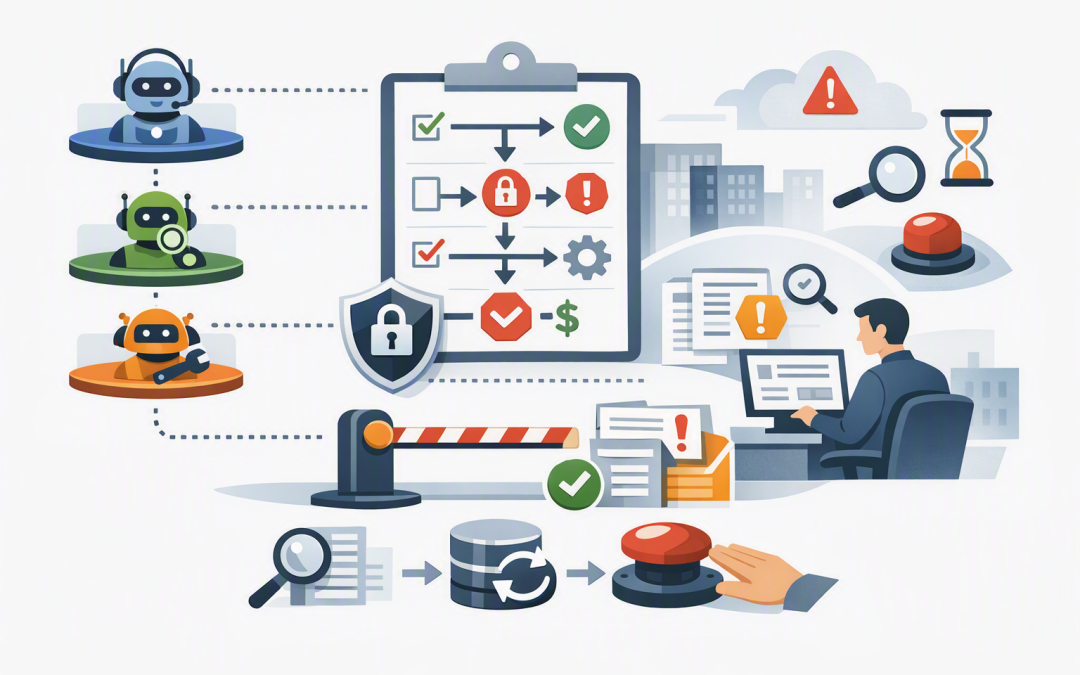
The underlying design does not need to be difficult to explain. A secure workflow can be represented as a series of clear business controls:
Receive request
Validate the user and required information
Save a checkpoint

Run research agent with read-only access
Run policy agent with read-only access
Compare results against fixed business rules
Save a checkpoint

If confidence is low or impact is high
 Wait for human approval

Run action agent with one approved tool
Confirm the result in the source system
Record the decision, evidence and cost
Save final checkpoint
The actual implementation can use Microsoft Foundry, Azure OpenAI, Microsoft Defender and other approved services. Model choice should be deliberate rather than assumed; different steps may suit Azure OpenAI, Claude or a smaller lower-cost model.
For implementation considerations, see our guide to building production AI agents with Microsoft Agent Framework and .NET. If agents must communicate across platforms, our article on cross-platform workflows using the A2A protocol covers the additional trust boundaries.
What this looks like in a real business
Consider a 180-person professional services company where new client onboarding required staff to copy information between email, Microsoft 365, the customer management platform and finance software. Delays were common, and nobody had a complete record of who approved each step.
A multi-agent workflow could extract the submitted information, identify missing documents and prepare the client record. Fixed rules would check required fields, while separate agents review commercial and compliance information.
The workflow would then pause for partner approval before creating the client or triggering billing. If an application became unavailable overnight, saved checkpoints would allow processing to resume without losing the approval history or creating duplicate records.
The business outcome is not simply “using AI.” It is faster onboarding, fewer manual errors, a clear audit trail and less time spent chasing routine information.
Questions to answer before production
- What measurable business problem will the workflow solve?
- Which steps follow fixed rules, and which require AI judgement?
- What information can each agent read?
- What actions can each agent perform?
- Which decisions always require a person?
- Where will workflow state and checkpoints be stored?
- How will duplicate actions be prevented after retries?
- Can your team reconstruct every decision for an audit?
- How will usage, model cost, failures and security events be monitored?
- How can the workflow be stopped quickly if behaviour changes?
Build for control, not just intelligence
The best multi-agent workflow is not the one with the most agents. It is the one that completes a valuable process reliably, protects business information and keeps accountable people in control.
CloudProInc combines more than 20 years of enterprise IT experience with hands-on expertise across Microsoft Azure, Microsoft 365, OpenAI, Claude, Defender and Wiz. As a Melbourne-based Microsoft Partner and Wiz Security Integrator, we help organisations design AI workflows around practical security, compliance and operational requirements.
If you are considering a multi-agent project and are not sure whether the proposed design is durable, secure or worth the ongoing cost, we are happy to take a practical look with you — no strings attached.
Discover more from CPI Consulting
Subscribe to get the latest posts sent to your email.