
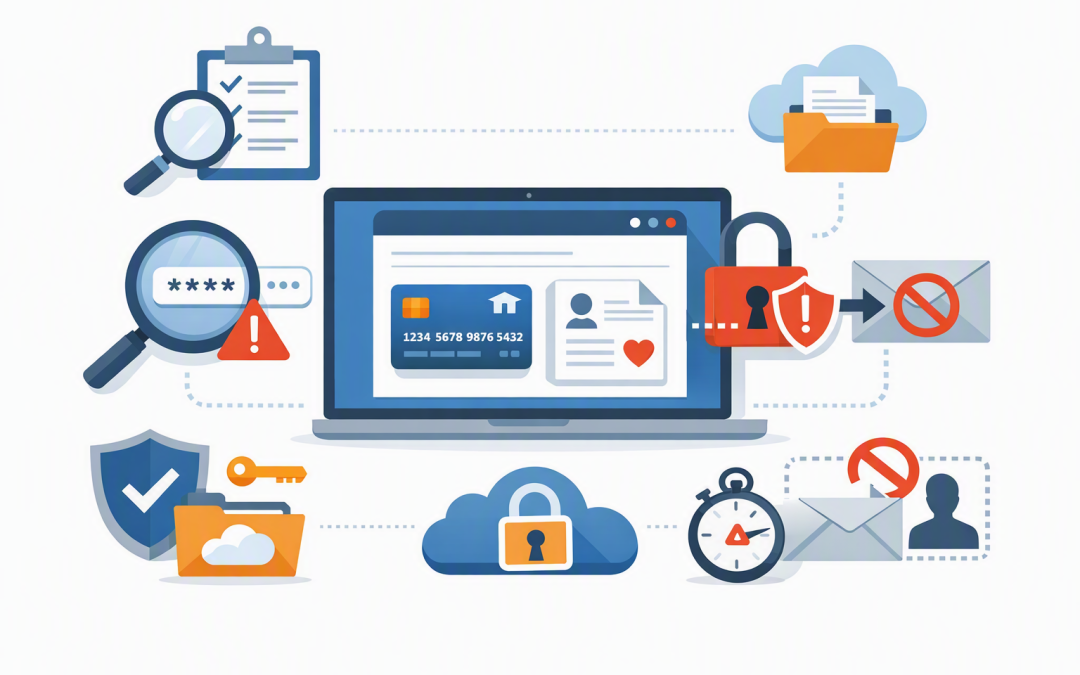
In this blog post Microsoft Purview DLP Stops Passwords and Data Leaks by Email we will explain how to prevent employees from accidentally emailing passwords, financial records and other confidential information to the wrong person.


The problem is rarely a malicious employee. It is usually someone working quickly, replying to the wrong contact, attaching the wrong spreadsheet or sending a password because email feels like the easiest option.
Microsoft Purview Data Loss Prevention, usually shortened to DLP, acts as a safety check inside Microsoft 365. It examines emails and attachments for information your business considers sensitive, then warns the sender, records the event or stops the message before the data leaves your organisation.
Why sensitive information still leaves through email
Most businesses tell employees not to send passwords or confidential data by email. The problem is that written policies rely on people remembering the rules during a busy day.
A payroll manager may email a spreadsheet containing employee bank details to an external accountant. A support technician may send temporary login details to a customer. A project manager may accidentally select an external contact with a similar name to an employee.
Each action may seem reasonable at the time. However, email can be forwarded, downloaded, stored indefinitely or accessed through a compromised account.
This is why staff training alone is not enough. Businesses need a control that can identify risky information at the moment someone attempts to send it.
How Microsoft Purview DLP works
Microsoft Purview is Microsoft’s platform for identifying, managing and protecting business information. Its DLP capability applies rules to services such as Exchange Online, which provides email for Microsoft 365.
When an employee sends an email, Purview can inspect the subject, message body and supported attachments. It compares the content with detection rules called sensitive information types, meaning patterns designed to recognise specific categories of confidential data.
These rules can look for information such as:
- Passwords and sign-in credentials
- API keys and access tokens, which allow software systems to connect
- Australian Tax File Numbers
- Credit card and bank account details
- Passport and driver’s licence numbers
- Health, payroll or customer information
- Documents carrying a confidential sensitivity label
Microsoft provides built-in detectors including General Password and All Credentials. The second can recognise credential formats associated with Microsoft, Azure, GitHub, Google, Amazon and other common platforms.
DLP is more than a search for particular words. It can consider patterns, nearby keywords, supporting information and confidence levels to decide whether the content is likely to be sensitive.
Password detection needs careful planning
A password is harder to identify than a credit card number. Credit cards follow a recognisable structure, while a password could be almost any combination of letters, numbers and symbols.
For example, a random word in a sales email may be harmless. The same word appearing beside “username”, “password” or “login details” is much more likely to represent a real credential.
This means businesses should not switch on a broad password rule and immediately block every match. Legitimate meeting invitations, automated notifications and technical messages can contain words such as “passcode” or strings that resemble credentials.
A poorly tuned policy creates false alarms. If employees are repeatedly blocked during normal work, they will look for ways around the control or stop taking its warnings seriously.
A practical DLP policy for outbound email
1. Start by monitoring rather than blocking
Run the policy in test or audit mode first. This records what would have matched without interrupting email delivery.
Monitor the results for several weeks. Look at which departments are triggering the policy, what information they are sending and whether the activity is legitimate.
2. Apply different actions to different risks
Not every incident requires a hard block. A sensible policy uses several levels of response.
- Low risk: Show a policy tip reminding the sender not to share passwords by email.
- Medium risk: Warn the sender and require a business justification before the email can be sent.
- High risk: Block the message when confirmed credentials or multiple sensitive records are being sent externally.
- Repeated risk: Alert the security or compliance team for review.
A policy tip is a message shown in Outlook explaining what was detected and what the employee should do next. This turns DLP into an immediate coaching tool rather than an unexplained error message.
3. Treat external recipients more carefully
Sending confidential information to a colleague is not the same as sending it to a personal Gmail account, supplier or unknown domain. External email rules should normally be stricter.
You can also create exceptions for approved partners or established processes. Exceptions should be narrow, documented and reviewed regularly rather than used as a quick fix for every complaint.
4. Give employees a safer alternative
Blocking an email without providing another option simply creates frustration. Employees need an approved way to complete the task.
Passwords should be shared through a properly managed password manager or secure service desk process. Confidential documents can be shared through a controlled SharePoint or OneDrive link with named-recipient access and an expiry date.
For broader guidance, see our article on how to stop company data leaking through email, SharePoint and Teams.
5. Review alerts and improve the policy
DLP is not a set-and-forget project. New suppliers, applications and working practices can change what normal information sharing looks like.
Review high-risk events, repeated overrides and false positives. The goal is not to generate the largest possible number of alerts. It is to identify the small number of events that could cause genuine financial, security or privacy harm.
What this looks like in a real business
Consider a 180-person professional services company where employees regularly send onboarding details to clients. During an initial monitoring period, its DLP policy identifies dozens of emails containing the word “password”.
Most are harmless automated messages or meeting passcodes. However, several contain usernames and temporary passwords written directly into the same email, while another includes a spreadsheet of customer contact and payment information.
Instead of blocking everything, the company tunes the policy. Meeting notifications are handled separately, suspected passwords sent internally produce a warning, and credentials sent to external recipients are blocked unless an approved exception applies.
The outcome is fewer unnecessary interruptions, a measurable reduction in insecure password sharing and an audit trail showing how sensitive information is being handled.
DLP should be part of a wider security approach
Purview DLP helps prevent sensitive content from leaving through email, but it does not replace strong sign-in controls, phishing protection or device security.
If an attacker has already stolen an employee’s account, Microsoft Defender can help identify suspicious links, attachments and account activity. Our guide to reducing phishing risk with Microsoft 365 Defender explains this additional layer.
Microsoft Intune, which manages and secures company devices, can also restrict how business information is copied or downloaded. Sensitivity labels add another layer by marking and protecting confidential files wherever they travel. See our practical guide to Microsoft Purview sensitivity labels.
These controls can support privacy obligations and the Essential Eight, the Australian Government’s cybersecurity framework that many organisations use to reduce common cyber risks. However, DLP alone does not make a business compliant. It must form part of a documented security and information-handling program.
The business outcome is fewer avoidable incidents
A well-designed DLP policy reduces the chance of passwords, customer records and financial information being sent to the wrong person. It also gives IT leaders evidence of where risky sharing is happening instead of relying on assumptions.
The key is to balance security with productivity. Start by observing, focus on the information that would cause real damage, explain warnings clearly and block only when the risk justifies it.
CloudPro Inc is a Melbourne-based Microsoft Partner and Wiz Security Integrator with more than 20 years of enterprise IT experience. We help organisations across Australia configure practical Microsoft 365, Purview and security controls without turning everyday work into an obstacle course.
If you are not sure whether passwords or confidential data are leaving your business through email, we are happy to review your current Microsoft 365 setup and explain the practical options with no strings attached.
Discover more from CPI Consulting
Subscribe to get the latest posts sent to your email.