
In this blog post Using A2A and MCP Together for Safer Business AI Systems we will look at why many business AI projects get stuck after the first promising pilot, and how two emerging standards can help you build AI systems that are safer, more useful, and easier to manage.


Most organisations do not have an AI problem. They have a coordination problem. One team has a chatbot for sales, another has an AI assistant for service tickets, finance is testing document extraction, and operations is experimenting with workflow automation. Each tool looks useful on its own, but together they create a mess of disconnected pilots, duplicated costs, unclear security controls, and data governance questions no one wants to answer.
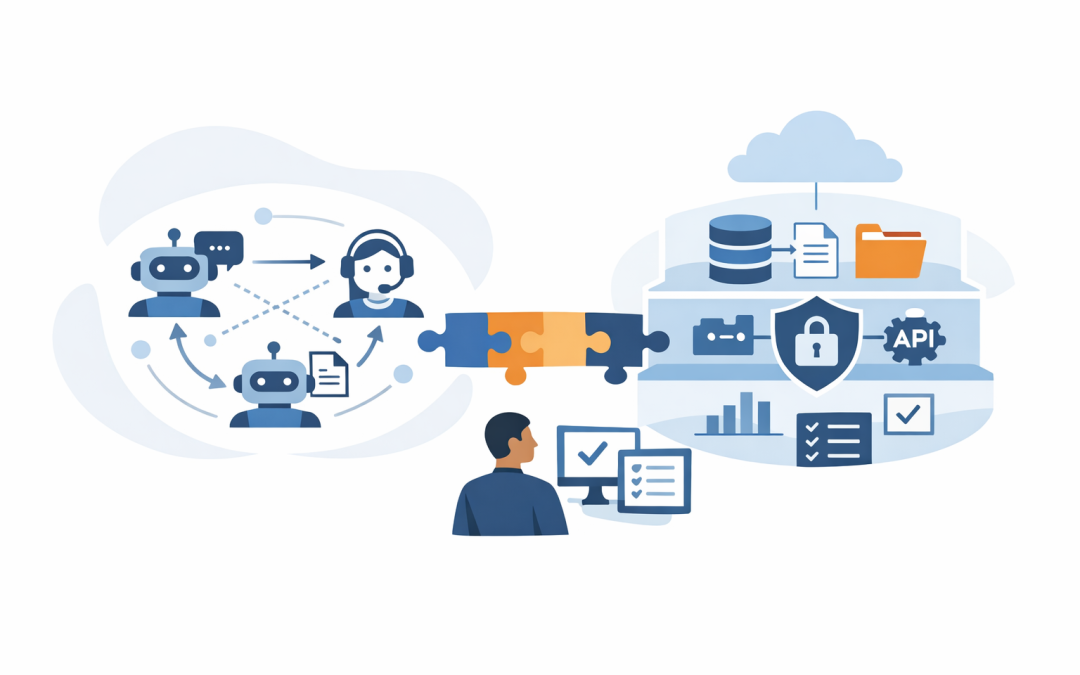
That is where A2A and MCP come in. A2A, short for Agent-to-Agent, is a common way for AI agents to talk to each other. MCP, short for Model Context Protocol, is a common way for AI agents to connect to tools, files, databases, and business systems. In plain English, A2A helps agents cooperate, while MCP helps agents get the information and approved actions they need.
The simple explanation before the architecture diagram
Think of a business AI system as a team of digital workers. One agent might understand customer requests. Another might check stock levels. Another might review contract wording. Another might summarise security risks. If these agents cannot communicate clearly, every workflow becomes a custom integration project.
A2A gives those agents a shared language. It lets one agent ask another agent for help, pass work across, receive progress updates, and return a result. That matters because most real business processes cross departments. A customer onboarding request might involve sales, legal, finance, IT, and security.
MCP solves a different problem. It gives an agent a standard way to access approved tools and data sources, such as SharePoint, Microsoft 365, Azure services, ticketing systems, CRMs, databases, or internal APIs. Instead of hard-coding a new connector every time, MCP acts like a controlled doorway into business context.
The short version is this: A2A is how agents collaborate. MCP is how agents safely use business systems.
Why this matters to business leaders
The biggest risk with AI adoption is not that the technology fails. It is that it succeeds in small pockets and then becomes unmanageable.
A 200-person business might start with Microsoft Copilot, a custom Azure OpenAI assistant, and a few department-specific automations. Six months later, leaders are asking simple questions that are surprisingly hard to answer. Which AI tool accessed customer data? Which system approved that action? Why are we paying for three similar workflows? Who owns the risk?
For Australian organisations, these questions are not just operational. They connect directly to privacy, data handling, supplier risk, and Essential 8, the Australian Government cybersecurity framework that many organisations use to reduce the likelihood and impact of cyber incidents.
Used properly, A2A and MCP help you move from scattered AI experiments to a managed AI architecture. That means better cost control, clearer security boundaries, reusable components, and less dependence on one vendor or one platform.
How A2A and MCP work together
Let’s use a practical example. Imagine an operations manager asks an AI assistant: “Review our top 20 delayed customer orders, identify causes, draft customer updates, and flag any legal or security concerns.”
That one request may involve several agents:
- Customer service agent to understand customer history and communication tone.
- Operations agent to check order status, warehouse updates, and supplier delays.
- Finance agent to check credits, refunds, or commercial impact.
- Legal or compliance agent to review sensitive wording before messages are sent.
- Security agent to ensure no personal or confidential data is exposed unnecessarily.
A2A allows these agents to pass work between each other in a structured way. MCP allows each agent to access the approved systems it needs, and only the systems it is allowed to use.
Without that structure, teams often build a large all-purpose AI assistant with broad access to everything. That may look efficient at first, but it creates serious risk. If one assistant can see every file, call every system, and take every action, then one mistake or one compromised account can become a major incident.
A simple reference architecture
You do not need to start with a giant AI platform. For most mid-sized organisations, the better approach is a controlled, modular design.
{
 "user_request": "Review delayed orders and draft customer updates",
 "orchestrator_agent": "Routes the work and enforces business rules",
 "a2a_agents": [
 "CustomerServiceAgent",
 "OperationsAgent",
 "FinanceAgent",
 "ComplianceAgent"
 ],
 "mcp_tool_access": {
 "CustomerServiceAgent": ["CRM", "approved_email_templates"],
 "OperationsAgent": ["order_system", "supplier_portal"],
 "FinanceAgent": ["billing_system"],
 "ComplianceAgent": ["policy_library", "privacy_rules"]
 },
 "security_controls": [
 "identity_check",
 "least_privilege_access",
 "audit_logging",
 "human_approval_for_external_messages"
 ]
}
This is not production code. It is a simple way to show the principle. Each agent has a clear job. Each agent gets access only to the tools it needs. The orchestrator, which is the coordinating layer, decides who does what and when a human must approve the result.
At CloudProInc, this is the kind of pattern we prefer because it maps well to real business governance. It works with Microsoft 365, Azure, Microsoft Intune, which manages and secures company devices, Microsoft Defender, which helps protect identities, devices, email, and cloud services, and Wiz, which helps identify cloud security risks across modern environments.
Five business outcomes from using A2A and MCP together
1. Lower integration cost
Custom integrations are expensive to build and more expensive to maintain. Every time a system changes, something breaks. Every time a new AI tool is added, your IT team has to ask how it connects, what it can access, and who supports it.
MCP reduces that friction by creating a more standard way for agents to connect to tools. A2A reduces the need to rebuild agent-to-agent communication from scratch. The outcome is less duplicated engineering work and faster delivery of new AI use cases.
2. Less vendor lock-in
Many leaders are rightly cautious about betting everything on one AI platform. Today you may prefer Azure OpenAI. Tomorrow one team may need Claude for a specific reasoning or writing use case. Another may use a Microsoft-native agent inside Microsoft 365.
A2A helps reduce lock-in because it supports the idea that agents built on different platforms can still work together. This builds on the ideas we covered in building cross-platform multi-agent workflows with A2A Protocol.
3. Stronger security boundaries
Security in AI is not just about stopping hackers. It is also about stopping well-meaning staff and over-helpful AI tools from accessing or exposing information they should not.
MCP can help define which tools an agent can use. Identity controls, conditional access, logging, and approval workflows can then sit around those connections. This supports the same security thinking behind Essential 8: reduce unnecessary access, patch weaknesses, control privileged activity, and keep clear recovery options.
For example, a payroll-related agent should not have access to every SharePoint site. A customer service agent should not be able to query financial systems unless there is a valid business reason. A legal review agent may need read-only access to policy documents, not permission to send customer emails.
4. Better auditability and compliance
One of the most common board-level questions about AI is: “Can we prove what happened?”
A2A and MCP make this easier when implemented with proper logging. You can record which agent handled the task, which tools were accessed, what data was retrieved, what decision was recommended, and whether a human approved the final action.
That matters for Australian privacy obligations, client assurance, cyber insurance, internal governance, and regulated industries. It also helps IT leaders show that AI is being managed properly rather than spreading quietly through shadow tools.
5. More productive staff without losing control
The goal is not to replace your people with a swarm of bots. The goal is to remove the repetitive handoffs that slow people down.
A good A2A and MCP architecture can help staff gather information, prepare drafts, check policies, summarise risks, and trigger approved workflows. Humans still make judgement calls. AI does the legwork.
This is where the architecture connects with our earlier post on AI agent orchestration patterns for business leaders. The pattern matters. Some workflows should run step by step. Some can run in parallel. Some need a human handoff before anything is sent outside the business.
Where businesses often get it wrong
The most common mistake is starting with the tool instead of the workflow. Someone asks, “Should we use A2A?” or “Should we build MCP servers?” The better question is: “Which business process is costly, slow, risky, or frustrating today?”
Start with one high-value workflow. Customer onboarding, service ticket triage, monthly reporting, security exception reviews, contract intake, and employee onboarding are all good candidates.
The second mistake is giving AI too much access too early. AI agents should follow the same principle as human users: only the access they need, only for the job they are doing, and with approval for sensitive actions.
The third mistake is skipping operational ownership. Someone must own the agent, the data access, the approvals, the monitoring, and the rollback plan. Otherwise, the AI workflow becomes another unsupported system.
A practical starting plan
- Pick one workflow where delays, manual effort, or risk are easy to measure.
- Map the agents by business role, not by technology platform.
- Define tool access through MCP so every agent has clear boundaries.
- Use A2A for handoffs between agents that need to collaborate.
- Add human approval for external messages, financial changes, legal decisions, and security exceptions.
- Log everything important so you can review outcomes, cost, errors, and access patterns.
- Review against security controls such as Essential 8, identity protection, device management, and data loss prevention.
This is also where a hub-and-spoke design can help. The hub coordinates requests and applies common rules. The spokes are specialist agents that do defined jobs. We explored this in more detail in hub and spoke architecture for AI multi-agent systems.
The bottom line
A2A and MCP are not magic. They will not fix poor data, unclear processes, or weak security governance on their own. But together, they give businesses a practical foundation for AI systems that can grow without becoming chaotic.
For CIOs, CTOs, and business leaders, the opportunity is simple: use A2A to let agents work together, use MCP to control how they access tools and data, and wrap the whole design in identity, security, logging, and human approval.
CloudProInc is a Melbourne-based Microsoft Partner and Wiz Security Integrator with more than 20 years of enterprise IT experience across Azure, Microsoft 365, Intune, Windows 365, OpenAI, Claude, Defender, Wiz, and practical cybersecurity uplift. If you are not sure whether your AI pilots are heading toward a scalable architecture or a costly tangle of one-off tools, we are happy to take a look and help you map the safest next step.