
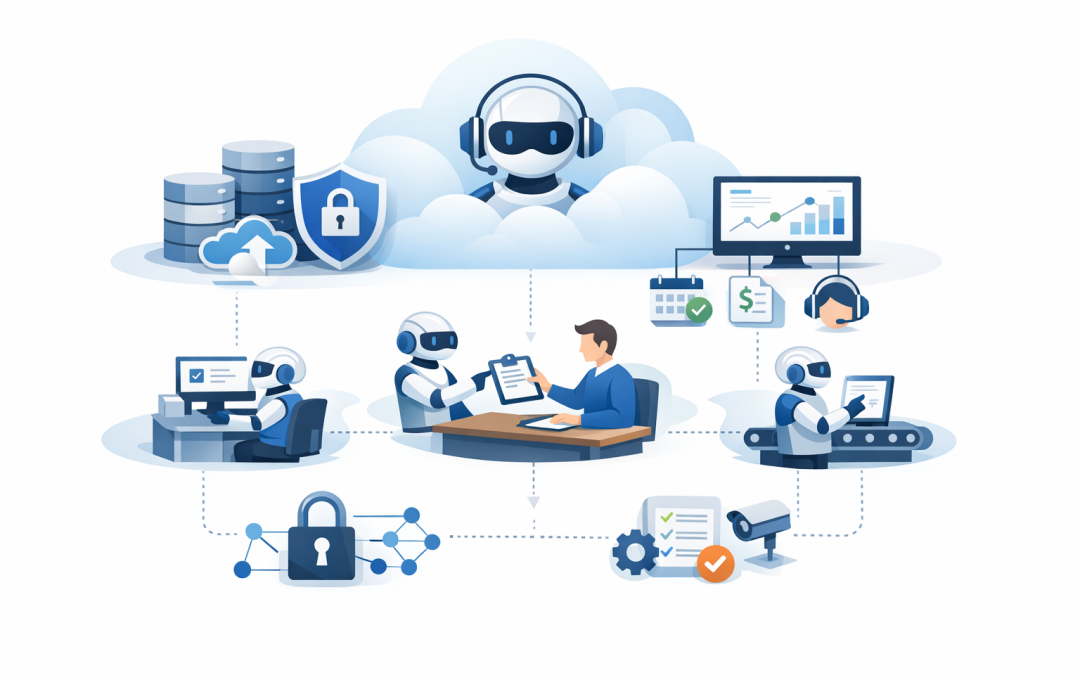
In this blog post How Azure AI Agents Automate Repetitive Business Processes Safely we will look at how AI agents can take over repeatable admin work, where they fit in a modern Microsoft environment, and how to roll them out without creating new security or compliance problems.
Most businesses do not have a technology problem. They have a repetition problem.
Approvals sit in inboxes. Service tickets wait for someone to triage them. Finance teams copy data between spreadsheets and accounting systems. HR staff answer the same onboarding questions every week. Sales teams waste time preparing account summaries that should already exist.
None of this work is difficult. But it is slow, expensive, and frustrating.
This is where Azure AI agents can help. An AI agent is not just a chatbot. It is a software worker that can understand a request, look up information, follow rules, use approved business systems, and complete a task or prepare it for human approval.
Microsoft now provides Foundry Agent Service as a managed platform for building, deploying, and scaling AI agents, with support for enterprise knowledge, tools, identity, memory, and observability. In plain English, that means your business can build AI agents that do useful work inside a controlled Azure environment rather than relying on disconnected experiments.
What Azure AI agents actually do
At a high level, an Azure AI agent has four parts.
- A model that understands language and reasons through a task.
- Instructions that tell the agent what it is allowed to do and how it should behave.
- Knowledge such as policies, SharePoint documents, service history, product guides, or customer records.
- Tools that let the agent take action, such as creating a ticket, checking an order, querying a database, or sending an approval request.
The important shift is action. Traditional automation follows fixed rules. If something changes, it often breaks. An AI agent can handle more flexible work because it can interpret context, ask for missing information, and choose the right next step within approved limits.
For example, a standard workflow might only approve an invoice if every field matches perfectly. An AI agent can review the invoice, compare it against the purchase order, identify a small naming mismatch, check the supplier record, and recommend approval while still escalating anything unusual to a person.
The technology behind Azure AI agents in plain English
Azure AI agents are commonly built using Microsoft Foundry Agent Service, part of the Azure AI Foundry and Microsoft Foundry ecosystem. This gives organisations a managed place to design and run agents, connect them to data, monitor their behaviour, and control how they access systems.
The agent uses a large language model, such as an OpenAI model available through Azure, to understand the task. It can then call approved tools. Microsoft describes this as function calling, where the agent asks your application to run a specific function, your system performs the action, and the result is returned to the agent.
That sounds technical, but the business meaning is simple. The agent should not have free rein over your systems. It should only be able to use specific, approved actions that your organisation has defined.
For example:
Employee asks: "Can you prepare the onboarding tasks for our new finance analyst?"

Agent checks:
- HR policy
- Role type
- Device requirements
- Microsoft 365 licence needs
- Intune device profile
- Manager approval status

Agent prepares:
- Account request
- Device enrolment task
- Security group recommendation
- Welcome email draft
- Service desk ticket

Human approves before anything sensitive is created.
This is the difference between useful automation and risky automation. The agent does the heavy lifting, but the business stays in control.
Where repetitive business processes are costing you
Most mid-sized organisations have dozens of small manual processes hiding in plain sight. Each one may only take five or ten minutes. Across 100 or 300 staff, the cost becomes significant.
1. Service desk ticket triage
IT teams often spend hours sorting requests before anyone starts fixing the actual problem. A password issue, laptop request, software access question, and security alert may all arrive in the same queue.
An Azure AI agent can read the request, classify it, ask for missing information, check known fixes, and route it to the right person. For common issues, it can suggest a response or trigger an approved workflow.
Business outcome: faster response times, fewer interruptions for senior IT staff, and less frustration for employees waiting on basic help.
2. Employee onboarding and offboarding
Onboarding is one of the best places to start because it touches HR, IT, security, payroll, devices, and managers. It is also where mistakes create real risk.
Someone forgets to remove access when an employee leaves. A contractor keeps a Microsoft 365 account for months. A new starter loses two days waiting for the right apps.
An agent can coordinate the checklist, prepare access requests, verify approvals, and raise exceptions when something does not match policy. When paired with Microsoft Intune, which manages and secures company devices, and Microsoft Entra ID, which controls user identity and access, the process becomes much more consistent.
Business outcome: fewer access mistakes, faster new starter productivity, and reduced risk from orphaned accounts.
3. Finance and operations admin
Many finance teams still spend too much time reconciling information across email, spreadsheets, invoices, purchase orders, and approval systems.
An Azure AI agent can extract key details from documents, compare them with approved records, highlight exceptions, and prepare a recommendation. It does not need to replace finance staff. It can remove the repetitive checking so finance people can focus on judgement calls.
Business outcome: fewer processing delays, better audit trails, and less time spent chasing missing information.
4. Customer service follow-up
Customer service teams often lose time gathering context. Before replying, they may need to check CRM notes, previous emails, open orders, support tickets, and internal policy documents.
An agent can prepare a customer summary, draft a response, flag risks, and recommend the next best action. A human can still review the message before it goes out.
Business outcome: faster customer responses, more consistent service, and less pressure on experienced staff.
A real-world scenario
Consider a 180-person professional services business with offices in Melbourne, Sydney, and Brisbane. The leadership team believes their IT environment is fairly modern because they use Microsoft 365, Teams, SharePoint, and cloud-based finance tools.
But behind the scenes, operations staff are manually coordinating every new starter. HR sends an email to IT. IT asks the manager what access is needed. The manager replies late. Someone copies an old user as a template. Finance then asks why the licence cost has increased.
No single step is terrible. But each onboarding takes two to three hours across multiple people, and mistakes happen every month.
A practical Azure AI agent could read the approved HR request, identify the role, prepare the correct access checklist, create the service desk ticket, recommend the Microsoft 365 licence, trigger the Intune device process, and notify the manager of anything needing approval.
If the business hires 50 people a year, saving even 90 minutes per onboarding means 75 hours returned to the team. More importantly, the process becomes safer and easier to audit.
Why security matters more with agents than with chatbots
A chatbot that gives a poor answer is annoying. An agent with too much access can create a real business problem.
That is why the architecture matters. Agents should run with clear identity controls, limited permissions, logging, monitoring, and private access to sensitive data where required. Microsoft’s current Foundry Agent Service guidance includes options for private networking, including virtual network integration and private endpoints, which help reduce exposure to the public internet.
This also connects directly to Essential 8, the Australian government’s cybersecurity framework that many organisations use to reduce cyber risk. Agent projects should support controls such as restricting administrative privileges, patching systems, controlling application access, and protecting Microsoft 365 identities.
At CloudProInc, this is where our Microsoft Partner and Wiz Security Integrator experience becomes important. The agent is only one part of the solution. The surrounding Azure, Microsoft 365, Defender, Intune, identity, data, and cloud security controls decide whether the agent is safe enough for production.
If you are planning agents that connect to business systems, our earlier post on connecting Microsoft Foundry Agents to business systems goes deeper into the integration side. Our guide on designing secure AI agent infrastructure on Azure covers the security foundation in more detail.
How to choose the right process for your first Azure AI agent
The best first use case is not always the most exciting one. It is usually the most repetitive, measurable, and low-risk process.
Start by asking five questions:
- Is the process repeated often? Weekly or daily tasks are better candidates than rare exceptions.
- Does it consume skilled staff time? Good automation frees up people who are currently stuck doing admin.
- Are the rules reasonably clear? Agents work best when policies, approval paths, and escalation rules are documented.
- Can a human approve important actions? Keep people in the loop for payments, access changes, customer commitments, and sensitive data.
- Can success be measured? Track hours saved, cycle time, error rates, ticket volume, or customer response time.
Avoid starting with broad goals like “automate operations” or “use AI across the business”. Pick one workflow. Prove value. Then expand.
Common mistakes to avoid
Giving the agent too much access
Agents should have the minimum access required to do the job. If an agent only needs to read ticket details and create draft responses, it should not have permission to delete records or change user access.
Skipping human approval
For business-critical processes, human approval is not a weakness. It is good governance. The goal is to remove low-value work, not remove accountability.
Automating a broken process
If the current process is unclear, inconsistent, or politically messy, AI will not magically fix it. Clean up the workflow first, then automate the parts that make sense.
Ignoring cost controls
AI agents use cloud resources and model calls. Without monitoring, costs can creep up. A good design includes usage limits, logging, reporting, and regular review.
A practical rollout plan
For most 50 to 500 person organisations, we recommend a staged approach.
- Identify three candidate workflows across IT, finance, HR, operations, or customer service.
- Estimate the current cost in hours, delays, errors, and risk.
- Choose one pilot with clear boundaries and a measurable outcome.
- Design the security model before connecting the agent to live systems.
- Run with human approval until the business trusts the results.
- Measure and improve before expanding to other teams.
This is also where orchestration matters. If you are considering multiple agents working together, our article on AI agent orchestration patterns that reduce risk and cost explains how to avoid creating a messy collection of unmanaged bots.
The bottom line
Azure AI agents can automate repetitive business processes, but the real value is not the technology itself. The value is fewer manual handoffs, faster decisions, lower risk, better compliance, and more time for your people to focus on work that matters.
For Australian businesses, the opportunity is significant. Many organisations already have Microsoft 365, Azure, Teams, SharePoint, Defender, and Intune in place. That means the foundation for useful AI agents may already exist.
The key is to start small, design securely, and focus on business outcomes rather than AI hype.
CloudProInc is based in Melbourne and works with organisations across Australia and internationally to design practical cloud, AI, and cybersecurity solutions. If you are not sure which repetitive process is worth automating first, or whether your current Azure and Microsoft 365 environment is ready for AI agents, we are happy to take a look — no strings attached.
Discover more from CPI Consulting
Subscribe to get the latest posts sent to your email.