
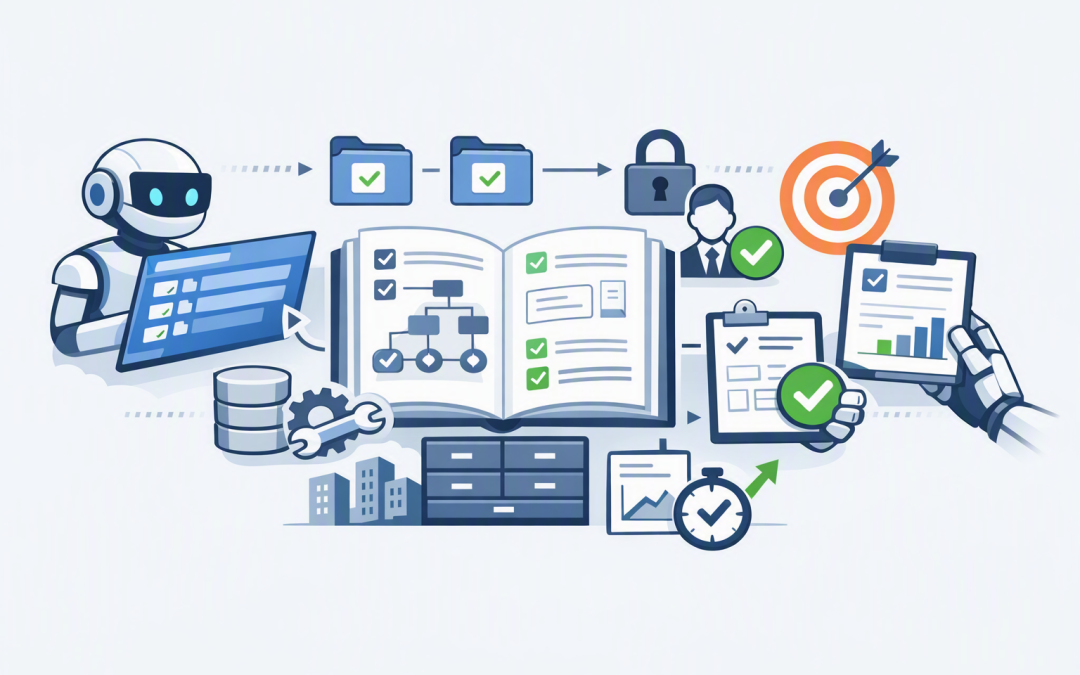
In this blog post How AI Agent Skills Standardise Repeatable Business Workflows we will explain how to turn your approved procedures into reusable instructions that AI agents can follow safely and consistently.


Many businesses already have employees experimenting with AI. The problem is that the same task can produce different results depending on who writes the prompt, which files they provide and how clearly they explain the process.
That may be acceptable for brainstorming. It is a serious risk when an AI agent is preparing a management report, reviewing cloud costs, checking user access or handling customer information.
Skills provide a practical way to standardise this work. Instead of asking employees to reinvent the instructions every time, you package the approved process, rules, templates and supporting tools into a reusable folder that an AI agent can load when required.
What is an AI Agent Skill?
An AI agent is software that can work towards a goal, make decisions within defined boundaries and use approved tools. A Skill gives that agent specialist instructions for completing a particular type of work.
Think of a Skill as a combination of a procedure manual, checklist and starter kit. It tells the agent what the outcome should be, which steps to follow, what information it may use and when a human must become involved.
A Skill normally contains a main SKILL.md file written in Markdown, a simple text format that is easy for both people and AI systems to read. It can also include scripts, reference documents, report templates and examples of acceptable output.
We previously explained how Agent Skills turn business processes into repeatable automation. The next challenge is standardisation: making sure those Skills are designed, approved and maintained as business assets rather than becoming another collection of uncontrolled prompts.
How the technology works behind the scenes
Skills use a method known as progressive disclosure. In plain English, the agent initially sees only a short catalogue describing the available Skills. It loads the detailed instructions only when a task matches a Skill.
This matters because AI models have a limited working memory for each task. Loading every company policy and procedure at once would increase processing costs and make it harder for the agent to identify the instructions that actually matter.
A basic Skill might look like this:
monthly-access-review/
├── SKILL.md
├── references/
│ └── access-policy.md
├── assets/
│ └── review-report-template.docx
└── scripts/
 └── validate-user-list.py
The main file could contain instructions such as:
---
name: monthly-access-review
description: Prepare the monthly Microsoft 365 user access review.
---

# Objective
Identify inactive accounts, unexpected administrator access
and users who may no longer require a licence.

# Required process
1. Use only the approved identity export.
2. Do not disable accounts or change permissions.
3. Flag uncertain findings for human review.
4. Produce the report using the approved template.
5. Record the source date and checks completed.
The agent can use this guidance to prepare the review, but it cannot decide to remove access. That boundary is deliberate. The Skill automates preparation and analysis while an authorised employee remains responsible for the final decision.
Standardisation reduces expensive variation
Without a Skill, five employees may ask an AI model to complete the same task in five different ways. Some will provide the right context. Others will forget an approval step, use an outdated template or fail to record where the information came from.
A standard Skill gives everyone the same starting point. This reduces rework, shortens training time and makes the output easier for managers to review.
For example, a monthly Azure cost review could consistently check for unused resources, unexpected spending increases and opportunities to adjust service sizes. Azure is Microsoft’s cloud platform, and small configuration decisions within it can quietly add thousands of dollars to an annual IT budget.
The business outcome is not simply a better AI response. It is a repeatable financial control that helps management find avoidable spending before it becomes normal.
Separate business rules from the AI model
Your procedure should not disappear inside one large prompt or become permanently tied to one AI product. The Skill should contain the business knowledge, while the AI model provides the reasoning needed to apply it.
This separation makes it easier to test Claude, OpenAI models or future platforms without rebuilding the entire workflow. It also allows the business to update a policy, template or approval threshold in one controlled place.
A shared approach is explored further in our guide to building a reusable AI Skills library. The important point for leaders is that Skills need owners, version control and retirement rules, just like other important business systems.
Build security and compliance into every Skill
A Skill should define what the agent is allowed to access and what it must never do. It should also specify when the agent must stop and request human approval.
This is particularly important for Australian organisations working towards the Essential Eight, the Australian Government’s cybersecurity framework for reducing common cyber risks. Skills should support existing access controls rather than creating shortcuts around them.
- Use minimum access. Give the agent only the information and system permissions required for the task.
- Keep secrets out of Skill files. Passwords, access keys and private customer data belong in secure systems, not reusable instructions.
- Require approval for material actions. Payments, account changes, customer communications and security changes should have clear human checkpoints.
- Record what happened. Keep logs showing which Skill version ran, what information it used and what actions it proposed or completed.
- Test failure cases. Check what happens when files are missing, information conflicts or the agent encounters an unexpected request.
Microsoft Intune, which manages and secures company devices, and Microsoft Defender, which detects threats across identities, devices and cloud services, can form part of the wider control environment. Wiz can provide visibility into security risks across cloud environments, helping teams identify excessive permissions and exposed resources.
Give every run a controlled starting point
A well-written Skill can still fail if the agent starts in an inconsistent environment. Missing files, different software versions and leftover data from previous tasks can all change the result.
That is why Skills should be combined with repeatable workspaces for business AI agents. A repeatable workspace gives each run the same approved tools, folder structure, permissions and starting files.
For longer processes, snapshots can provide trusted recovery points. If a task fails halfway through, the agent can restart from a known stage instead of repeating completed actions or creating duplicate records.
A practical business scenario
Consider a 200-person professional services company completing a monthly Microsoft 365 access review. The IT coordinator spends around six hours exporting records, checking inactive users, identifying unexpected administrator access and formatting a report for management.
A standardised Skill could validate the supplied data, apply the company’s review rules and prepare the report in under an hour. The coordinator would still investigate exceptions and approve any access changes, but several hours of repetitive preparation would disappear each month.
The same Skill could be used by another authorised employee during leave periods without requiring them to learn a collection of prompts. It could also preserve evidence of the checks completed, improving audit readiness and reducing dependence on one person’s knowledge.
Start with one process that already works
Do not begin by asking AI to fix a broken or poorly understood process. Start with a recurring task that has clear inputs, an experienced owner and an outcome people already know how to assess.
- Document how the task is performed today.
- Identify the decisions that must remain with a person.
- Define the approved data sources, tools and templates.
- Create one focused Skill rather than a large Skill covering everything.
- Test it against normal, incomplete and unusual requests.
- Measure time saved, correction rates and review effort.
- Approve and publish it through a governed Skills library.
For more complex builds involving tool use and system actions, our guide to building production AI agents with Claude API and Agent SDKs explains why permissions, monitoring and operational guardrails matter.
Skills turn AI experiments into managed business capability
The main value of Skills is not that they make an AI agent look more intelligent. It is that they make recurring work easier to control, test, improve and hand over.
Done properly, Skills can reduce manual preparation, improve consistency, preserve company knowledge and provide clearer evidence for security and compliance reviews. They also give leaders a practical way to compare AI platforms without tying every business procedure to one vendor.
CloudProInc brings more than 20 years of enterprise IT experience to this work. As a Melbourne-based Microsoft Partner and Wiz Security Integrator, we help organisations connect AI agents with Azure, Microsoft 365, OpenAI, Claude and their existing cybersecurity controls without turning a promising pilot into an unmanaged risk.
If you have a repeatable process that consumes hours each month, but you are not sure whether it is ready for an AI agent, we are happy to take a practical look at it with you — no strings attached.
Discover more from CPI Consulting
Subscribe to get the latest posts sent to your email.