
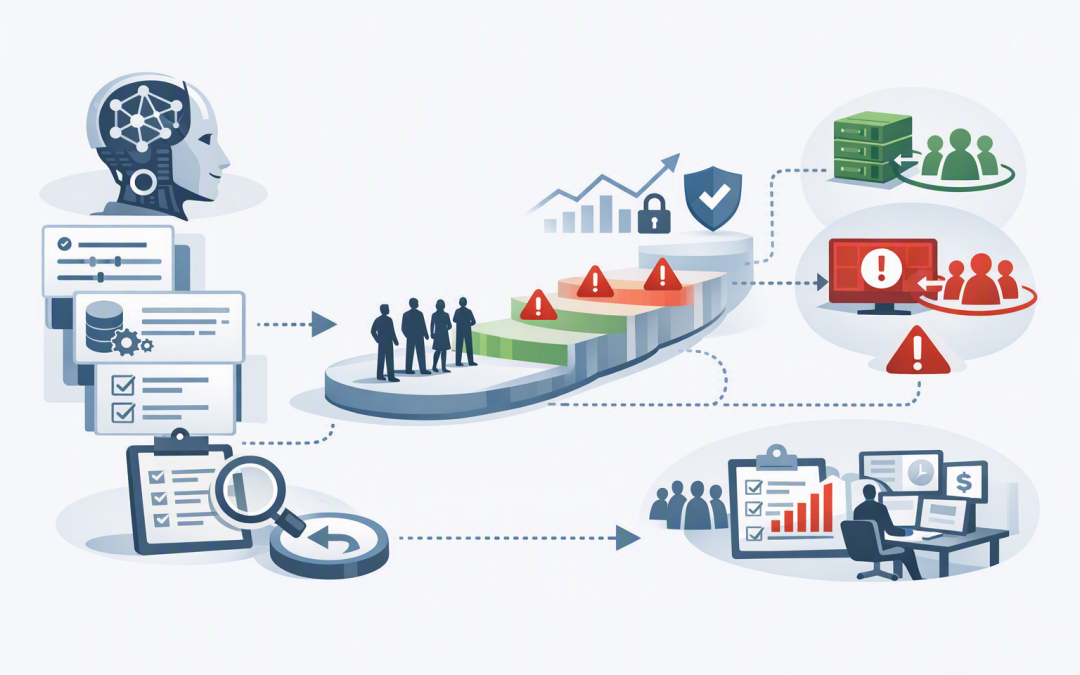
In this blog post How to Manage AI Model and Prompt Changes Safely in Production we will explain how to update business AI systems without creating unexpected errors, higher costs or compliance problems. A small prompt edit or model upgrade can look harmless, yet suddenly change how customer emails are answered, invoices are classified or sensitive information is handled.
At a high level, model and prompt management is simply controlled change. Instead of replacing an AI model or rewriting its instructions and hoping for the best, you record the change, test it against realistic business scenarios, release it gradually and keep a working rollback option.
This is one of the disciplines that separates an impressive AI demonstration from a dependable business system. It builds on the controls discussed in moving AI agents from prototype to production, with a specific focus on the model and instructions behind each release.
Why AI changes are more complicated than software updates
Traditional software usually follows fixed rules. If an order exceeds $10,000, for example, the system can be programmed to request approval every time.
Generative AI works differently. An AI model is a prediction engine trained to recognise patterns in large amounts of information. Its internal model weights shape how it interprets a request and generates a response.
The prompt provides the operating instructions. It tells the model what role to perform, what information to use, which rules to follow and how to format the answer.
The final result can also be affected by model settings, company documents supplied to the model, connected business systems and external tools. Changing any one of these components may alter quality, response time, cost or security.
A newer model is therefore not automatically a safer model for your business. It may write better summaries but follow an existing prompt differently. It may also produce longer answers, use more processing capacity or behave differently when information is incomplete.
1. Version the entire AI release
A common mistake is to record the model name but not the prompt, settings or supporting data. When an output changes, nobody can explain exactly what customers or employees were using at the time.
Every production release should have a unique version containing:
- The provider, model and specific model version.
- The system prompt and reusable prompt templates.
- Settings that influence output length and variability.
- The version of the company knowledge source.
- Any tools, actions or business systems the AI can access.
- The person who approved the release and the reason for the change.
This information can be stored in Git, which keeps a history of file changes, or in an approved release management platform. The goal is simple: your team must be able to reproduce a result and restore the previous configuration quickly.
release_id: customer-assistant-2.4
model_provider: azure-openai
model_deployment: production-chat-v3
prompt_version: support-prompt-18
knowledge_version: help-centre-2026-08-20
tool_schema_version: crm-actions-6
owner: customer-operations
approved_by: ai-change-board
rollback_release: customer-assistant-2.3
If your team uses frameworks such as LangChain, the same principle applies. Our guide to running prompts with LangChain covers the mechanics; production management adds ownership, evidence, approval and rollback.
2. Test business outcomes rather than impressive answers
Reading five sample responses is not enough. AI tests should represent the real work, including unusual requests, incomplete information and situations where the correct response is to stop or ask for human help.
Build a test set from approved, de-identified examples. Remove personal, customer and commercially sensitive information unless your test environment has been specifically approved to handle it.
For a customer service assistant, the test set might include:
- Common questions with known correct answers.
- Requests involving refunds, complaints or contractual promises.
- Questions the AI should escalate to an employee.
- Attempts to make the AI ignore company policy.
- Requests containing personal or confidential information.
Score each candidate release on accuracy, policy compliance, escalation behaviour, response time and estimated cost. Set minimum pass levels before testing begins so a project sponsor cannot overlook a poor result simply because the new model sounds more polished.
This becomes even more important when prompts sit inside multi-step agents. As discussed in why prompt-only AI agents break down, a good instruction cannot replace approvals, recovery steps and controlled workflows.
3. Release changes to a small group first
Even a strong test suite cannot represent every production situation. The safest approach is a staged release rather than switching every user at once.
Start with internal users or a small percentage of suitable requests. Keep the current version running for everyone else. This is often called a canary release, named after the early-warning practice once used in mines.
For example, imagine a 200-person professional services company upgrading an AI tool that summarises client correspondence and assigns work categories. The new model produces clearer summaries, but testing with 5% of live traffic shows that it places urgent billing disputes into the general enquiries queue.
Because the release is limited, the team can return those users to the previous version within minutes. Without staged deployment, hundreds of requests might be misdirected before anyone notices, creating rework and damaging response targets.
Higher-risk changes should also require a human approval point. An AI assistant drafting an internal meeting summary needs less scrutiny than an agent that can update customer records, send messages or approve a financial process.
4. Monitor quality, cost, speed and risk
A release is not finished when it goes live. AI behaviour must be monitored because user requests, company data and connected systems continue to change.
A practical dashboard should answer four questions:
- Quality — Are users accepting the answers, correcting them or escalating more cases?
- Cost — Has the cost per completed task increased, even if the cost per AI request appears low?
- Speed — Are employees or customers waiting longer for results?
- Risk — Is the system exposing sensitive data, ignoring rules or taking actions outside its authority?
Track results by release version. Otherwise, an overall monthly average can hide a serious problem introduced by yesterday’s prompt update.
Define rollback triggers in advance. These might include a sharp increase in incorrect answers, failed safety checks, excessive processing costs or a rise in complaints. The controls described in secure production operations for AI agents become especially important when the system can take real actions.
5. Treat prompts as controlled business assets
Prompts often contain company policies, decision rules and instructions about sensitive data. They should not live in an employee’s personal notes or be edited directly in production without review.
Limit who can create, approve and deploy changes. Keep an audit trail, separate development from production, and never place passwords or access keys inside a prompt.
Be careful with logging as well. AI records can contain customer details, employee information or confidential documents. Access and retention should reflect the Australian Privacy Principles and your contractual obligations.
The Essential 8, the Australian Government’s baseline cybersecurity framework, does not tell you how to write prompts. However, its focus on controlled administration, security updates, restricted access and recovery provides a useful foundation for protecting the systems around your AI application.
A practical release checklist
- Assign a business owner for the AI system.
- Record the model, prompt, settings, data and tools in one release version.
- Test against realistic, difficult and unsafe scenarios.
- Compare quality, cost and speed with the current production version.
- Obtain approval based on the system’s level of risk.
- Release to a limited user group or percentage of traffic.
- Monitor results by version and keep the previous release available.
- Review provider lifecycle notices so model retirement does not become an emergency.
Controlled change makes AI commercially useful
Model and prompt changes should be managed like any other important business release, with additional testing for AI’s less predictable behaviour. Versioning, evaluation, staged deployment and rapid rollback turn experimentation into a service people can depend on.
CloudProInc brings more than 20 years of enterprise IT experience to this work across Azure, OpenAI, Anthropic Claude and Microsoft security technologies. As a Melbourne-based Microsoft Partner and Wiz Security Integrator, we focus on practical controls that reduce risk without burying teams in process.
If you are not sure whether your current AI release process could detect a bad model or prompt change before it affects the business, we are happy to take a look — no strings attached.
Discover more from CPI Consulting
Subscribe to get the latest posts sent to your email.