
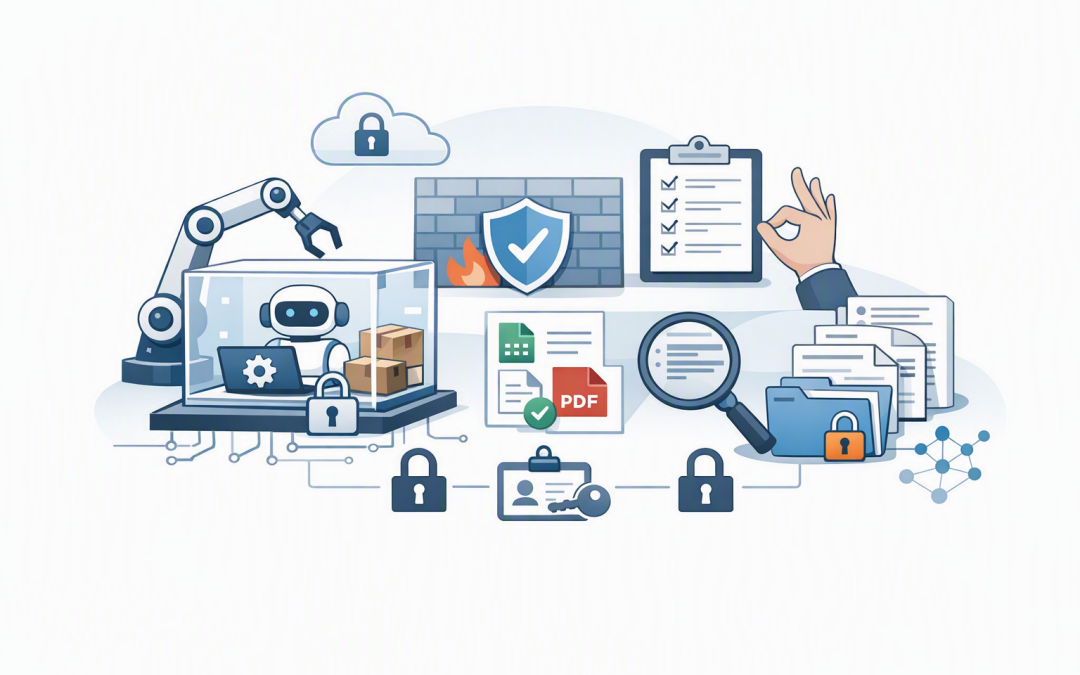
In this blog post How AI Agents Install Packages and Run Business Automation Safely we will explain how agents prepare software environments, execute scripts and complete multi-step tasks without giving them uncontrolled access to your business systems.
This matters because many organisations are moving beyond AI that simply answers questions. They want agents that can prepare reports, process files, test software, investigate IT problems and update business systems. The opportunity is significant, but so is the risk if an agent can install software or run commands without clear limits.
What is actually happening behind the scenes
An AI agent is not secretly taking control of a computer. The language model decides what action may help, then requests permission to use a tool provided by the surrounding application.
That tool might let the agent read a file, call an approved business system or use a command shell. A command shell is the text-based interface administrators and developers use to run instructions on Windows or Linux.
A typical process looks like this:
- The agent receives a goal, such as preparing a monthly sales report.
- It inspects the available files, tools and instructions.
- It determines that an extra software package is needed to read a spreadsheet or create a chart.
- It asks the execution environment to install that approved package.
- It writes or selects a script, runs it and checks the result.
- It returns the output or requests approval before making a business change.
The important distinction is that the model proposes the action, while the agent platform executes it. Security therefore depends heavily on the platform, permissions and environment around the model.
This builds on the architecture covered in our guide to designing secure AI agent infrastructure on Azure. An agent that can run code should be treated as an application runtime, not as a smarter chatbot.
Why an agent may need to install packages
A package is a reusable piece of software that adds a capability. Instead of writing thousands of lines of code to read an Excel workbook, for example, an agent can use a trusted package that already knows how to do it.
Packages can help agents process PDFs, analyse data, generate reports, connect to databases or validate documents. This saves time and makes more complex automation practical.
However, downloading packages directly from the internet introduces supply chain risk. A package may contain a security weakness, malicious code or an unexpected update that changes how the automation behaves.
For business use, agents should normally install packages from an approved list or a private company repository. Versions should be locked so the same tested software is installed every time.
Where this creates real business value
Turning manual reports into repeatable workflows
Imagine an operations team that spends two days each month collecting spreadsheets from five departments. Someone cleans the data, combines the files, creates charts and emails a management report.
An agent could install approved data-processing tools inside a temporary environment, run a tested reporting script and produce a draft in minutes. A person would still review the figures, but the repetitive preparation work would disappear.
Speeding up IT support and maintenance
An agent could collect diagnostic information, compare device settings and prepare a remediation script. In a Microsoft environment, this may work alongside Intune, which manages and secures company devices, and Microsoft Defender, which detects and responds to security threats.
The agent should not immediately run that script across 300 laptops. A safer process is to test it in an isolated environment, show the proposed changes and require approval before deployment.
Helping software teams deliver faster
Software agents can install development dependencies, run automated tests and check whether a change has broken an application. This extends the ideas in our article about how AI coding agents help businesses build software faster safely.
Repository instructions also matter. An AGENTS.md file can tell an AI coding tool which packages are approved, which tests must run and which actions always require human review.
What safe execution should look like
The goal is not to stop the agent from doing useful work. It is to make sure a mistake affects one disposable workspace rather than your production environment.
1. Run the agent in an isolated environment
Code should run inside a sandbox or container, which is a temporary workspace separated from important company systems. If the script fails or installs the wrong component, the workspace can be deleted and recreated.
Agents should not run experimental commands directly on employee devices, production servers or critical Azure resources.
2. Use the minimum required access
An agent preparing a report does not need administrator rights across Microsoft 365. It may only need read access to one approved data location and permission to write a draft into another.
This supports the Essential 8, the Australian Government’s cybersecurity framework that many organisations use to reduce risk. In particular, it aligns with restricting administrative privileges and controlling which applications can run.
3. Control packages and network access
Agents should use approved package sources, locked versions and security scanning. Internet access should be disabled unless the task genuinely requires it, and then limited to approved destinations.
Secrets such as passwords, API keys and cloud credentials should never be placed directly inside prompts or scripts. They should come from a protected secrets service and only be available for the duration of the task.
4. Add approval points for high-impact actions
Reading a spreadsheet is low risk. Deleting records, deploying software or changing security policies is not.
High-impact actions should pause for human approval. The reviewer should see what the agent intends to run, what systems will be affected and how the change can be reversed.
5. Record everything
Every installed package, command, file change, approval and result should be logged. This creates an audit trail for troubleshooting, compliance and incident response.
Tools such as Microsoft Defender and Wiz, which identifies cloud security risks across environments, can provide additional visibility when agents interact with Azure workloads.
A simple example of a controlled automation run
The following example creates a temporary Python environment, installs only locked dependencies, runs an automation script in preview mode and then executes its tests:
python -m venv .agent-environment
source .agent-environment/bin/activate
python -m pip install --require-hashes -r requirements.lock
python scripts/process_invoices.py --input ./approved-data --dry-run
python -m pytest tests/
The --dry-run option means the script previews its changes without committing them. The locked requirements file prevents the agent from choosing arbitrary package versions, while the tests provide evidence that the automation still behaves as expected.
In production, these controls should be enforced by the platform rather than left to the agent’s judgment.
An example for a mid-sized Australian business
Consider a 180-person professional services firm receiving hundreds of supplier invoices each month. Staff manually download attachments, rename files, extract totals and flag missing purchase order numbers.
A controlled agent could process copies of those documents in an isolated Azure environment. It could install an approved document-processing package, run a validation script and place exceptions into a review queue.
The agent would not approve payments or modify the accounting platform. Those actions would remain behind existing business controls.
The likely outcome is less manual handling, faster month-end processing and a clearer audit record. The business gains useful automation without handing an AI system unrestricted financial authority.
Start with boundaries rather than maximum autonomy
The safest first project has clear inputs, predictable outputs and an obvious human owner. Reporting, file validation, software testing and document classification are usually better starting points than deleting data or changing production security settings.
At CloudProInc, our experience as a Microsoft Partner and Wiz Security Integrator has shown that successful automation depends less on impressive demonstrations and more on identity, permissions, monitoring and operational ownership. That perspective comes from more than 20 years of hands-on enterprise IT work across Melbourne, Australia and international environments.
AI agents can install packages and run automation scripts safely, but only when their freedom is deliberately limited. If you are exploring agent automation and are unsure where the security boundaries should sit, CloudProInc is happy to review the proposed workflow and help you identify a practical, low-risk starting point.
Discover more from CPI Consulting
Subscribe to get the latest posts sent to your email.