
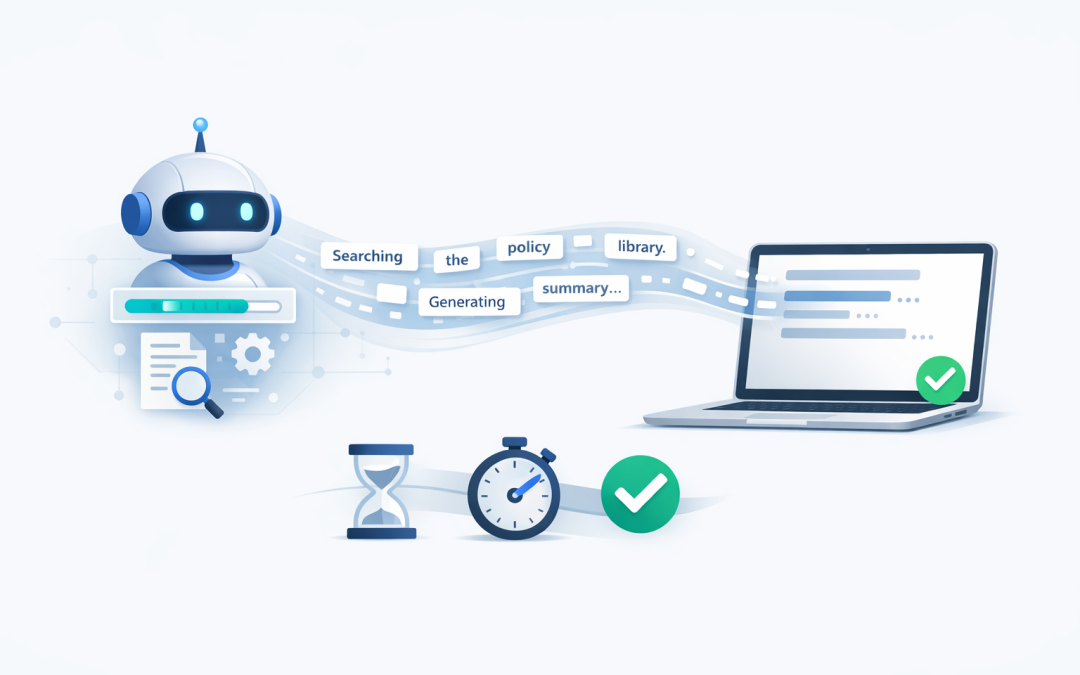
In this blog post Why Streaming Responses Make OpenAI Agents Feel Faster in Business we will explain why capable AI agents can still frustrate users, and how showing results as they are generated creates a faster, more trustworthy experience.
You have probably seen the problem already. An employee asks an AI agent to summarise a contract, prepare a customer response or investigate an account, then watches an empty screen for 10 or 20 seconds.
The agent may be working correctly, but the silence makes it feel slow or broken. Streaming changes that experience by displaying useful information as soon as it becomes available instead of making the user wait for the entire task to finish.
What streaming actually means
A standard AI request works much like ordering at a counter and receiving everything at once. Your application sends a question to OpenAI, waits for the full response, and then displays it.
With streaming enabled, the response arrives in small pieces while it is being generated. These pieces are commonly called tokens, which are short sections of text such as a word, part of a word or punctuation.
The application displays each piece immediately. To the user, it looks as though the agent is writing the answer in real time.
Behind the scenes, the OpenAI Responses API can send a sequence of server-sent events. In plain English, this means the server keeps a connection open and sends updates to the application whenever new text, a tool action or a completion event is ready.
Streaming improves perceived speed rather than raw speed
This distinction matters. Streaming does not automatically make the AI model complete the entire job faster.
Instead, it reduces the time before the user sees something useful. A response that takes 15 seconds overall can feel much faster if the first sentence appears after two seconds.
For business applications, that perceived speed has practical value:
- Employees are less likely to repeat a request because they can see that the agent is responding.
- Users are less likely to abandon the task or return to a slower manual process.
- Support teams receive fewer reports claiming that the AI tool has frozen.
- The agent feels more conversational, which helps staff become comfortable using it.
This is particularly important when an agent must search documents, check a business system or call another service before answering.
Visible progress builds confidence
An agent often does more than generate text. It might check a customer record, search an approved knowledge base, calculate a figure and then prepare a response.
If all this work happens behind a blank loading symbol, users do not know whether the agent is making progress. A better interface can stream simple status messages such as:
- Searching the approved policy library
- Checking the customer account
- Comparing the available options
- Preparing a summary for review
These messages should describe the task without exposing private system details or the model’s hidden internal reasoning. The objective is to show progress, not display everything happening inside the AI system.
This approach also complements multi-turn state in an OpenAI agent. State helps the agent remember where it is in a task, while streaming helps the user understand that the task is moving forward.
A simple .NET streaming example
If your team has already followed our guide to getting started with the OpenAI Responses API in .NET, enabling a basic text stream requires only a small change.
The official OpenAI .NET library provides a streaming method that returns updates as they arrive. The application can then display text updates immediately rather than waiting for the completed response.
using OpenAI.Responses;

string apiKey = Environment.GetEnvironmentVariable("OPENAI_API_KEY")!;
ResponsesClient client = new(apiKey);

var updates = client.CreateResponseStreamingAsync(
 model: "your-approved-model",
 input: "Summarise this customer request in plain English."
);

await foreach (StreamingResponseUpdate update in updates)
{
 if (update is StreamingResponseOutputTextDeltaUpdate textUpdate)
 {
 Console.Write;
 }
}
Replace the model placeholder with the model approved for your environment. In a web application, the same principle applies, but the updates are sent to the browser and added to the conversation window as they arrive.
The important business point is not the small amount of code. It is the user experience around it, including progress indicators, error handling, security checks and a clear signal when the task is complete.
Where streaming produces the greatest benefit
Streaming is most valuable when responses are long or the agent has several steps to complete.
Customer service drafting
An agent can begin displaying a suggested reply while it continues adding details from approved support material. The employee starts reviewing earlier, reducing average handling time.
Document and policy summaries
The user can begin reading the key findings while the agent continues preparing the remaining sections. This is useful for contracts, internal policies and operational reports.
IT and security assistance
An agent can show that it is checking an alert, reviewing device information or searching a knowledge base. It should still wait for verified results before making a definite recommendation.
Research and account preparation
Sales or account teams can receive an initial summary while the agent continues collecting relevant information. This helps employees start working sooner instead of waiting for a perfectly formatted final report.
An example of the business impact
Consider a 200-person professional services business introducing an AI assistant for internal policy questions. The first version takes around 12 seconds to search the document library and generate a complete answer.
During testing, employees regularly click the button twice because nothing appears to be happening. Others close the assistant and search the documents manually.
After streaming is introduced, a progress message appears almost immediately, followed by the opening sentence a few seconds later. The total processing time remains similar, but the agent now feels responsive and staff are more willing to use it.
The business outcome is greater adoption of an investment it has already made. It also reduces duplicate requests, unnecessary processing and avoidable support questions.
Streaming is not a substitute for fixing slow systems
A moving response can make waiting easier, but it should not be used to disguise poor performance. If an agent takes a minute to answer a simple question, the underlying design still needs attention.
Common causes include unnecessary calls to external systems, searching too many documents, oversized instructions and slow business applications. The broader AI architecture matters, which is why we recommend understanding the role of each layer in Microsoft’s AI stack before adding more components.
Measure both the time until the first useful update and the time until the complete answer. The first tells you how responsive the experience feels. The second shows whether the underlying workflow is efficient.
Security and compliance still come first
Partial output can reach the screen before the full response is available for final checking. Organisations should therefore decide what may be streamed, which users may see it and how inappropriate or sensitive content will be handled.
For Australian businesses, the design should align with privacy obligations, data-handling policies and the Essential 8, the Australian Government’s cybersecurity framework for reducing common security risks.
Practical safeguards include authenticating every user, limiting access to approved business data, recording agent actions and preventing confidential information from appearing in logs. Security tools such as Microsoft Defender and Wiz can also help identify risks across the cloud environment supporting the agent.
Start with the user experience you want
The best streaming implementation is not necessarily the one with the most events or animations. It is the one that quickly tells users three things: the request was received, useful work is happening, and the result is ready.
CloudProInc combines more than 20 years of enterprise IT experience with hands-on work across Azure, Microsoft 365, OpenAI, Claude, Microsoft Defender and Wiz. As a Melbourne-based Microsoft Partner and Wiz Security Integrator, we focus on making AI agents practical, secure and useful rather than simply impressive in a demonstration.
If your AI agent works but still feels too slow for employees or customers, streaming may be one of the simplest improvements available. If you are unsure where the delays are occurring, we are happy to review the experience and identify the practical changes that would make the biggest difference.
Discover more from CPI Consulting
Subscribe to get the latest posts sent to your email.