
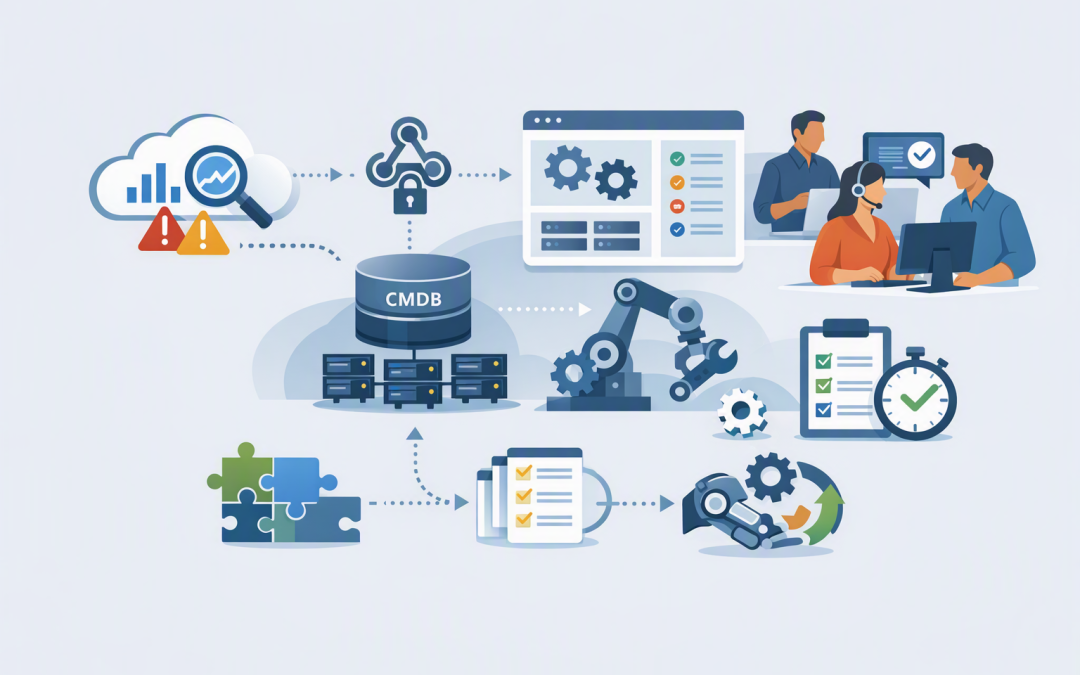
In this blog post How Azure Monitor and ServiceNow ITOM Eliminate Manual Hand-Offs we will explain how to turn Azure alerts into properly assigned ServiceNow incidents without relying on emails, copied details or someone watching a dashboard.


The concept is straightforward. Azure Monitor detects a problem, while ServiceNow IT Operations Management, or ITOM, turns that technical signal into organised operational work. When the workflow is designed correctly, the right team receives one useful incident with the context and actions needed to respond.
The real problem is not a lack of alerts
Most IT teams already receive plenty of alerts. The problem is what happens between an alert appearing and someone taking responsibility for it.
An Azure alert may trigger an email. A service desk analyst then checks the Azure portal, copies information into ServiceNow, chooses a priority and tries to find the correct support team.
That hand-off can take five minutes on a quiet day or 30 minutes during a major outage. Details get lost, duplicate tickets are created and technical urgency is confused with business impact.
For a customer-facing service, those delays can mean lost sales, missed service targets and frustrated customers. For internal systems, they can leave dozens of employees unable to work while teams debate who owns the issue.
How Azure Monitor and ServiceNow ITOM work together
Azure Monitor is Microsoft’s platform for collecting and analysing information about cloud resources, applications and services. It watches measurements such as availability, response time, capacity, errors and unusual changes.
When a defined condition is met, Azure Monitor creates an alert. An action group—which tells Azure what to do when an alert fires—can then send the alert securely to ServiceNow ITOM.
ServiceNow ITOM Event Management receives the alert as an event. It can standardise the information, combine related events, identify the affected business service and create or update an incident.
A well-designed workflow looks like this:
- Azure Monitor detects a genuine service issue.
- The alert is sent through a secure webhook, which is an authenticated system-to-system message.
- ServiceNow checks the affected resource against its Configuration Management Database, or CMDB—the register that connects technology assets to business services and owners.
- Related alerts are grouped to prevent ticket duplication.
- ServiceNow sets the business priority and assignment group.
- An incident is created with evidence, troubleshooting links and a recommended action.
- Status changes and resolution details can be synchronised between the platforms.
This moves the team from “an alert happened” to “the right person is working on the right business problem.”
Five design decisions that remove manual work
1. Alert only when someone needs to act
Sending every technical warning into ServiceNow creates noise rather than control. Engineers begin ignoring tickets because most do not require action.
Start with alerts linked to a clear response. A brief increase in processor use may only need to be recorded. A sustained performance problem affecting a production application may need an incident immediately.
Every alert should answer three questions: What happened? Why does it matter? What should the assigned team do next?
2. Standardise the information Azure sends
Azure Monitor supports a common alert schema, meaning alerts from different Azure services can arrive in a consistent format. This makes the integration easier to maintain and reduces special rules for every resource type.
Useful information should include the affected resource, environment, severity, alert status and a link back to Azure. Add business fields such as service name, owner, customer impact and support group through resource tags or mapping rules.
{
 "service": "Customer Portal",
 "environment": "Production",
 "technical_severity": "High",
 "business_impact": "Customers cannot submit orders",
 "assignment_group": "Cloud Operations",
 "response_guide": "Check application health and recent changes"
}
This simplified example shows the context an operator needs. They should not have to research basic ownership information while a service is unavailable.
3. Separate technical severity from business priority
A severe technical alert does not automatically equal a critical business incident. A failed test server and a failed customer payment system should not receive the same response.
ServiceNow should calculate priority using both urgency and impact. Factors can include whether the service is customer-facing, how many employees are affected, whether a workaround exists and whether regulatory obligations are involved.
This prevents teams from spending their limited time on the loudest alert instead of the most important business problem.
4. Correlate alerts before creating incidents
One infrastructure failure can generate alerts from a virtual machine, database, application and network connection. Creating four incidents makes the outage look larger while splitting evidence across several records.
ServiceNow ITOM can group related events around the same resource or service. The goal is one incident representing the likely business issue, with supporting alerts attached underneath it.
This is an important foundation for the more autonomous operating model discussed in ServiceNow’s Autonomous Workforce Push Signals the Next IT Ops Shift. Automation cannot act reliably if the incoming data is duplicated or missing context.
5. Build a closed-loop workflow
Creating a ServiceNow incident is only half the job. The workflow should also define what happens when an alert clears, an engineer acknowledges the incident or an automated repair succeeds.
A bi-directional connector can keep alert states aligned between ServiceNow and Azure. Where appropriate, ServiceNow can trigger a controlled runbook—a documented automated repair—and record the result in the incident.
Start with low-risk actions such as restarting a non-critical service, adding temporary capacity or collecting diagnostic information. Sensitive changes should still require human approval.
The same principle applies to company devices. Our guide to automated remediation with Microsoft Intune explains how repeatable endpoint problems can be detected and corrected without waiting for manual support.
A practical 200-person business scenario
Consider a 200-person company running its customer portal in Azure. Its original process sends monitoring emails to a shared inbox, and an on-call employee manually creates ServiceNow tickets.
During an outage, six alerts arrive in eight minutes. Two tickets are created, another alert is missed and the application team is contacted only after the service desk confirms ownership.
With an integrated workflow, those six alerts are grouped into one incident. ServiceNow identifies the production customer portal, assigns the application team, sets a high business priority and includes recent deployment information.
If that removes just 15 minutes from each significant incident and prevents one duplicate investigation, the company gains hours of specialist time each month. More importantly, it reduces the duration and cost of customer-facing disruption.
How to implement it without creating another fragile integration
- Choose a small starting scope. Begin with two or three important production services rather than connecting every Azure alert.
- Use secure authentication. New ServiceNow ITOM integrations should use Azure Monitor secure webhooks with Microsoft Entra ID, Microsoft’s identity and access service, rather than building around legacy ITSM actions or stored passwords.
- Fix ownership data. Confirm that Azure tags and ServiceNow CMDB records identify the correct service, environment and support team.
- Define correlation rules. Decide which alerts should be grouped and when an existing incident should be updated instead of creating a new one.
- Test failure conditions. Check what happens if ServiceNow is unavailable, authentication expires or a message cannot be processed.
- Measure the outcome. Track time to assignment, duplicate incidents, alert volume, automated resolutions and total restoration time.
If Azure AI services are in scope, apply the monitoring principles in Monitor Azure AI Services before sending signals into ServiceNow. Good incident automation starts with meaningful monitoring.
You can later add intelligent classification and routing, as described in our guide to building a service desk triage agent. However, AI should improve a sound workflow rather than hide weak alert rules or inaccurate ownership data.
The business outcome is faster, more accountable support
Connecting Azure Monitor to ServiceNow ITOM is not simply a technical integration project. It is a way to reduce downtime, remove repetitive administration and give leaders a clearer view of operational risk.
The best workflows deliver fewer incidents, faster assignment and better evidence. They also create a reliable base for safe automation because every alert has context, ownership and a defined response.
CloudProInc combines more than 20 years of enterprise IT experience with practical expertise across Azure, Microsoft 365, ServiceNow workflows, Defender and Wiz. As a Melbourne-based Microsoft Partner and Wiz Security Integrator, we help organisations build integrations that work in day-to-day operations, not just in a demonstration.
If your team is still copying Azure alerts into ServiceNow—or receiving more tickets without seeing faster resolutions—we are happy to review the workflow and identify where the manual hand-offs can be removed. No strings attached.