
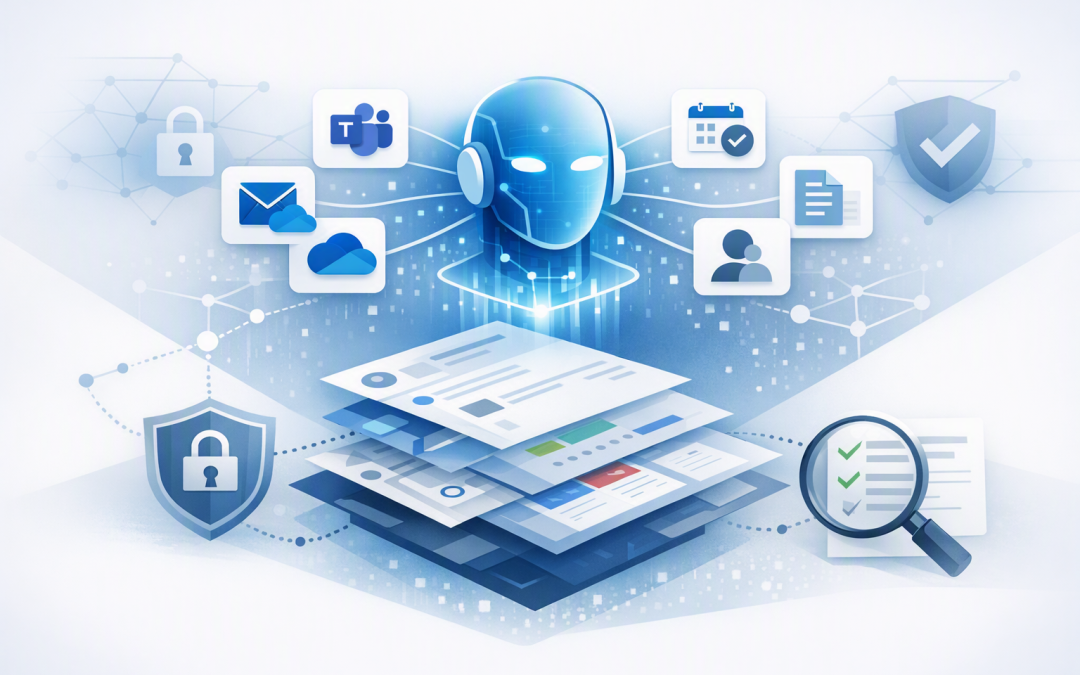
In this blog post How Work IQ Securely Connects AI Agents to Microsoft 365 Data we will explain how AI agents can use your organisation’s emails, documents, meetings and conversations without creating another uncontrolled copy of sensitive business information.


Most organisations already have the information their AI agents need. The problem is that it is scattered across Outlook, Teams, SharePoint, OneDrive, calendars and business systems. Staff know the answer exists somewhere, but finding it can take longer than acting on it.
Work IQ is Microsoft’s workplace intelligence layer. In plain English, it helps an AI agent understand not only what information exists in Microsoft 365, but also how that information relates to the user, their role, their current task and the people they work with.
Why connecting an AI agent to Microsoft 365 is difficult
Giving an AI model access to a folder of documents is relatively simple. Giving it safe, useful access to a live workplace is much harder.
A useful agent may need to review an email thread, find the latest proposal in SharePoint, check a meeting transcript and identify who approved a decision. It then needs to separate current information from an outdated draft while respecting every user’s access permissions.
Traditional integrations often retrieve individual records through an application programming interface, or API. An API is simply a controlled way for one piece of software to request information or perform an action in another system.
The difficult part is assembling those records into meaningful context. Without that context, an agent may find the right document but misunderstand why it matters, who owns it or whether it has been superseded.
What Work IQ does differently
Work IQ sits between an AI agent and the organisation’s Microsoft 365 environment. It gathers relevant, permission-aware context from sources such as email, calendar events, meetings, Teams messages, people profiles, Planner, OneDrive and SharePoint.
It then presents that information in a format designed for AI agents. Rather than returning a large collection of raw records, Work IQ can help the agent identify the information most relevant to the user’s question.
This is known as semantic understanding. It means looking at the meaning and relationships behind information, not just matching keywords.
For example, a search for “the customer renewal issue” may need to recognise a project name, an account manager, a recent Teams discussion and a contract stored under the customer’s legal entity. Work IQ is designed to bring those signals together.
The technology behind Work IQ
Work IQ combines four main capabilities: chat, context, tools and workspaces. Together, they allow an agent to understand a request, find relevant workplace information, perform approved actions and maintain progress during longer tasks.
Context finds and organises the right information
The context layer retrieves information from Microsoft 365 and prepares it for the agent. This reduces the need to build separate search indexes, synchronisation jobs and databases containing duplicate company data.
That can lower development effort and reduce the number of extra data stores the IT team must secure. It also helps the agent work with more current information instead of relying on an export created several days ago.
Tools allow the agent to take controlled action
Work IQ provides a compact set of tools for working with Microsoft 365 resources. Depending on the configuration, an agent can retrieve an email, create a calendar event, update an item or prepare a message.
One way agents access these tools is through Model Context Protocol, or MCP. MCP is a standard method for connecting an AI model to approved data sources and business functions, rather than building a separate custom connection for every action.
Work IQ also supports REST, a common connection method for business applications, and Agent-to-Agent communication, or A2A. A2A allows one specialised agent to ask another agent to complete part of a larger task.
Workspaces support longer business processes
Some tasks cannot be completed in one question and answer. Preparing a tender response, investigating a customer complaint or producing a monthly management pack may require several steps and intermediate files.
Work IQ workspaces provide controlled working storage inside the Microsoft 365 environment. This gives agents somewhere to organise temporary information and outputs as a task progresses.
User asks for a customer briefing
↓
Agent sends the workplace question to Work IQ
↓
Work IQ finds permitted emails, meetings, Teams chats and files
↓
Agent prepares a structured briefing
↓
A person reviews the result before any external action
What this could look like in a real business
Consider a 180-person professional services company. Its account managers prepare for client meetings by searching Outlook, Teams and SharePoint, then asking project teams for updates.
If 15 account managers each spend two hours a week gathering that information, the company loses around 30 hours of skilled work every week. The problem is not a lack of data. It is the time required to turn scattered data into a usable picture.
An agent connected through Work IQ could prepare a draft briefing containing recent correspondence, open actions, upcoming milestones and relevant documents. The account manager would still review the result, but the repetitive information-gathering stage could be significantly reduced.
The business outcome is faster preparation and more consistent customer service. It also gives experienced staff more time for decisions and relationships rather than searching through folders.
Permission-aware does not mean automatically safe
Work IQ honours Microsoft 365 permissions, so users should only receive information they are already allowed to access. This is an important safeguard, but it does not fix poor access controls.
If an old SharePoint site is open to the entire company, an agent may be able to find its contents more easily than a person would. AI can expose existing permission problems because it searches across information much faster.
Before connecting agents, review sensitive SharePoint sites, broad Teams memberships, shared mailboxes and access granted to former project members. Microsoft Purview sensitivity labels and data loss prevention rules can provide additional controls for confidential information.
Microsoft Defender, which detects suspicious activity across identities, devices and cloud services, should also be part of the monitoring plan. Wiz, a cloud security platform that identifies risks across Azure and other cloud environments, can add visibility where agents interact with cloud infrastructure.
These controls support the Australian Signals Directorate’s identity-first approach to securing AI agents. They can also contribute to Essential Eight alignment, although deploying Work IQ alone does not make an organisation compliant with the Australian government’s cybersecurity framework.
How Work IQ fits with other agent connections
Work IQ is strongest when the agent needs Microsoft 365 workplace context. It is not necessarily the only connection an agent will require.
A customer service agent may also need CRM records. A finance agent may need approved information from an ERP or accounting platform. A market research agent may require current public information through a controlled capability such as Web IQ for trusted live web information.
For a broader integration plan, our guide to connecting Microsoft Foundry agents to business systems explains how APIs and connectors can extend an agent beyond Microsoft 365.
The key is to give each agent only the data and actions required for its purpose. Connecting everything on day one increases cost, testing effort and security risk without guaranteeing a better result.
A practical Work IQ adoption plan
- Choose one measurable problem. Start with a task such as meeting preparation, internal policy questions or project status reporting.
- Review the underlying information. Remove outdated documents, confirm ownership and correct excessive permissions before giving an agent faster access.
- Decide what the agent can do. Reading information is lower risk than sending emails, updating records or creating appointments. Use human approval for higher-impact actions.
- Confirm the technical path. Work IQ can support agents built through Microsoft platforms and other compatible frameworks, but availability, billing and preview status can vary by connection method.
- Test with a controlled group. Measure time saved, answer quality, incorrect results, access issues and user adoption before expanding.
- Monitor cost and behaviour. Usage-based AI services need budgets, reporting and clear ownership. An agent that works well technically can still be poor value if it is used for the wrong process.
The agent also needs a secure foundation. Our article on designing secure AI agent infrastructure on Azure covers the surrounding identity, network, monitoring and operational controls.
The real opportunity is context, not another chatbot
Work IQ matters because it can connect AI agents to the daily reality of the business. The agent can work with the emails, meetings, documents and relationships that explain what is happening, while applying the permissions and governance already present in Microsoft 365.
The best starting point is not “Where can we deploy AI?” It is “Where are capable people losing time because business information is scattered?”
CloudProInc is a Melbourne-based Microsoft Partner and Wiz Security Integrator with more than 20 years of enterprise IT experience. We help organisations across Australia assess, build and secure practical AI solutions without turning an initial project into a large, open-ended program.
If you are unsure whether Work IQ fits your Microsoft 365 and AI plans, we are happy to review the use case, permissions and likely business value with you — no strings attached.