
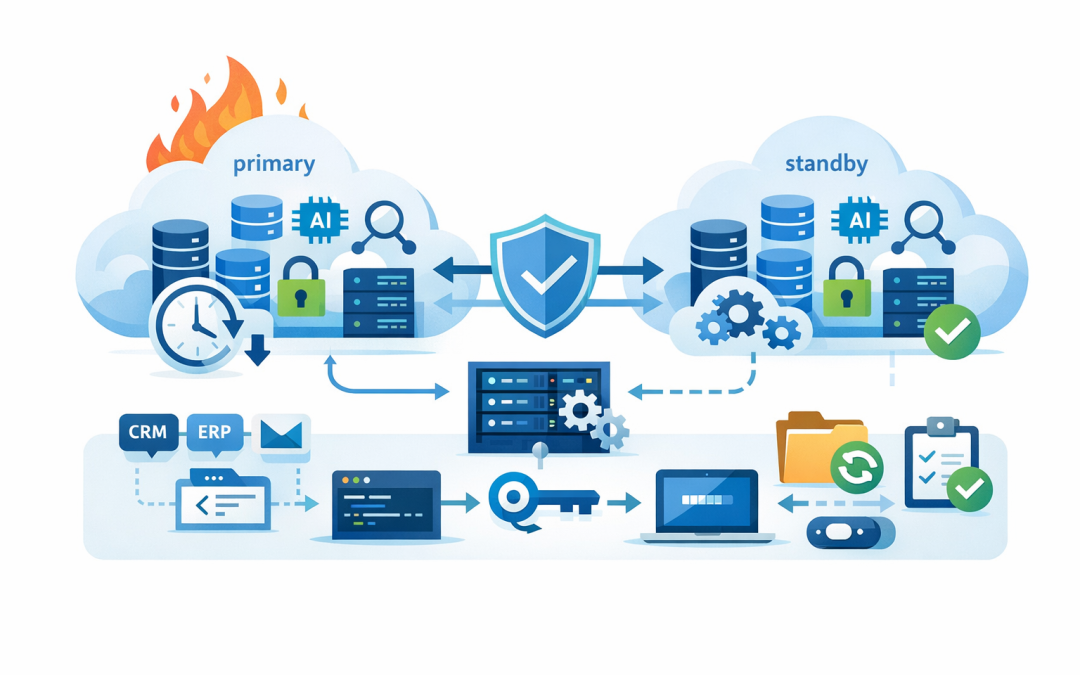
In this blog post High Availability and Disaster Recovery for Microsoft Foundry Agents we will explain how to keep business-critical agents working when cloud services, data stores or integrations fail. Without this planning, an agent that saves hundreds of staff hours each month can suddenly become a new point of operational risk.


At a high level, high availability keeps an agent running through smaller failures, while disaster recovery restores service after a major incident. The technology behind this includes Microsoft Foundry Agent Service, AI models, regional Azure services, replicated data, automated deployment templates and controlled traffic routing.
Why agent reliability is a business issue
A demonstration agent can be restarted manually without much impact. A production agent may be processing customer requests, preparing quotes, updating a service desk or moving information between finance and operational systems.
If that agent goes offline, the problem is not simply that “the AI is unavailable”. Work queues grow, staff return to manual processes and customers may receive delayed or inconsistent service.
The first step is therefore to decide how important each agent is. An internal policy assistant may tolerate several hours of downtime. An agent supporting customer orders may need to recover within minutes.
Understand the parts that can fail
Microsoft Foundry Agent Service is a managed platform for building and operating AI agents. An agent combines an AI model with instructions, memory and tools that allow it to search information or take approved actions.
However, the agent is only one part of the complete service. A production design may also depend on:
- The AI model that interprets requests and decides what to do.
- Azure Cosmos DB, a cloud database that can store conversations, run state and agent information.
- Azure Storage, which can hold uploaded documents and other files.
- Azure AI Search, which allows an agent to find relevant information inside business documents.
- Microsoft Entra ID, which controls identities and access permissions.
- Business systems and APIs, such as a CRM, ERP, service desk or external agent endpoint.
This matters because an agent endpoint can be online while one of its dependencies is unavailable. The agent may answer simple questions but fail as soon as it needs a customer record, document or external action.
We covered integration controls in more detail in connecting Microsoft Foundry agents to business systems. For availability planning, every connection described in that article also needs a timeout, retry and recovery strategy.
Set recovery targets before choosing technology
Two measurements should drive the design. The recovery time objective, or RTO, is how quickly the service must return. The recovery point objective, or RPO, is how much recent data the business can afford to lose.
For example, an RTO of 60 minutes means the agent should be operational within an hour. An RPO of 15 minutes means no more than 15 minutes of data should be lost.
A simple planning record might look like this:
Agent: Customer service triage
Business owner: Operations Director
Primary region: Australia East
Secondary region: Approved recovery region
RTO: 60 minutes
RPO: 15 minutes
Manual fallback: Shared service desk queue
Recovery approval: CIO or delegate
Test frequency: Every six months
A shorter recovery target generally costs more because additional resources must remain ready. Not every agent needs an expensive active-active design where two complete environments run simultaneously.
Use a warm standby for important agents
For many mid-sized organisations, a warm standby provides the best balance between cost and recovery speed. The primary environment handles normal work, while a second region contains preconfigured resources that can be activated during a serious outage.
The secondary environment should not be an empty subscription and a document saying “rebuild Azure”. It should already have networking, security policies, identities, monitoring and core data services prepared.
Foundry itself should not be treated as providing automatic disaster recovery for the entire agent solution. Your application must know how to switch endpoints, restore or rebuild state and reconnect the agent to its tools.
Use infrastructure as code, which means storing the Azure configuration in repeatable deployment files. Store agent instructions, model settings, tool definitions and knowledge sources in version control as well.
This is particularly important because rebuilding an agent can create new resource or agent identifiers. Applications should read these identifiers from managed configuration rather than having them permanently written into the code.
Protect state rather than only protecting the prompt
Many recovery plans focus on the agent’s instructions and overlook its state. State includes conversation history, uploaded files, workflow progress and information about actions already completed.
In a Microsoft Foundry Standard agent setup, organisations use their own Azure resources for this information. That provides stronger control over security and data location, but it also makes the organisation responsible for configuring the recovery features of Cosmos DB, Azure Storage and Azure AI Search.
Enable appropriate backup, replication, soft-delete and resource-locking controls before an incident occurs. Some recovery capabilities cannot be enabled retrospectively after data has already been deleted.
Conversation threads deserve special attention because a deleted thread may not be recoverable. For important workflows, store the authoritative business record in the relevant CRM, ERP or case-management platform rather than treating an agent conversation as the only copy.
Long-running work also needs checkpoints so the agent can safely resume without repeating completed actions. See our guide to how Microsoft Foundry AI agents resume work after interruptions for a deeper explanation of that pattern.
Design model and integration resilience separately
The AI model deployment needs its own availability decision. Global, data-zone and regional deployment options process requests in different locations and offer different balances between capacity, resilience and data-location requirements.
Australian organisations should confirm that the selected option matches their privacy obligations, contracts and internal data-handling policies. Do not select a globally distributed option purely for availability without confirming where inference may occur.
External tools also need protection. If an agent calls another agent or an external API, the design should include sensible timeouts, limited retries and a safe holding queue.
Retries must be designed carefully. Retrying a document search is usually low risk. Retrying a payment, account update or order submission could duplicate a business transaction.
Assign each action an idempotency key, which is a unique reference that lets the receiving system recognise a repeated request. For agent-to-agent connections, also apply the authentication controls explained in implementing secure A2A authentication in Microsoft Foundry Agent Service.
Test the business process rather than the backup
Consider a 200-person professional services company using an agent to classify client emails, create service desk tickets and assign work. Its Azure backups report as healthy, so management assumes the service can recover.
During a regional outage, the team discovers that the secondary agent has no current tool configuration. It can read emails but cannot create tickets, and nobody knows who is authorised to switch production traffic.
A proper recovery exercise would have exposed both gaps. Testing should confirm that users can reach the secondary service, identities still work, knowledge can be searched, actions reach business systems and monitoring alerts the right people.
This also supports the Essential Eight, the Australian Government’s cybersecurity framework that many organisations use to reduce cyber risk. Its backup guidance is not satisfied by simply owning a backup product; recovery processes and access controls must work when needed.
A practical readiness checklist
- Classify agents by business importance and acceptable downtime.
- Document RTO and RPO targets with the business owner.
- Use separate production and recovery environments.
- Store infrastructure and agent definitions in version control.
- Protect Cosmos DB, Storage and Search using suitable recovery controls.
- Keep the system of record outside the conversation thread.
- Design safe retries and manual fallback processes.
- Monitor the agent, model, data stores and external tools.
- Document who can declare a disaster and initiate failover.
- Run scheduled recovery exercises and record what failed.
Reliability should match the value of the agent
The goal is not to build the most complicated architecture possible. It is to make the cost and recovery capability proportionate to the business process being protected.
CloudPro Inc combines more than 20 years of enterprise IT experience with practical Microsoft Foundry, Azure and cybersecurity expertise. As a Melbourne-based Microsoft Partner and Wiz Security Integrator, we help organisations examine the whole service rather than assuming the agent platform will protect every dependency automatically.
If you are not sure whether your Microsoft Foundry agents could survive a regional outage, data loss event or failed integration, we are happy to review the design and identify the most important gaps — no strings attached.
Discover more from CPI Consulting
Subscribe to get the latest posts sent to your email.