
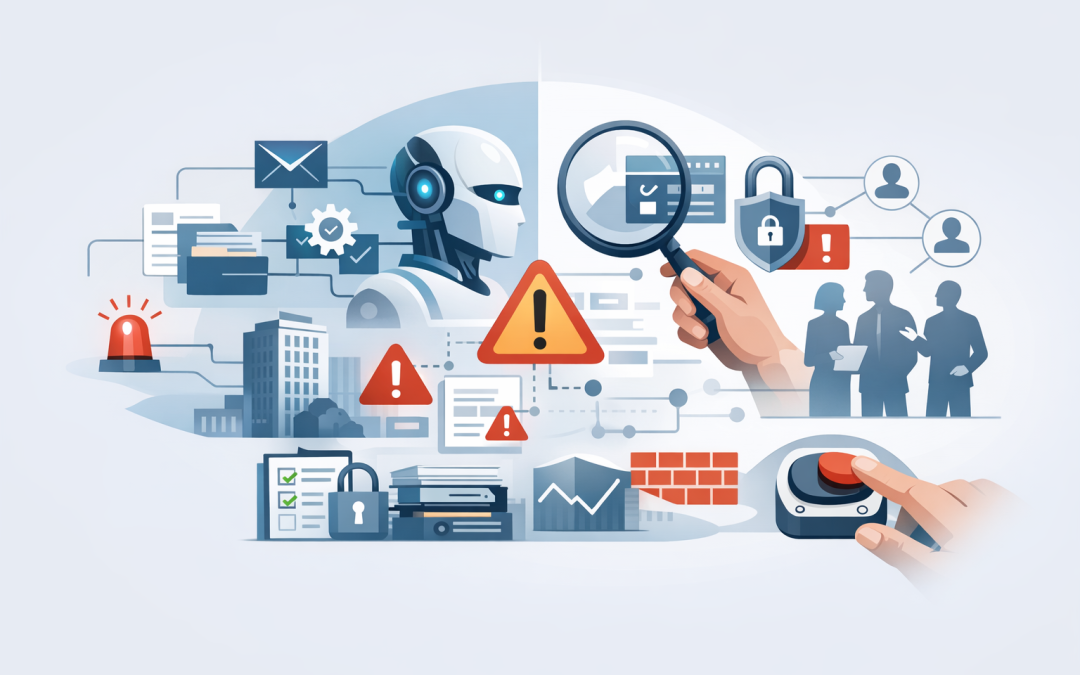
In this blog post How to Assess AI Agent Risk Before Production Deployment Begins we will explain how to identify the business, security and compliance risks that matter before an AI agent is allowed to operate in a live environment.


The concern is not simply that an AI agent might produce a wrong answer. Unlike a standard chatbot, an agent may read company files, search customer records, send emails, update systems, create support tickets or approve workflow steps. A small mistake can quickly become a business-wide problem.
This does not mean AI agents are too risky to use. It means their risk should be assessed according to what they can access, what they can do and how easily the business can stop or reverse an incorrect action.
What technology sits behind an AI agent?
An AI agent combines a language model, such as OpenAI or Anthropic Claude, with instructions, company information and connections to business systems. The language model interprets a goal, plans the steps and decides which approved tools it should use.
Those tools might connect the agent to Microsoft 365, Azure, a customer relationship management platform, a finance system or an internal database. The agent normally operates through a digital identity, much like an employee account, which determines what information and functions it can access.
This combination makes agents useful, but it also creates risk. The model may misunderstand an instruction, trust malicious content hidden in a document or use a legitimate tool in an unintended way. Security therefore needs to cover the entire workflow, not just the underlying AI model.
Start with the possible business damage
Many AI risk assessments begin with model accuracy. That matters, but it is not the best starting point for a CIO or business owner.
Begin by asking what could happen if the agent makes the worst reasonable mistake. Could it send confidential information to the wrong customer? Could it change a production record, approve a refund or trigger hundreds of unnecessary transactions?
Rate the potential impact across several areas:
- Financial impact: Direct losses, unexpected cloud charges, incorrect payments or recovery costs.
- Operational impact: Interrupted services, corrupted records or additional work for employees.
- Privacy impact: Exposure or misuse of personal, customer or employee information.
- Compliance impact: Failure to meet contractual, regulatory or industry obligations.
- Reputation impact: Loss of customer confidence caused by incorrect or inappropriate actions.
An agent that summarises internal meeting notes has a very different risk profile from one that changes customer accounts. The second agent needs stronger controls even if both use the same AI model.
If ownership and acceptable use have not yet been defined, start with our enterprise AI agent governance checklist before moving into technical testing.
Map what the agent can see and do
The next step is to document the agent’s authority in plain English. Avoid descriptions such as “access to Microsoft 365”. That is too broad to support a meaningful risk decision.
Write down the exact data sources, actions and permissions involved. For example, can the agent only read documents from one SharePoint library, or can it search every site? Can it draft an email for approval, or can it send the email automatically?
Your assessment should answer these questions:
- What business data can the agent read?
- Can it access personal, financial or commercially sensitive information?
- Which systems can it change?
- Can it communicate with customers or external parties?
- What identity does it use, and does that identity have more access than required?
- Can one incorrect decision affect many records or users?
This is the AI version of limiting employee access to what is needed for a role. Microsoft Entra manages identities and access, while Microsoft Purview can help identify and protect sensitive information. The key principle is simple: if an agent does not need access, do not give it access.
Test how the agent fails
A polished demonstration only proves that the agent works when everything goes as planned. Production testing needs to show what happens when instructions are unclear, information is missing or someone deliberately tries to manipulate the agent.
Testing should include:
- Prompt injection: Malicious instructions hidden in emails, websites or documents that try to make the agent ignore its rules.
- Incorrect answers: Confident responses based on incomplete, outdated or misunderstood information.
- Tool misuse: Selecting the wrong business function or supplying incorrect details to a connected system.
- Data leakage: Revealing information to a user who is not authorised to see it.
- Memory contamination: Storing incorrect or hostile information that influences future decisions.
- Runaway activity: Repeating actions, creating excessive transactions or producing unexpected cloud costs.
This testing is sometimes called AI red teaming. In plain English, it means actively trying to make the agent fail before an attacker, customer or accidental input does it in production.
Microsoft Foundry includes evaluation and red-team testing capabilities for AI applications. Microsoft Defender and Wiz can provide additional visibility into cloud risks, identities, workloads and suspicious activity. The tooling matters, but realistic test cases based on your own business processes matter more.
For a deeper look at attack paths, see the hidden security risks of AI agents.
Put limits around high-impact actions
An agent does not need complete autonomy to deliver value. In many cases, the safest and most productive design is for the agent to prepare an action while a person approves it.
Human approval should usually be required before sending external communications, changing financial information, deleting records, modifying user access or making decisions that affect an employee or customer.
Other practical controls include transaction limits, approved recipient lists, restricted data sources and a maximum number of actions per hour. A reliable kill switch should also disable the agent quickly without waiting for a developer.
These controls reduce the potential “blast radius”, meaning the number of people, records or systems that one failure can affect. They also help organisations support the Essential Eight, the Australian Government’s baseline cyber security framework, through stronger identity controls, administrative restrictions, patching and system recovery practices.
Create a measurable production gate
“The pilot looked good” is not a production approval standard. Every agent should have documented pass and fail criteria tied to business risk.
A simple production risk record can look like this:
Business process supported:
Data the agent can access:
Actions the agent can perform:
Maximum credible business impact:
Actions requiring human approval:
Required security and privacy tests:
Monitoring and alert owner:
Rollback or shutdown process:
Final business risk owner:
The business owner, security lead and technology owner should agree on acceptable thresholds. High-risk test failures must block deployment rather than becoming items to fix later.
This gate should also confirm that privacy obligations have been considered. Australian organisations need to understand whether the agent collects, creates, uses or discloses personal information, and whether customers and employees have been given appropriate notice.
A practical example
Consider a 180-person professional services company introducing an agent to review client emails, find relevant documents and prepare project updates. The initial design saves employees several hours each week.
During the risk assessment, the company discovers that the agent can search every SharePoint site and send emails without approval. A malicious instruction in an uploaded client document could potentially influence the agent and expose information from another engagement.
The company limits the agent to approved project sites, removes automatic sending, requires employee approval and logs every document accessed. The productivity benefit remains, but the likelihood and impact of a serious incident fall substantially.
This is the difference between delaying AI and deploying it responsibly. Good controls do not need to remove the value; they should remove unnecessary authority.
Continue assessing risk after launch
Production approval is not the end of the assessment. Models change, connected systems change and employees find new ways to use the agent.
Monitor failed actions, unusual data access, approval rejection rates, response quality, transaction volume and operating costs. Review permissions regularly and repeat testing whenever the agent gains a new tool, data source or business responsibility.
Our guide to moving AI agents from prototype to production explains how to manage this transition without losing control of reliability, security or cost.
Safe AI comes down to controlled authority
The most important question is not whether an AI agent is intelligent. It is whether the organisation has limited its authority, tested realistic failures and assigned someone to own the outcome.
CloudProInc combines more than 20 years of enterprise IT experience with practical expertise across Azure, Microsoft 365, OpenAI, Claude, Microsoft Defender and Wiz. As a Melbourne-based Microsoft Partner and Wiz Security Integrator, we help organisations assess agents from both a business and security perspective without turning the process into a paperwork exercise.
If you are unsure whether an AI agent is ready for production, we are happy to review the design, permissions and risk controls with you — no strings attached.