
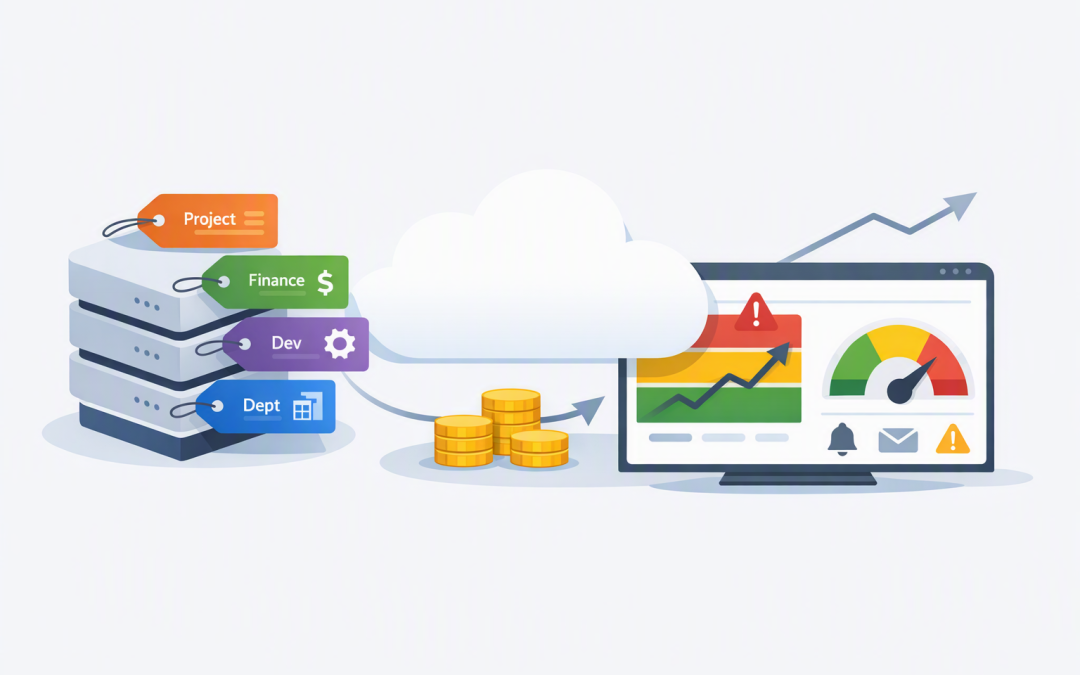
In this blog post How Azure Tags and Budgets Make Cloud Costs Easier to Control we will explain how two relatively simple Azure features can give business leaders a much clearer view of cloud spending.
Many organisations receive an Azure bill that shows what Microsoft services were used, but not why the money was spent, which department benefited or who should investigate an increase. Finance sees a rising total, IT sees hundreds of resources, and nobody has a reliable way to connect the two.
Tags and budgets help solve different parts of this problem. Tags add business meaning to cloud resources, while budgets compare spending against agreed limits and warn the right people before costs move too far off course.
What Azure tags and budgets actually do
An Azure tag is a label made up of a name and value. It can identify the owner, department, application, environment or cost centre connected to a cloud resource.
For example, a server might be labelled as belonging to Finance, supporting the payroll application and running in production. Azure Cost Management, which is Microsoft’s built-in service for analysing cloud spending, can then group costs using those labels.
CostCentre: FIN-210
Department: Finance
Application: Payroll
Environment: Production
OwnerTeam: Business Systems
An Azure budget is a monitoring threshold applied to a subscription, resource group or filtered set of costs. It can notify selected people when actual spending reaches a percentage of the budget or when Azure forecasts that spending will exceed it.
Budgets do not normally stop services or impose a hard spending cap. They provide an early-warning system, giving your team time to investigate and act.
Tags turn a technical bill into a business report
Without tags, Azure cost reports often contain resource names that mean very little outside the IT team. A finance manager cannot reasonably be expected to know whether a resource called “vm-prod-syd-04” supports payroll, customer service or an abandoned project.
Consistent tags allow costs to be grouped in terms that business leaders understand. Instead of asking, “Why did virtual machine spending increase?”, you can ask, “Why did the customer portal cost AU$3,000 more this month?”
That distinction improves accountability. Application owners can review their costs, department managers can understand their share of Azure spending, and finance can allocate charges with less manual spreadsheet work.
The key is to use a small, controlled tagging standard. Most organisations should begin with:
- CostCentre — connects spending to the finance structure.
- Department — identifies the business area using the service.
- Application — shows which system or workload creates the cost.
- Environment — separates production, testing and development.
- OwnerTeam — identifies the team responsible for decisions.
- Project — tracks temporary initiatives or customer work.
Avoid using personal information, passwords or other sensitive details in tags because tag values are stored as plain text. Use a team name or internal reference rather than an employee’s personal details.
For a deeper look at naming standards, ownership and enforcement, see our guide to implementing tags in Azure.
Budgets provide warning before the invoice arrives
Finding a cost increase after receiving the monthly invoice is too late. The money has already been spent, and the team may struggle to work out when the increase started.
Azure budgets allow you to create several warning points. A practical monthly budget might notify the application owner at 70%, alert IT and finance at 85%, and trigger an urgent review at 100%.
Forecast alerts can be even more useful. Azure reviews previous usage patterns and estimates where spending is heading, allowing it to warn you that a budget is likely to be exceeded before it happens.
However, cost data is not instant. Usage information can take hours to appear, and budgets are evaluated periodically. Budgets should therefore be treated as management controls rather than real-time emergency switches.
The strongest visibility comes from using both together
A company-wide budget tells you that total Azure spending is high. It does not necessarily tell you which application, project or department caused the increase.
Tags provide that missing context. Budgets can be filtered using selected tag values, allowing you to monitor a particular application, environment, cost centre or project.
For example, your organisation could establish:
- A monthly budget for all production services.
- A separate budget for development and testing.
- A project budget covering resources tagged to a new product launch.
- A budget for Azure AI services owned by a specific team.
- Department budgets for Finance, Operations and Customer Service.
This structure gives each owner a relevant view without creating dozens of disconnected spreadsheets. It also makes cost discussions more constructive because teams can see the services they influence directly.
AI workloads deserve particular attention because usage can change quickly during testing or wider employee adoption. Our article on how to monitor Azure AI services explains the additional operational and cost signals worth watching.
A common scenario in a growing business
Consider a 200-person professional services firm with an Azure bill of approximately AU$45,000 per month. The total has grown steadily, but its reports only separate costs by subscription and Microsoft service.
IT knows that several departments use Azure, yet shared subscriptions make ownership unclear. Development systems are left running, completed projects still have storage attached, and business managers assume every charge belongs to central IT.
The company introduces five required tags and enables tag inheritance where appropriate, which helps apply subscription or resource-group information to underlying cost records. It then creates budgets for production, development, major applications and temporary projects.
Within the next reporting cycle, leaders can see that one project is above forecast and that development resources represent a larger share of spending than expected. The technical team now knows where to investigate, while the project sponsor can decide whether the additional cost is justified.
The immediate benefit is visibility. That visibility then supports practical cost reduction, such as removing unused resources, adjusting capacity or changing storage choices. These next steps are covered in our guides to finding wasted Azure spending and reducing infrastructure costs without hurting performance.
How to introduce tags and budgets without creating more admin
- Start with the questions leaders need answered. Decide whether costs must be reported by department, application, customer, project or a combination of these.
- Choose a small tagging standard. Five consistently applied tags are more valuable than 20 optional tags filled with conflicting values.
- Assign ownership. Every budget alert should reach someone who understands the workload and has authority to investigate.
- Enforce tags automatically. Azure Policy, which checks resources against company rules, can require or add tags during deployment and help correct existing resources.
- Create layered budgets. Use an overall Azure budget for executives, with more focused budgets for teams, applications and projects.
- Review exceptions monthly. Look for untagged spending, inconsistent values and alerts that nobody acted on.
Remember that tags do not rewrite historical cost data. Start applying them before a new project or reporting period begins if you want clean comparisons. Tag inheritance can improve coverage, but it still needs to be designed and checked carefully.
Better cost control starts with better information
Tags and budgets will not reduce Azure costs by themselves. What they do is show where the money is going, who is responsible and when spending needs attention.
That gives CIOs, CTOs and business leaders a stronger basis for budgeting, forecasting and challenging unnecessary expenditure. It also helps IT move from explaining last month’s invoice to managing costs before they become a problem.
CloudProInc is a Melbourne-based Microsoft Partner with more than 20 years of enterprise IT experience and hands-on expertise across Azure, Microsoft 365, security and AI. If your Azure bill is growing but nobody can clearly explain which teams or systems are responsible, we are happy to review your cost structure and tagging approach — no strings attached.
Discover more from CPI Consulting
Subscribe to get the latest posts sent to your email.