
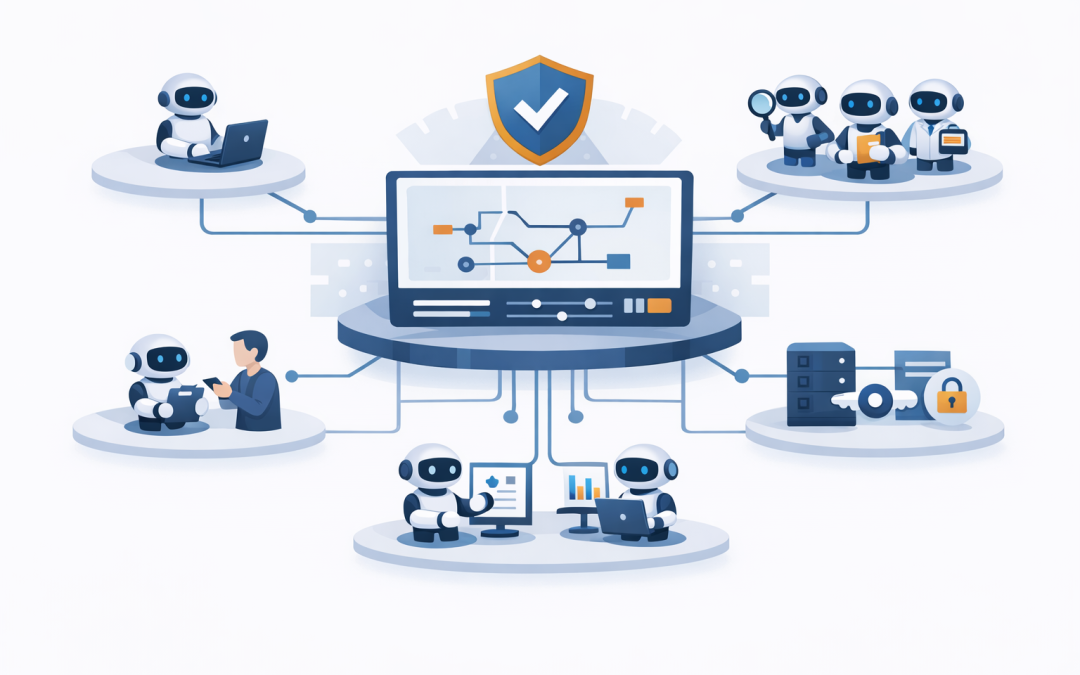
In this blog post AI Agent Orchestration Patterns That Reduce Risk and Cost Fast we will explain how businesses can use AI agents safely, where orchestration fits, and which patterns reduce cost, risk, and operational confusion.
If your team is experimenting with AI, you have probably seen the same pattern. One department has built a chatbot. Another is testing Microsoft Copilot. A developer has connected an AI tool to a ticketing system. Someone else is asking whether OpenAI or Claude can automate customer emails.
Individually, these ideas can be useful. Together, without structure, they can become expensive, risky, and hard to control.
That is where AI agent orchestration matters.
What AI agent orchestration means in plain English
An AI agent is software that can use an AI model, follow instructions, access tools, and complete a task across multiple steps. Instead of simply answering a question, it might check a policy document, create a draft email, update a CRM record, and ask a manager for approval before sending anything.
Orchestration is the way those agents are coordinated. Think of it like an operations manager for AI. It decides which agent should do what, when a human needs to approve something, which systems the agent can access, and how the whole process is logged.
Without orchestration, AI can feel like giving every employee a very smart intern with no manager, no job description, and no audit trail. That might be fine for brainstorming. It is not fine for finance, HR, legal, customer service, or cybersecurity workflows.
The technology behind AI agent orchestration
At the centre is a large language model, often called an LLM. This is the AI engine that understands language, writes responses, reasons through instructions, and decides the next step.
On its own, the model does not know your business. It needs secure access to the right data and tools. That may include Microsoft 365 documents, SharePoint sites, CRM records, service desk tickets, security alerts, finance systems, or internal policies.
The orchestration layer sits between the AI model and those business systems. It controls the workflow. It can route work to different specialist agents, apply rules, check permissions, keep memory of the task, record actions, and stop the process if something looks unsafe.
Modern platforms such as Microsoft Foundry, OpenAI agent frameworks, Claude tooling, and Model Context Protocol connectors are making this easier. But the business challenge remains the same: decide what the agent is allowed to do, how it should be supervised, and how you prove it behaved correctly.
Why this matters for business leaders
The biggest mistake we see is treating AI agents as a technology experiment rather than an operating model.
A CIO may approve a proof of concept because it saves a team two hours a week. Six months later, there are five disconnected AI tools, three different vendors, duplicated licence costs, and no clear ownership of data access.
For a 50 to 500 person company, that can create real business risk. Sensitive data can be exposed. Staff may rely on incorrect outputs. Automation can create errors at scale. Costs can grow quietly because AI usage is often billed by consumption, not just a monthly licence.
Good orchestration reduces those risks. It gives AI a clear structure, just as good IT governance gives structure to cloud, devices, identity, and cybersecurity.
Pattern 1 The single coordinator agent
The simplest orchestration pattern is a single coordinator agent. This agent receives a request, works out what needs to happen, uses approved tools, and returns the result.
For example, an operations manager might ask, “Which customer orders are at risk this week?” The coordinator agent could check order data, review delivery notes, summarise the top risks, and produce a short action list.
The business outcome is speed. Instead of asking three people to pull reports from three systems, one approved agent prepares the first draft in minutes.
This pattern suits low to medium risk tasks where the agent is helping people make decisions, not making final decisions on its own.
Pattern 2 The specialist agent team
As use cases become more complex, one agent should not do everything. A better approach is a team of specialist agents.
One agent might review policy documents. Another might analyse spreadsheet data. Another might draft customer communications. Another might check whether the output meets company rules.
This is similar to how a real team works. You would not ask the finance manager, HR manager, and security manager to all do the same job. You give each person a clear role.
The business outcome is quality. Specialist agents can be given tighter instructions, narrower access, and more focused checks. That usually leads to better results and fewer mistakes.
For example, a customer service workflow could use one agent to summarise the customer’s issue, another to check warranty rules, and another to draft a response. A human team leader approves the message before it is sent.
Pattern 3 The supervisor and approval model
This is the pattern we recommend for higher-risk workflows. A supervisor agent coordinates the work, but certain steps require human approval.
For example, an AI agent may prepare a supplier payment exception report. It can find unusual invoices, summarise supporting evidence, and recommend next steps. But it cannot approve payment or change bank details without a person confirming the action.
The business outcome is risk reduction. You get the productivity benefit of AI without handing over sensitive decisions completely.
This matters for Australian organisations working under Essential 8, the Australian government’s cybersecurity framework that many organisations use to reduce cyber risk. It also matters under privacy obligations, because businesses need to control who can access personal information and how it is used.
In practical terms, this pattern should include clear permissions, approval gates, audit logs, and exception handling. If the AI is unsure, it should escalate rather than guess.
Pattern 4 The parallel agent pattern
Some tasks are slow because they happen one after another. Parallel orchestration lets several agents work at the same time, then brings the results together.
Imagine a company assessing whether to renew a major software contract. One agent reviews usage data. Another checks security requirements. Another compares licence costs. Another summarises support tickets related to that product.
The coordinator then combines the findings into one executive summary.
The business outcome is faster decision-making. Instead of waiting days for a manual review, leaders can get a structured first pass quickly and spend their time on judgement rather than data gathering.
The key is to keep the final recommendation transparent. Leaders should be able to see which information was used and where the AI may have made assumptions.
Pattern 5 The controlled tool access pattern
AI agents become far more useful when they can use tools. A tool might be a database query, a Microsoft 365 search, a ticket update, a security scan, or a workflow in another business system.
But tool access is also where risk increases. An agent that can read a document is one thing. An agent that can delete files, update payroll, or disable a security setting is very different.
Controlled tool access means agents only get the minimum access needed for their role. This is the same principle CloudProInc applies across Microsoft 365, Azure, Intune, which manages and secures company devices, Microsoft Defender, which helps detect and respond to threats, and Wiz, which helps find security risks across cloud environments.
The business outcome is safer automation. You can let AI do useful work without giving it the keys to the entire business.
A simple orchestration example
Here is a simplified example of how a safe AI workflow might be structured. This is not production code. It is a plain-English view of the pattern.
Request: Review supplier invoice risk

Coordinator agent:
 Check invoice details
 Ask finance agent to compare against purchase orders
 Ask security agent to check for bank detail changes
 Ask policy agent to review approval rules

If risk is low:
 Prepare summary for finance team

If risk is medium or high:
 Escalate to human approver
 Do not process payment automatically

Always:
 Record actions and evidence
 Keep sensitive data inside approved systems
The important point is not the code. The important point is control. The agent has a role, a process, approval points, and a record of what happened.
Real-world scenario
A 180-person professional services company we reviewed had multiple teams experimenting with AI. Marketing used one tool for content. Operations used another for reporting. IT was testing Microsoft Copilot. A developer had built a small OpenAI workflow to summarise support requests.
None of these were bad ideas. The problem was that nobody had mapped the data access, cost model, approval process, or security controls.
We helped them group their ideas into three categories: low-risk productivity tasks, controlled workflow automation, and high-risk tasks requiring human approval. From there, they could prioritise use cases that saved time without exposing sensitive client data.
The result was not a giant AI program. It was a practical roadmap: fewer tools, clearer ownership, safer pilots, and a better business case for investment.
How to choose the right pattern
Business leaders do not need to memorise every technical option. Start with five questions.
- What business problem are we solving? If the use case does not save time, reduce risk, improve service, or support compliance, it may not be worth doing.
- What data does the agent need? Sensitive data needs stronger controls, especially customer records, employee data, financial information, and security logs.
- Can the agent take action, or only recommend? Reading and summarising is lower risk. Updating systems or sending messages needs approval gates.
- Who is accountable if the agent is wrong? Every workflow needs a business owner, not just an IT owner.
- How will we measure success? Track time saved, errors reduced, cost avoided, and compliance evidence created.
Where Microsoft and security controls fit
For many Australian businesses, Microsoft is the natural starting point because staff already use Microsoft 365, Teams, SharePoint, Azure, and Entra ID, which manages user identity and access.
That does not mean every AI solution must be Microsoft-only. OpenAI and Claude can both play valuable roles. The key is designing the architecture so identity, data access, logging, and security are handled properly.
As a Microsoft Partner and Wiz Security Integrator based in Melbourne, CloudProInc often looks at AI orchestration through both lenses: productivity and protection. The agent must help the business move faster, but it must also respect security boundaries.
That is especially important for companies working towards Essential 8 maturity, cyber insurance requirements, or board-level risk reporting.
Practical next steps
If you are considering AI agents, do not start by buying another tool. Start by choosing one workflow that is painful, repetitive, and measurable.
Good examples include service desk triage, sales proposal drafting, invoice exception review, policy search, onboarding checklists, compliance evidence gathering, or security alert summarisation.
Then map the workflow in plain English. Who requests it? What systems are used? What decisions are made? What needs approval? What could go wrong?
Once that is clear, the technology choices become much easier.
Final thought
AI agents can absolutely improve productivity, reduce manual work, and help leaders make faster decisions. But unmanaged agents can also create new risks that are hard to see until something goes wrong.
The businesses that get the best results will not be the ones with the most AI tools. They will be the ones with the clearest orchestration: defined roles, controlled access, human approvals, useful logs, and a strong link to business outcomes.
If you are not sure whether your AI plans are practical, secure, or likely to pay off, CloudProInc is happy to take a look. We work with businesses across Australia and internationally, combining 20+ years of enterprise IT experience with hands-on expertise across Azure, Microsoft 365, Intune, Windows 365, OpenAI, Claude, Microsoft Defender, and Wiz.
No hard sell. Just a practical conversation about where AI agents could help, where they could hurt, and what to do next.
Discover more from CPI Consulting
Subscribe to get the latest posts sent to your email.