
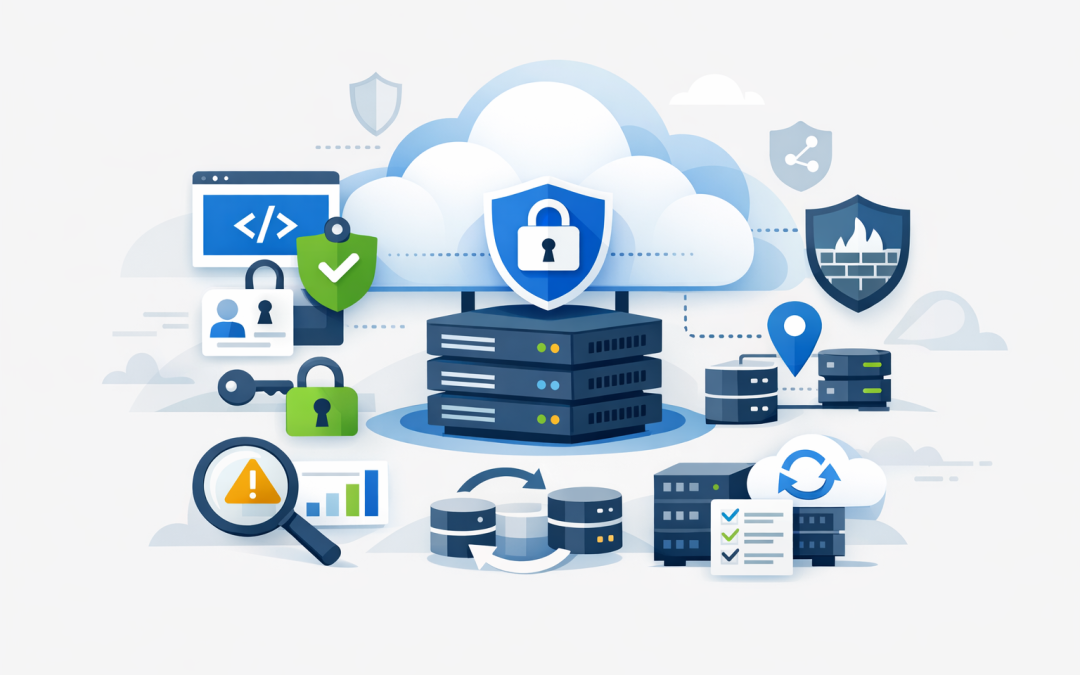
In this blog post How Azure App Service Runs Business Applications More Securely we will explain how organisations can reduce the security risks, maintenance costs and outages associated with hosting important business applications.


Many businesses rely on customer portals, booking systems, internal dashboards and custom workflow tools that were installed on a server years ago. The application may still work, but the server underneath it often needs manual patching, uses stored passwords and has limited monitoring. That creates a growing security and business continuity risk.
What is Azure App Service?
Azure App Service is Microsoft’s managed platform for hosting web applications and application programming interfaces, commonly called APIs. An API is simply a controlled way for one system to exchange information with another.
Instead of purchasing and maintaining a traditional server, your application runs on a platform operated by Microsoft. Microsoft manages much of the underlying operating system, infrastructure maintenance and platform availability, while your organisation remains responsible for the application, user access, data and security settings.
This division of responsibility matters. Azure App Service can remove a significant amount of routine server work, but simply moving an application to Azure does not make it secure. The service must be designed and configured around the sensitivity of the application and the information it handles.
1. It reduces the security burden of managing servers
Traditional application servers need regular operating system updates, security patches, antivirus management and configuration reviews. If these tasks are delayed because an IT team is busy, the server may remain exposed to known vulnerabilities.
With Azure App Service, Microsoft manages and routinely updates much of the underlying hosting platform. Your team still needs to patch the application’s software components and test supported runtime versions, but it no longer has to maintain every part of a conventional web server.
For a business with a small internal IT team, this can reduce both risk and operational cost. Skilled staff spend less time maintaining server infrastructure and more time improving the applications employees and customers actually use.
This also supports parts of Essential Eight, the Australian Government’s cybersecurity framework that many organisations use to improve their security maturity. In particular, a managed platform can make operating system patching more consistent. It does not automatically deliver Essential Eight compliance, but it can reduce the number of systems your team must patch manually.
2. Employees can use their existing Microsoft identities
One of the most common application security problems is a separate username and password database that nobody actively manages. Former employees may retain access, weak passwords may be accepted, and multi-factor authentication may not be available.
Azure App Service can use Microsoft Entra ID, Microsoft’s cloud identity and access system, to control who signs in. Employees can use their existing Microsoft 365 accounts rather than creating another password.
This allows the organisation to apply multi-factor authentication, which requires a second form of verification, as well as rules based on the user, device, location or level of risk. Access can also be removed centrally when an employee leaves the business.
The business outcome is simpler access management and a lower chance that a stolen or forgotten account will expose a critical application.
3. Application passwords do not need to sit inside the code
Business applications frequently need to connect to databases, storage services and other systems. Older applications often store the required passwords directly in configuration files or source code.
This is risky because anyone who can view the file, application package or code repository may be able to retrieve those credentials. Passwords are also difficult to rotate when they are copied across several systems.
Azure App Service supports managed identities, which give the application its own verified identity in Azure. The application can use that identity to access an approved database or storage service without keeping a reusable password in its code.
Other sensitive values can be stored in Azure Key Vault, a protected service for managing passwords, certificates and encryption keys. Access can then be limited to the application and the small number of administrators who genuinely need it.
This approach limits the damage caused by an exposed configuration file and makes credential management more consistent.
4. Internal applications can be kept off the public internet
A common mistake is making an application publicly reachable simply because it is hosted in the cloud. Even when a login page protects the application, public exposure gives attackers an opportunity to scan it and test it for weaknesses.
Azure App Service can use private endpoints, which give an application a private network connection rather than exposing it directly to the internet. Staff can reach the application through an approved corporate network, virtual private network or secure cloud environment.
For public customer applications, access restrictions can limit where management traffic comes from. Azure Application Gateway or Azure Front Door can also add a web application firewall, which inspects incoming requests and helps block common attacks before they reach the application.
The right choice depends on who needs access. An internal finance tool should usually have a very different network design from a public online booking portal.
5. Safer releases reduce outages and emergency fixes
Application updates are a major source of operational risk. A rushed release can introduce a security flaw, cause poor performance or take an important system offline during business hours.
Azure App Service supports deployment slots, which are separate environments for testing a new version before it becomes the live application. Once checks are complete, the tested version can be moved into production with less interruption. If something goes wrong, the team has a clearer path to return to the previous version.
This does not replace proper testing and approval processes. It gives your team a safer technical process for carrying them out, reducing the likelihood of a late-night rollback or extended customer outage.
6. Monitoring can reveal problems before users report them
Many businesses only discover an application problem when an employee submits a support ticket or a customer complains. By then, the application may have been slow or unavailable for hours.
Azure Monitor and Application Insights can track availability, response times, errors and unusual behaviour. Alerts can notify the IT team when performance falls below an agreed level or repeated failures suggest that something needs investigation.
Microsoft Defender for Cloud can add security recommendations and threat detection across the Azure environment. For more complex cloud estates, Wiz can provide broader visibility across configurations, identities, workloads and data risks. As a Wiz Security Integrator, CloudProInc helps organisations turn those findings into prioritised actions rather than another long list of alerts.
A practical business scenario
Consider a 180-person professional services firm with an internal project management application running on a Windows server. The server is reachable through a basic web login, the database password is stored in a configuration file, and updates require an after-hours outage.
Moving the application to Azure App Service would not fix poor application code, but it could remove much of the server maintenance. Microsoft Entra ID could control employee access, managed identity could replace the stored database password, and private networking could restrict the application to authorised users.
A testing slot could reduce release risk, while central monitoring could alert the IT team to errors before they affect an entire department. The result is not just stronger security. It is less maintenance, simpler access management and fewer disruptive releases.
How this supports Essential Eight planning
Azure App Service can support an Essential Eight program through more consistent platform patching, stronger multi-factor authentication, restricted administrative access and planned backup arrangements. However, compliance depends on the complete environment, including the application, identities, connected databases, administrator devices and operating procedures.
Backups must also be tested rather than merely enabled. For important applications, organisations should consider zone redundancy, which spreads capacity across separate facilities within an Azure region, and potentially a second-region recovery design for major disruptions.
If the application connects to artificial intelligence services, additional controls are needed around data, prompts and model access. Our guide to security best practices for Azure AI services explains those considerations in more detail. Organisations deploying autonomous AI workflows should also review designing secure AI agent infrastructure on Azure.
Questions to ask before moving an application
- Who needs access, and should the application be publicly reachable?
- Can existing Microsoft 365 identities and multi-factor authentication be used?
- Where are database passwords, certificates and other secrets currently stored?
- How quickly must the application recover after an outage?
- What monitoring, backup and security alerts are required?
- Who is responsible for patching the application itself?
- Does the design support your Essential Eight and privacy obligations?
A managed platform still needs a secure design
Azure App Service can provide a safer and easier-to-manage foundation for business applications, but the outcome depends on how identity, networking, secrets, monitoring and recovery are configured.
CloudProInc combines more than 20 years of enterprise IT experience with practical expertise across Azure, Microsoft 365, Microsoft Defender and Wiz. As a Melbourne-based Microsoft Partner and Wiz Security Integrator, we help organisations choose controls that match the real business risk without making the environment unnecessarily complicated.
If you are unsure whether an existing business application is secure, maintainable or costing more to run than it should, we are happy to review the setup and explain the practical options—no strings attached.