
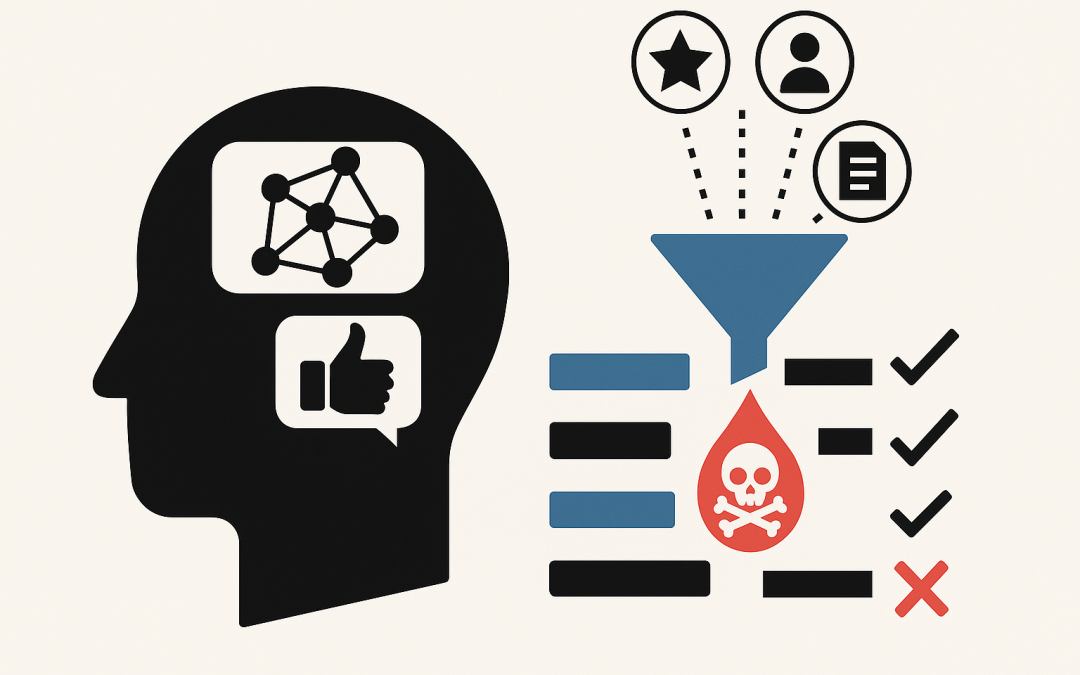
In this blog post AI Recommendation Poisoning How Attackers Skew What Your AI Suggests we will walk through what recommendation poisoning is, why it’s becoming a real-world risk, and what practical steps you can take to reduce the chance your AI gets “nudged” into making the wrong suggestions.
If you run any system that recommends things—products, suppliers, job candidates, support articles, security actions, or even “next best action” inside a business workflow—there’s a nasty reality: someone may be trying to influence those recommendations without hacking your servers.
They don’t need to break in. They just need to feed your system the right kind of bad signals so your AI learns the wrong lessons and confidently points people in the wrong direction.
High-level explanation of recommendation poisoning
Recommendation poisoning is when an attacker manipulates the data your recommendation system relies on, so the system starts recommending what the attacker wants.
Think of it like online reviews. If someone floods a product with fake 5-star reviews, that product climbs the rankings. Recommendation poisoning is the same idea, but applied to the signals AI uses—clicks, ratings, purchases, helpdesk searches, document content, tags, keywords, metadata, and user behaviour.
The business impact isn’t theoretical. Poisoned recommendations can lead to wasted spend, higher security risk, reputational damage, compliance issues, and employees losing trust in your AI tools.
Where this shows up in business systems (not just big tech)
Most people hear “recommender system” and think streaming services. In mid-market organisations (50–500 staff), we see recommendation-like systems everywhere:
- Internal knowledge search that suggests “best” policies, procedures, and templates.
- Customer support portals that recommend help articles or next troubleshooting steps.
- Security tooling that prioritises alerts or recommends remediation actions.
- Procurement and finance workflows that surface preferred vendors or “suggested” items.
- Sales and marketing systems that recommend leads, segments, or outreach actions.
- AI assistants with search (often called RAG, short for “retrieval augmented generation”), where the AI looks up documents and then answers based on what it finds.
That last one matters because many organisations now have an AI assistant connected to SharePoint, Confluence, Google Drive, a ticketing system, or a document store. If an attacker can plant or modify content inside the “knowledge base,” they can influence what the AI retrieves and therefore what it recommends.
The technology behind it (plain English, but accurate)
Most recommendation systems work by turning messy real-world activity into “signals.” Those signals might include:
- User signals: clicks, likes, ratings, purchases, dwell time, searches.
- Content signals: titles, tags, descriptions, keywords, document text.
- Similarity signals: “people who did X also did Y,” or “this document looks like that document.”
Modern systems often convert content into numbers called embeddings. An embedding is just a way of representing text (or an item) as a long list of numbers so the system can measure “how similar” two things are. If two pieces of text are close in this number-space, the system treats them as related.
Recommendation poisoning happens when an attacker figures out what your system is using as signals, then injects data that bends those signals. That can be done by:
- Fake behaviour (bots clicking, searching, rating, or purchasing in patterns).
- Profile injection (creating many fake users that behave in coordinated ways).
- Content poisoning (adding or editing descriptions, tags, titles, or documents to push certain items higher).
- Embedding manipulation (crafting text so it “looks similar” to many queries and gets retrieved often).
If your AI assistant uses a “retrieve then answer” approach, poisoning can be as simple as planting one highly-retrievable document that contains misleading instructions, and ensuring it gets pulled into context when users ask common questions.
Why recommendation poisoning is hard to spot
Traditional security monitoring looks for break-ins: suspicious logins, malware, data exfiltration. Poisoning can look like normal business activity.
A fake user clicking ten items isn’t always suspicious. A document with a plausible title in SharePoint isn’t always suspicious. Even a change to tags or metadata can fly under the radar—yet it can drastically change what the system recommends.
The scary part is the outcome: the AI looks like it’s working. It’s just working in a subtly biased direction.
Common attack goals (what attackers actually want)
- Promotion: push a product, vendor, article, or action to the top.
- Demotion: bury legitimate options so users don’t see them.
- Misdirection: steer users to insecure steps (“turn off MFA to fix login issues”).
- Reputation damage: make the AI recommend embarrassing or unsafe content.
- Operational disruption: flood the system with junk so recommendations degrade and people stop using it.
A real-world style scenario (anonymised)
Imagine a 200-person professional services firm rolling out an internal AI assistant for staff. The assistant can search SharePoint and recommend policy snippets, onboarding steps, and IT self-service instructions.
A contractor account is left active after a project ends. Nothing “explodes,” so nobody notices.
Over a few weeks, that account uploads a handful of documents with very believable names like “VPN Access Guide,” “Remote Work Checklist,” and “Password Reset Process.” The content looks fine at a glance, but it contains two subtle problems:
- It recommends a non-approved remote access tool.
- It suggests bypass steps that reduce security controls “temporarily.”
Because the documents contain common terms employees search for, the AI retrieves them frequently. Staff start following the instructions because “the AI said so.”
No one hacked the firewall. The attacker manipulated what the AI recommended. The business outcome is still serious: higher breach risk, audit headaches, and lots of rework cleaning up unsafe endpoints.
How to reduce the risk (practical controls that work)
You don’t have to stop using AI. You do need to treat “recommendation inputs” as a security surface.
1) Lock down who can write to the source of truth
Recommendation poisoning often starts with write access: who can create, edit, tag, or upload content.
- Limit who can publish to “trusted” knowledge locations.
- Use approval flows for policy and process documents.
- Remove stale accounts quickly (especially contractors and vendors).
If you’re using Microsoft 365, this is where a well-designed permissions model and lifecycle processes matter more than ever.
2) Separate “draft content” from “AI-approved content”
One simple pattern: have the AI assistant only retrieve from a curated, controlled set of libraries.
Yes, it’s less convenient than “search everything,” but it’s far safer. You can still allow broad search for humans while restricting what the AI uses as authoritative input.
3) Monitor for suspicious patterns in recommendation signals
Poisoning leaves fingerprints. Examples:
- Sudden spikes in clicks/views for obscure items.
- New items that jump to top recommendations unusually fast.
- Many new accounts behaving similarly (same sequence of clicks).
- Metadata changes (tags/titles) that correlate with ranking changes.
You don’t need perfect detection. You need enough visibility to investigate anomalies quickly.
4) Add “trust signals” and provenance
If the AI recommends a document or action, show users why it’s recommended and where it came from.
- Show the source document name, location, and last approved date.
- Prefer content with an “approved” label or owner.
- Down-rank items with unknown owners or recent unreviewed edits.
This reduces overreliance and makes it easier for staff to spot “that looks off.”
5) Rate-limit and harden public-facing feedback loops
If external users can influence recommendations (reviews, ratings, likes, comments), treat it like fraud prevention:
- Rate limits, bot detection, and account verification.
- Detect clusters of similar behaviour.
- Quarantine suspicious events rather than feeding them directly into learning pipelines.
6) Test your system with “poisoning drills”
Run a controlled exercise: can a normal user account create content that the AI then starts recommending incorrectly?
For example, create a harmless “poison” doc that contains an obviously wrong instruction, then see if it becomes top-ranked for common queries. If it does, you have a tuning, permissions, and curation problem—not an “AI problem.”
A small technical example (for developers)
If you run a retrieval-based assistant, one common mitigation is to filter retrieval results by a trust label. Below is a simplified example pattern: retrieve documents, then keep only those with an approved flag and an allowed source.
// Pseudocode: filter retrieval results by trust controls
results = vectorSearch(query, topK = 20)

trusted = []
for doc in results:
 if doc.source in ["Policies", "IT_KB", "HR_KB"]
 and doc.approvalStatus == "Approved"
 and doc.lastReviewedDate >= now() - 365 days:
 trusted.append(doc)

// If trusted is empty, fall back to a safe response
if trusted.length == 0:
 return "I couldn't find an approved source. Please contact IT or check the official policy library."

context = buildContext(trusted.take(5))
return llmAnswer(query, context)
This doesn’t “solve security,” but it removes the easiest poisoning path: dumping unreviewed content into the retrieval pool.
How this maps to real security and compliance expectations in Australia
In Australia, more organisations are aligning to the Essential 8 (the Australian Government’s cybersecurity framework that many organisations are now required to follow). Recommendation poisoning often exploits gaps that Essential 8 is designed to reduce—like weak access control, poor account lifecycle management, and uncontrolled administrative changes.
If an auditor asks, “Who can change the documents your AI uses to make decisions?” you want a confident, evidence-based answer.
What to do next
Recommendation poisoning is a business risk disguised as a data quality problem. If your AI suggestions influence spending, security actions, or staff behaviour, you should assume someone will eventually try to game it.
CloudProInc is a Melbourne-based Microsoft Partner and Wiz Security Integrator. We help teams design AI and cloud systems that are practical, secure, and support compliance—not science projects.
If you’re not sure whether your AI assistant or recommendation features could be quietly steered off course, we’re happy to take a look and give you a straight answer—no pressure, no strings attached.