
In this blog post AI Won’t Replace Your Team But Here’s What It Will Change in 2026 we will walk through what’s actually changing with AI in the next 12 months, what stays human, and what practical steps IT leaders can take now.
AI Won’t Replace Your Team But Here’s What It Will Change in 2026 is not a feel-good statement. It’s a planning statement.
If you lead IT or engineering, you’ve probably felt the tension already. The business wants “AI everywhere,” people are nervous about job impact, and your team is stuck between experimentation and governance. Meanwhile, the day job hasn’t slowed down: tickets, projects, security, audits, vendors, and outages still land on your desk.
The reality for 2026 is simpler than the hype. AI won’t replace your team. But it will replace a lot of the work your team shouldn’t be doing in the first place.
A high-level view of what changes in 2026
In 2026, the biggest shift isn’t “smarter chat.” It’s AI moving from answers to actions.
Instead of asking a chatbot for advice, your people will increasingly ask an AI assistant to do something across your systems. Draft the change request. Pull the evidence for the audit. Update the project plan. Create the test cases. Triage the incident. Summarise the meeting and assign actions. Generate the PowerShell snippet, the Terraform module, or the SQL query.
This is where the value is. And it’s also where the risk is if you don’t put guardrails in place.
The main technology behind the shift, explained plainly
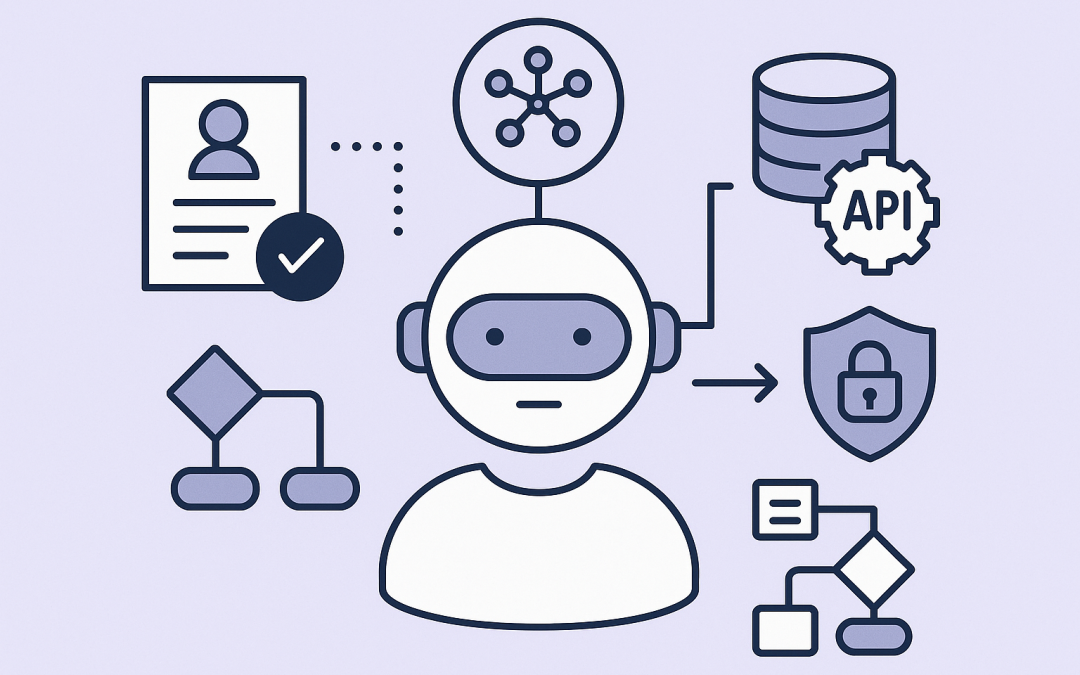
The key technology trend is tool-using AI, often called “AI agents.”
Plain English version: an AI model (like OpenAI’s GPT family or Anthropic’s Claude) can now be wired up to tools so it can take steps, not just talk. A “tool” might be:
- Your systems via APIs (an API is a controlled way for software to talk to software) like Microsoft 365, ServiceNow, Salesforce, Jira, GitHub, or your internal apps.
- Your data sources like SharePoint, Confluence, file shares, or a data warehouse.
- Workflows like approvals, ticket creation, user onboarding steps, and change management gates.
- Even user interface automation in some cases, where the AI can “use” a website or desktop app like a human would (clicking buttons and typing) in a controlled environment.
Modern AI platforms also support structured outputs (meaning the AI can reliably return data in a predictable format like JSON) and function calling (meaning the AI can request a specific action, like “create ticket” or “reset password,” rather than inventing steps). This is what makes AI useful in real operations, not just brainstorming.
In the Microsoft ecosystem, this shows up as Microsoft 365 Copilot, Copilot Studio (for building business assistants), and Azure AI tooling. In practice, it means you can create AI assistants that respect Microsoft Entra ID permissions (Entra ID is Microsoft’s identity system for sign-in and access control), and operate inside the same compliance boundaries as your tenant when implemented correctly.
What AI will change in 2026 (and what it won’t)
1) “Busy work” disappears, and your team’s output becomes more visible
In 2026, your best people will spend less time on low-value work like status updates, repetitive documentation, first-draft policies, meeting notes, and ticket narration.
The business outcome is straightforward: more throughput without adding headcount. But it also creates a new expectation: leaders will see output faster, and they’ll assume it’s always possible.
That means you’ll want to set a new team norm: AI accelerates first drafts, not final accountability. Your engineers and admins still own the outcome.
2) Security risk shifts from “malware” to “misuse”
AI doesn’t just create new tools for defenders. It also creates new ways for attackers to scale social engineering, write convincing phishing emails, and automate reconnaissance.
But the more immediate risk most 50–500 seat organisations will face in 2026 is internal and accidental: sensitive data going places it shouldn’t.
Common examples we see:
- Staff paste client data into public AI tools to “summarise” it.
- AI-generated documents get shared externally without the usual review steps.
- A well-meaning AI assistant pulls content from a SharePoint location that’s overshared.
This is where the Australian context matters. If you’re aligning to Essential 8 (the Australian government’s cybersecurity framework that many organisations are now required to follow), AI usage touches multiple controls: identity and access, application control, patching, macro hardening, backups, and incident response practices. In other words, AI doesn’t replace Essential 8. It raises the stakes of getting it right.
3) IT support changes from “answering tickets” to “designing self-service”
In 2026, the winning IT teams won’t be the ones who respond fastest. They’ll be the ones who reduce the number of tickets that should have existed.
This is where Microsoft Intune matters. Intune (which manages and secures all your company devices) enables you to standardise how laptops and mobiles are configured, patched, encrypted, and protected.
When your baseline is consistent, AI can safely help automate the repetitive parts:
- Guided troubleshooting (step-by-step with screenshots and checks)
- Passwordless rollouts and account recovery flows
- Device compliance nudges and remediation prompts
- “Where do I find…” internal knowledge answers
Business outcome: lower support cost per employee and fewer interruptions for your senior engineers.
4) Developers ship faster, but review and governance become the bottleneck
If you’re leading a dev team, you’ll see a big jump in speed from AI-assisted coding, test generation, refactoring, and documentation.
But speed exposes weak spots. In 2026, bottlenecks shift to:
- Code review quality (humans still need to validate intent, security, and maintainability)
- Secrets management (keeping credentials out of code and out of prompts)
- Dependency risk (AI can confidently suggest libraries you don’t want in production)
- Release governance (change control, audit trails, approvals)
Practical approach: treat AI like a very fast junior developer. Helpful. Productive. Not trusted without review.
5) “AI sprawl” becomes the new shadow IT
In 2026, you won’t just discover random SaaS subscriptions. You’ll discover random AI tools being used across marketing, finance, HR, and sales.
This is not because people are reckless. It’s because AI tools feel like productivity. They also often bypass the normal procurement friction.
What to do instead of banning it:
- Publish an “approved AI tools” list and keep it short.
- Define what data is allowed in AI prompts, in plain English.
- Provide a safe internal option (often inside Microsoft 365) so teams don’t go shopping.
- Make exceptions easy, but documented.
Business outcome: fewer compliance surprises and less data leakage risk.
A real-world scenario we see a lot
A Melbourne-based professional services firm (around 200 staff) came to us after their AI pilot “worked”… and then quietly became chaos.
Some teams were using consumer AI accounts. Others were using different tools per department. No one could confidently answer: What data is being uploaded? Who owns the prompts? Where are transcripts stored? How do we handle client confidentiality?
We didn’t start by rolling out more AI. We started by fixing the foundations:
- Locked down identity and access in Microsoft 365 (so the right people see the right data).
- Hardened device controls with Intune (so corporate data stayed protected on laptops and mobiles).
- Reviewed Microsoft Defender (Microsoft’s security suite that helps detect and respond to threats) alerts and tuned noise down.
- Mapped a practical Essential 8 uplift plan that matched their risk profile and budget.
Then we implemented a safe, governed AI approach for the use cases that mattered: meeting summaries, proposal first drafts, controlled knowledge search, and internal support guidance.
The outcome wasn’t “AI magic.” It was measurable: fewer interruptions to senior staff, cleaner documentation, faster proposal turnaround, and less anxiety about compliance.
Practical steps for tech leaders to take now
- Pick three workflows to improve, not thirty. Start where time is wasted weekly (onboarding, reporting, recurring incidents, audit evidence collection).
- Fix permissions before you add AI. AI is great at finding information. If your SharePoint and Teams access is messy, AI will amplify the mess.
- Decide your “data rules” in one page. What’s allowed in prompts? What isn’t? Who approves exceptions?
- Build a human-in-the-loop process. For anything that sends an email, changes a system, or updates a record, add review and approval gates.
- Plan for logging and accountability. If an AI assistant takes actions, you need audit trails just like you do for humans.
A simple mental model for 2026
If you remember one thing, make it this:
- Humans own goals, judgement, and risk decisions.
- AI accelerates drafts, analysis, and repeatable steps.
- Your security baseline determines whether AI is a benefit or a liability.
Closing thoughts
AI won’t replace your team in 2026. But it will change what “good” looks like for IT operations, software delivery, and security. The organisations that win won’t be the ones who chase every new model. They’ll be the ones who standardise, govern, and apply AI to the work that actually moves the business forward.
CloudProInc is Melbourne-based, with 20+ years of enterprise IT experience across Azure, Microsoft 365, Intune, Windows 365 (Cloud PCs that let staff securely use a managed work computer from anywhere), and modern AI using OpenAI and Anthropic Claude. We’re also a Microsoft Partner and a Wiz Security Integrator, so we spend a lot of time in the real-world details of security and governance, not just demos.
If you’re not sure whether your current AI approach is saving time or quietly increasing risk, we’re happy to take a look and give you a straight answer. No strings attached.