
In this blog post Claude Cowork for Windows Released and What It Means for IT Teams we will walk through what Cowork is, why the Windows release matters, and how to adopt it safely in real-world IT and engineering workflows.
At a high level, Claude Cowork turns Claude from a “chat assistant” into something closer to a capable teammate. Instead of answering one prompt at a time, Cowork can run multi-step tasks, work with your approved folders, and use connectors so it can actually move work forward while you focus elsewhere. Anthropic announced Cowork as a research preview in January 2026 and updated the announcement to confirm Cowork is now available on Windows as of February 10, 2026.
If you’re leading a Windows-heavy environment (many of us are), this is a practical shift. It means your developers, analysts, and IT ops folks can use the same agent workflow that macOS users had first—without jumping through browser-tab gymnastics or forcing WSL-only patterns for non-coding work. You can standardise tooling, permissions, and onboarding across the fleet.
What is Claude Cowork in plain terms
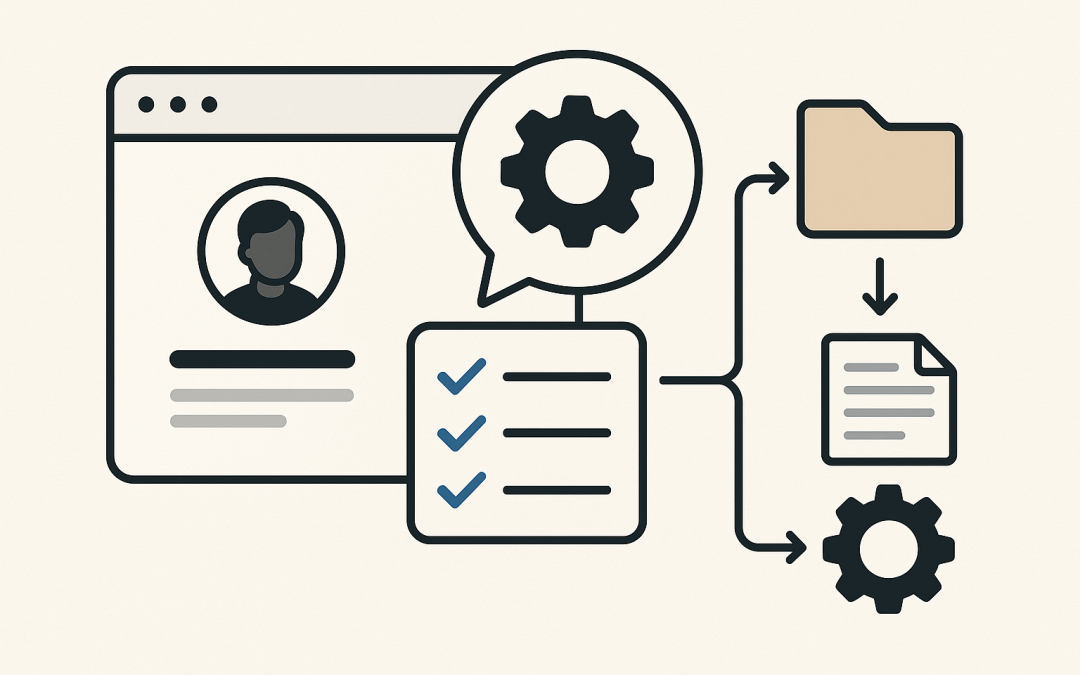
Cowork is a mode inside the Claude Desktop app that’s designed for “tasks” rather than “chat.” You describe an outcome (for example: “Summarise these incident reports and draft an exec update”), and Claude can plan the steps, read the files you explicitly allow, and iteratively produce deliverables. (support.claude.com)
It’s different from a normal assistant in one key way: it’s allowed to do multiple steps in sequence. That makes it useful for knowledge-work automation like synthesising documents, organising artifacts, preparing reports, or turning rough notes into structured outputs.
The technology behind Cowork (the “main tech”)
The core technology is an agentic execution loop (often called “agent architecture”). In practice, Cowork combines:
- Planning and decomposition: it breaks an outcome into smaller steps and tracks progress as it goes.
- Tool use / connectors: it can use approved integrations (often referred to as connectors, plugins, or MCP connectors depending on context) to access data and services.
- Local context with permissions: it can work with local folders you explicitly grant access to, instead of relying only on pasted text.
- Persistent guidance: Anthropic introduced global instructions and folder instructions so teams can define “how we work” once and reuse it across tasks.
Anthropic positions Cowork as “Claude Code for the rest of your work,” meaning it borrows the same general agent approach used for coding tasks and applies it to broader productivity scenarios inside the desktop app.
What changed with the Windows release
According to Anthropic’s January 12, 2026 announcement (updated afterward), Cowork is now available on Windows with feature parity to macOS, including local file access, multi-step tasks, plugins, and MCP connectors. The update explicitly states Windows availability as of February 10, 2026.
Practically, that means you can stop treating Cowork as a “Mac-only innovation lab.” You can pilot it with Windows-first teams like service desk, SOC, internal tooling, data/BI, and product operations—where a lot of work is document-heavy and process-driven.
How to get Cowork on Windows (quick start)
1) Confirm prerequisites
- Claude Desktop app installed on Windows.
- A paid Claude plan (Cowork is offered as a research preview on paid plans).
2) Install or update the desktop app
Download the latest Claude Desktop for Windows from the official download page. Once installed, sign in, then look for the Cowork option in the sidebar/mode selector inside the desktop app.
3) Start with a safe, bounded folder
Create a dedicated folder such as C:\Cowork\pilot and grant Cowork access only to that directory for your first week. Put “clean” test data there (runbooks, anonymised incident tickets, sample spreadsheets).
4) Add global and folder instructions
Use global instructions to set team-wide defaults (tone, formatting, preferred templates). Use folder instructions to describe the data and rules for that folder (naming conventions, redaction requirements, what not to touch). Anthropic says these instructions can be updated from chat.
Practical use cases for IT and engineering teams
- Incident comms drafts: ingest postmortem notes, produce an exec summary, and create a customer-safe summary with redactions.
- Change management: turn a technical change description into CAB-ready documentation and a rollback checklist.
- Knowledge base hygiene: cluster old KB articles, propose merges, and generate a consistent structure (purpose, symptoms, resolution, validation).
- Vendor/security questionnaire help: summarise evidence from approved documents and produce first-draft answers for review.
Cowork is particularly strong when the job is repetitive, text-heavy, and benefits from consistent structure—while still needing a human to approve the final output.
A simple first task you can copy/paste
Drop 3–5 real (but sanitised) artifacts into your pilot folder—an incident timeline, a Slack export, and a short technical note. Then try something like:
You are helping our IT Ops team.

Goal: Create an incident summary pack from the files in this folder.

Requirements:
- Output 1: Executive summary (max 10 bullet points).
- Output 2: Technical timeline (timestamped).
- Output 3: Action items table (owner, priority, due date placeholders).
- Redact any secrets, tokens, passwords, or customer identifiers.
- If anything is missing, list questions at the end.

Use our style: concise, neutral tone, Australian spelling.
Even if you only adopt Cowork for “first drafts,” you’ll usually see time saved quickly—because formatting and structure are the time sink most teams hate.
Security and governance (what to do before you roll it out broadly)
Cowork is an agent-style feature, and Anthropic has publicly cautioned that agentic systems have unique risks (for example, unintended file actions if instructions are unclear, or prompt injection risks when interacting with untrusted content). Treat this like you would any tool that can access data and act on it. (theverge.com)
Recommended controls for a Windows enterprise
- Least-privilege folder access: start with read-only content and narrow directories. Don’t point it at whole home drives.
- Data classification guardrails: define what data is allowed in Cowork-enabled folders (and what is never allowed).
- Human-in-the-loop approvals: require review before any externally shared output (customers, regulators, PR).
- Standard instruction templates: ship an approved global instruction for each persona (Dev, Ops, Sec, PM).
- Pilot then scale: run a 2–4 week pilot with a few teams, collect failure modes, then standardise.
What to tell leadership
If you need the one-paragraph pitch: “Cowork on Windows lets teams delegate multi-step document and workflow tasks to Claude Desktop, with explicit folder permissions and reusable instructions. It reduces time spent on drafting, structuring, and synthesising—while keeping humans responsible for approvals and governance.”
The Windows release on February 10, 2026 removes a major adoption barrier for many organisations. Now the real work is operational: define what Cowork is allowed to see, what ‘good output’ looks like, and how your team reviews results.
Next steps
- Install/update Claude Desktop on a small Windows pilot group.
- Create a dedicated, sanitised pilot folder and write folder instructions.
- Run 5–10 repeatable tasks (incident packs, KB cleanup, CAB docs) and measure time saved.
- Document governance rules and promote a standard global instruction per team.
Cowork won’t replace your engineers or ops leads. But it can remove a lot of the “glue work” that slows delivery—especially in Windows environments where most of that work lives in documents, tickets, and shared drives.